E-DOC-CTC-20060911-0017 v2.0
Chapter 4
Troubleshooting
29
4.3 Web Diagnostics
Testing your Internet Connection
After setting up the Internet connection, there is an easy way to check whether your configuration is fine.
Proceed as follows:
1 Go to the Thomson Gateway home page (http://dsldevice.lan
or 192.168.1.254).
2 In the menu, click SpeedTouch.
3 In the Pick a task list, click Check connectivity to the Internet.
4 In the Internet Service to Check box, select the Internet service you want to check.
5 Click Check Connectivity.
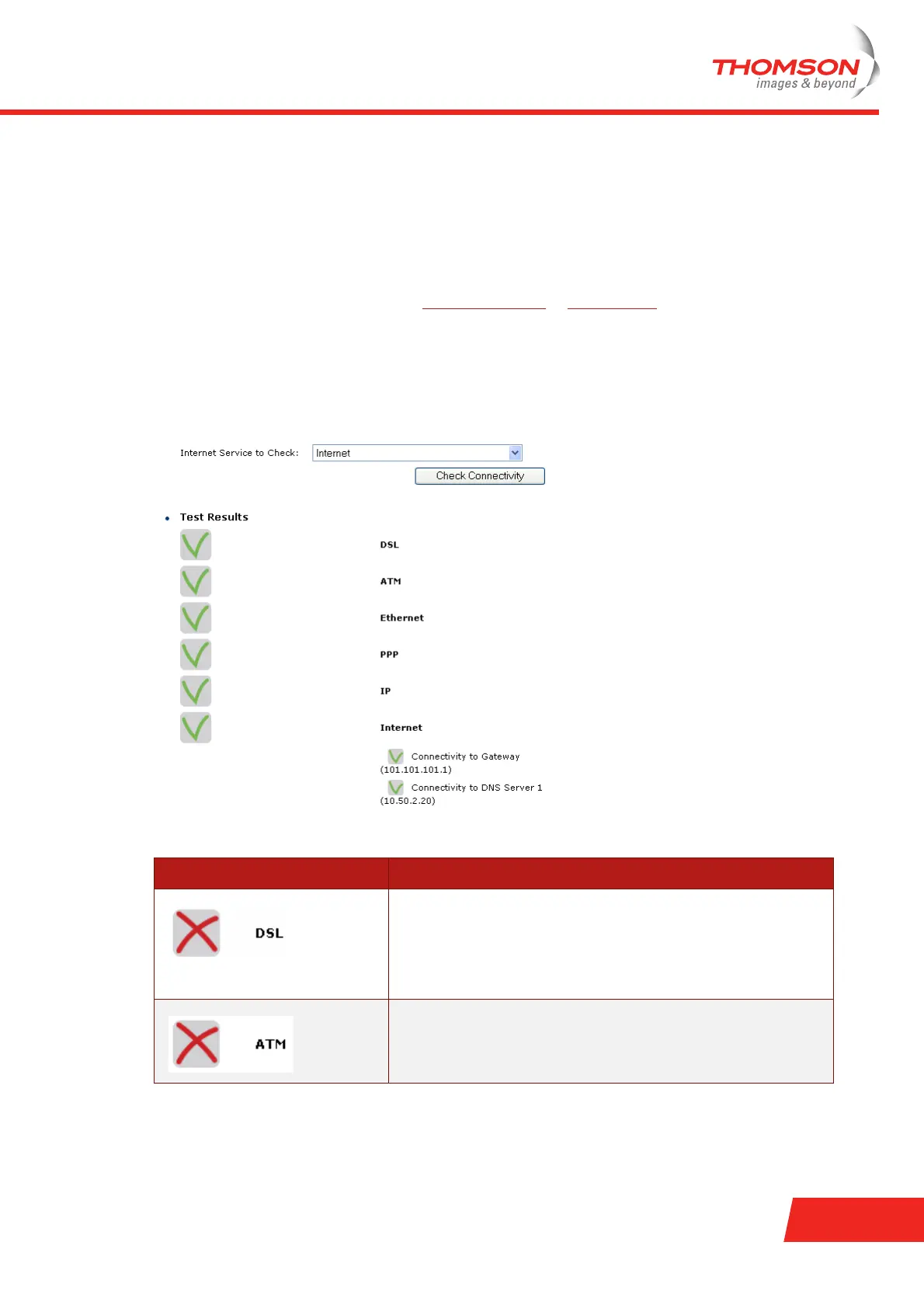
If the test is successful, you will see a list of green check marks as shown in the example below:
Otherwise a red cross will help you to diagnose the problem:
Test result Explanation
Your DSL line is not synchronised.
> Check whether your telephone line is correctly connected to
your Thomson Gateway.
> Check the DSL LED, as described in “ Checking the LEDs” on
page 27.
No ATM activity detected on your DSL line.















 To Next Page