4
Data Protection
The application providers and the providers of the services may collect and use technical data and related
information, including but not limited to technical information about this device, system and application software
and peripherals. They may use such information to improve products or to provide services or technologies,
which do not personally identify you. Additionally, some third-party services, already provided in the device or
installed by you after purchasing the product, may request a registration with your personal data. Some services
may collect personal data even without providing additional warnings. StreamView cannot be held liable for a
possible breach of data protection by third-party services.
2. Introduction
The Thomson Streaming Box 240G upgrades your TV to a Smart TV and brings the experience of Android, known
from mobile phones to your TV. You can download apps, such as streaming services, games, TV media centers
and thousands of more from Google Play. Ask Google to quickly nd YouTube videos, the latest blockbuster,
check the internet for weather or other content. Cast your photos, videos and music from mobile devices to your
TV with Chromecast built-in.
3. Streaming Box
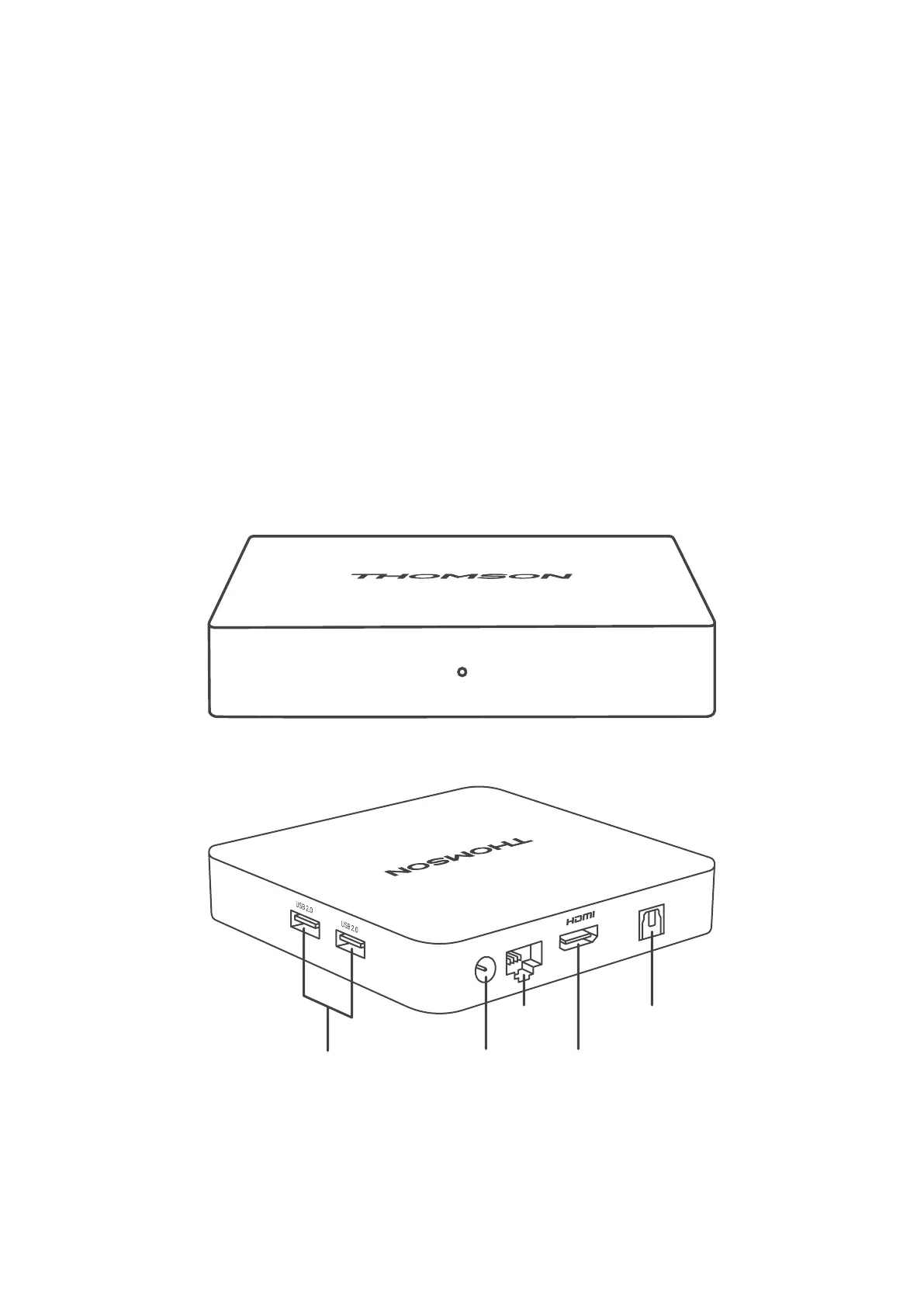
3.1. Front Panel
3.2. Rear Panel
POWER
LAN
AUDIO OUT
Digital
audio
Power
LAN/
Internet
HDMIUSB-A 2.0



 To Next Page