5
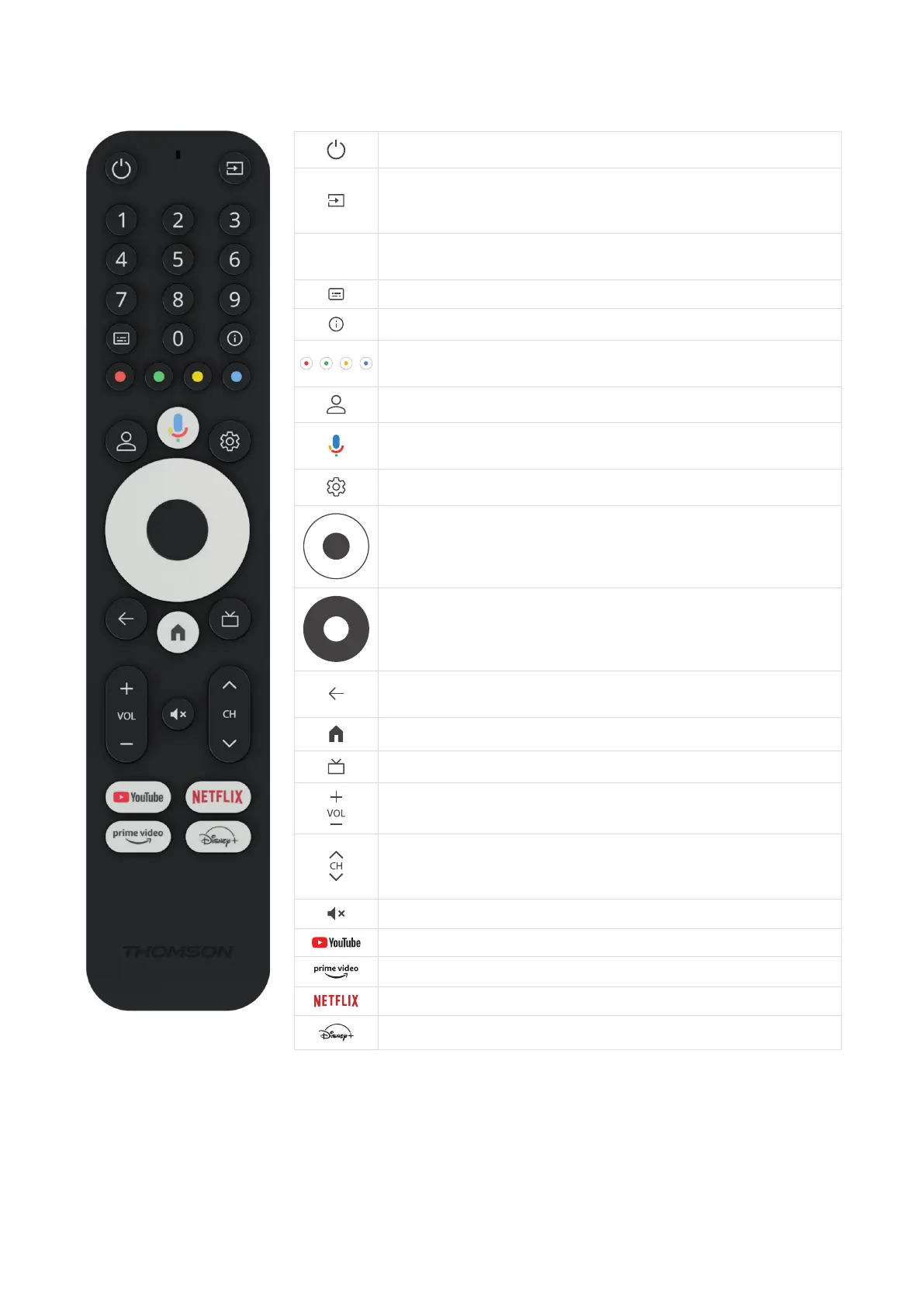
3.3. Remote Control
Standby: Quick Standby / Standby / On
Source/Input: Selects the devices connected to the TV or Live TV
*The button only works when the Smart RCU function of the
Thomson Streaming Box 240G is activated
0 - 9
Numeric Buttons: Enter a number or a letter in the text box on the
screen
Subtitles: Turns subtitles on and o (where available)
Info: Displays information about on-screen content
Colored Buttons: Functions in various apps: follow on-screen
instructions
Prole Switch: Switches user proles
Microphone: Activates the Google Assistant and the microphone
built into the remote control
Settings: Opens the Settings Menu
OK: Conrms selections
Directional Button (D-Pad): Navigates menu, setting options, moves
the focus or cursor etc.
Back/Return: Returns to previous menu screen, goes one step back
etc.
Home: Opens the Home Screen
Common application
Volume +/-: Controls the Sound Volume of the TV
Program +/-: Zapping the single TV/radio channels. Scrolls the
channel list page by page when the channel list is displayed on the
TV screen
Mute: Completely turns o the volume of the TV
YouTube: Launches the YouTube application
Prime Video: Launches the Prime Video application
Netix: Launches the Netix application
Disney+: Launches the Disney + application



 To Next Page