GEOMETRY LINES*
HS
STANDARD
RF Norm Group Selection
OSDCONTR
WBF-R*
SOC1-0
Peak White
Limiting
OIF
Offset IF
demodulator
Full-page video
text contrast
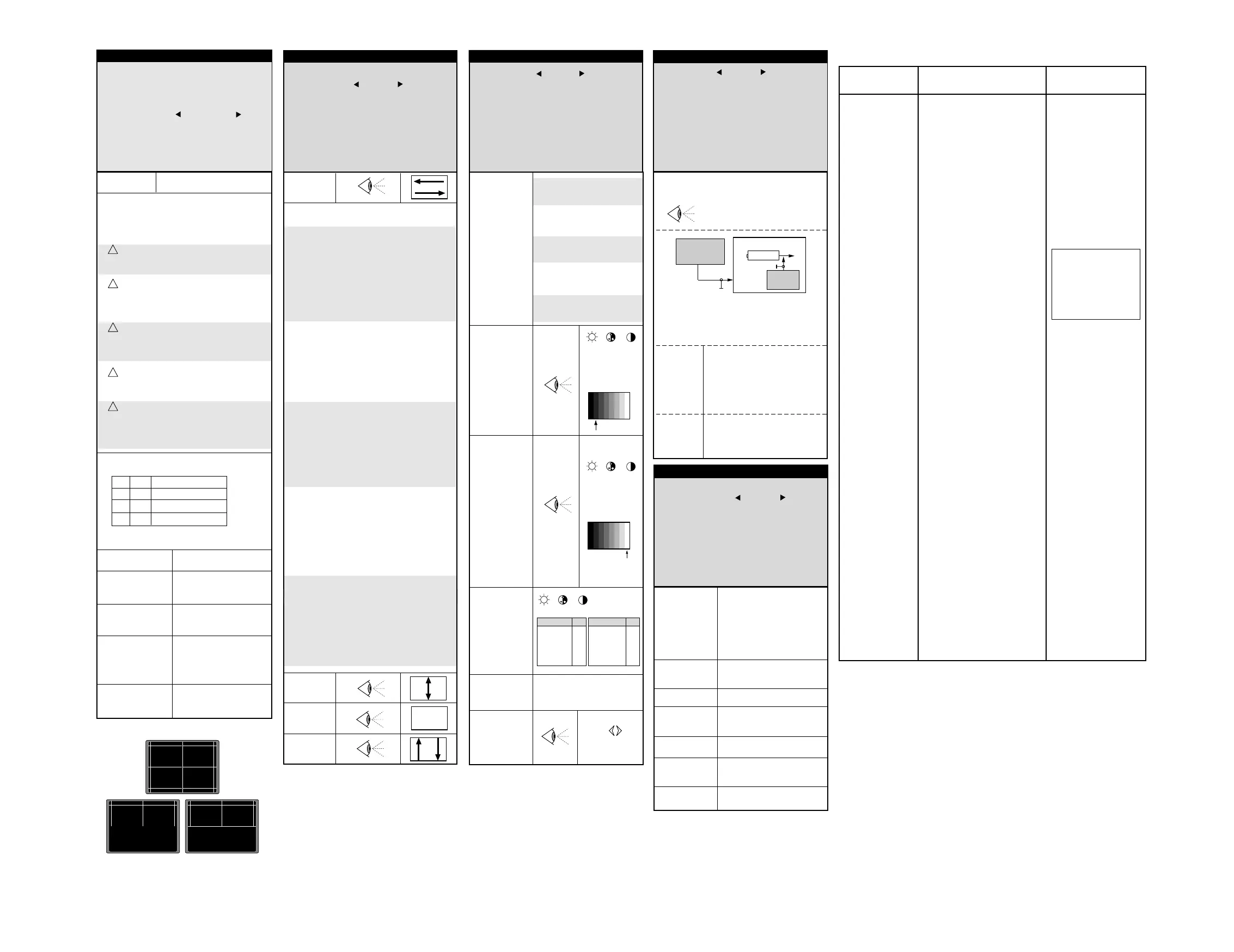
VIDEO LINES
IF LINES
SET-UP LINES
*Perform the G2 and the Focus settings beforehand.
Effectuez au préalable les réglages de G2 et de focus.
Stellen Sie zuvor G2 und "Focus" ein.
Effetuare le regolazioni G2 e del Fuoco innanzitutto.
Efectuar previamente los ajustes de G2 y Foco
colourimeter
Peak White
SECAM/PAL
PWS / PWP**
BKS
YD
Luminance
Delay
Black Stretch
Sets Nits
10" 500
14" 450
17" 450
20"FB 450
21"OT 420
Sets
21"MP 90° 450
21"XF Tosh. 420
25"MP 110° 400
28"MP 110° 300
29"XF Sams. 250
" S " : Video signal received is SECAM.
" P " : Video signal received is PAL.
** Adjust separate for PAL / SECAM
* According to software version.
ROM Default Value :
TX 807 C / CS Europe : 00 EU
00
01
02
03
BG / LL'
LL' / BG
PAL I only
DKK' PAL, SECAM
EU
FR
UK
DK
ID 00.07
INIT
STANDARD* 00 0-03
KEY OFF OFF-ON
OSDCONTR 03 0-0F
WBF-R* 88 0-FF
SOC1-0 2F 0-3F
OIFP** 20 0-3F
VA
KEY
SC
S-Correction
VSH
grey
+
= 50%
Grey scale
test pattern
Factory Setting
Use
to adapt the image
white =100%
+
white
+
= 50%
Grey scale
test pattern
white =100%
+
+
= 50%
+
ID 02.11
HS 20 0-3F
VS 1A 0-3F
VA 20 0-3F
SC 10 0-3F
VSH 20 0-3F
CL 00 0-0F
BLORS* 08 0-0F
BLOGS* 08 0-0F
WPRS* 20 0-3F
WPGS* 20 0-3F
WPBS* 20 0-3F
PWS* 20 20 20 0-3F
BKS* ON OFF-ON
YD 08 0-0F
V-Slope
VS
V_Slope
- Appliquer une mire de barres avec seulement
une ligne blanche horizontale en milieu
de l'écran.
- Sélectionner la ligne "V-Slope".
La moitié basse de l'écran devient noire.
- Aligner "V_Slope" pour que la ligne médiane
soit à peine non visible.
- Commuter la mire en mode de réglage de
géométrie (quadrillage).
- Effectuer les reglages de geometrie ci- après.
- Apply a test pattern signal to the TV
with a single horizontal and vertical line
on the screen.
- Select the "VS" line of the menu.
The bottom half of the screen will go black.
- Adjust VS until the centre line of the
pattern is just invisible.
- Leave the line "V_Slope".
- Switch the test pattern signal to the
crosshatch geometry pattern.
- Perform the geometry adjustments
described below.
- Speisen Sie ein Testbild mit einem
horizontalen Strich in der Bildmitte ein.
- Wählen Sie im Menü die Funktion
"V-Slope" an.
Die untere Bildhälfte wird dunkel.
- Stellen Sie "V-Slope" so ein, daß die
Mittellinie fast verschwindet.
- Verlassen Sie die Funktion "V-Slope".
- Speisen Sie ein Gittertestbild ein.
- Nehmen Sie die Geometrieeinstellungen
wie nebenstehend beschrieben vor.
- Applicare un monoscopio con un'unica linea
bianca orizzontale al centro dello schermo
- Selezionare la riga "V slope" del menu. La
parte bassa dello schermo viene oscurata.
- Allineare la "Vertical Slope" in modo che
la linea centrale sia appena visibile
- Abbandonare la riga "V slope".
- Posizionare il monoscopio
- Effettuare le regolazioni di geometria
descritte in precedenza
- Memorizzare.
S
Correct incorrect
CL
BLORS / BLORP
Black Level
Offset Red
SECAM/PAL
BLOGS / BLOGP
Black Level
Offset Green
SECAM/PAL
Cut-off **
ID (TEXT) Software
INIT Initialise TV set
STANDARD RF Norm Group Selection 0 (EU)
KEY Key Lock OFF
OSDCONTR OSD Contrast IV V1.0 = 03 - IV V2.20 = 00
WBF-R Timing of wide blanking 88
SOC1-0 Peak White Limiting IV V1.0 = 00 - IV V2.20 = 2F
OIFS Offset IF demodulator 18
FR France N1 IV V1.0 (only)
Mono : 00
Stereo : 01
HS Horizontal Shift 20
VS Vertical Slope 1A
VA Vertical Amplitude 20
SC S-Correction
VSH Vertical Shift 20
CL Cathode Level IV V1.0 = 00 - IV V2.20 = 08
BLORS Black Level Offset Red SECAM IV V1.0 = 08 - IV V2.20 = 20
BLORP Black Level Offset Red PAL IV V1.0 = 08 - IV V2.20 = 20
BLOGS Black Level Offset Green SECAM IV V1.0 = 08 - IV V2.20 = 20
BLOGP Black Level Offset Green SECAM IV V1.0 = 08 - IV V2.20 = 20
WPRS White Point Red SECAM 20
WPRP White Point Red PAL 20
WPGS White Point Green SECAM 20
WPGP White Point Green PAL 20
WPBS White Point Blue SECAM 20
WPBP White Point Blue PAL 20
PWS Peak White SECAM 20
PWP Peak White PAL 20
BKS Black Stretch 01
YD Luminance Delay 08
TOP AGC Take-Over IV V1.0 = 20 - IV V2.20 = 14
FFI Fast Filter IF-PLL 00
ACL Automatic Colour limiting 00
CD0 Colour Decoder 0 IV V1.0 = 84 - IV V2.20 = 04
CD1 Colour Decoder 1 Mono : 80
Stereo: 00
SYN0 Synchronisation 0 30
SYN1 Synchronisation 1 1C
DEF Deflection 00
VI0 Vision IF 0 40
VI1 Vision IF 1 00
SOUND Sound 00
CONT0 Control 0 00
CONT1 Control 1 00
FEAT0 Features 0 00
Drive**
Cathode Level
TOP
FFI*
Fast Filter
IF-PLL
ACL*
Automatic
Colour
limiting
DEFAULT VALUES
OSD DESCRIPTION
DEFAULT VALUE ( HEX )
Soft N1 IVV1.0 / N2 IVV2.20
AGC - Take Over
- Minimum noise- Minimum de bruit
- Minimum Rauschen - Rumore minimo
- Minimo ruido
210.25 MHz
3mV
antenna
input
Monitor IF
38.9 MHz
ROM Defaut Value N1 IVV1.0 :
AGC : 20
N2 IVV2.20:
AGC : 14
- Set TOP to 00
- Adjust TOP for maximum gain of IF signal.
- Reduce IF level about 8dB.
chassis TX807 C / CS
BG CH 10
IF
11
Tuner
WPBS / WPBP
White Point
Blue
SECAM/PAL
WPRS / WPRP
White Point
Red SECAM/PAL
WPGS / WPGP
White Point
Green
SECAM/PAL
TOP 20 0-0F
FFI 00 0-01
ACL* 00 0-01
VIDEO PROCESSOR LINES
CD0
CD1
SYN0
SYN1
DEF
VI0
VI1
SOUND
CONT0
CONT0
CD0 84 0-FF
CD1 00 0-0F
SYN0 30 0-FF
SYN1 08 0-FF
DEF 00 0-0F
VI0 00 0-0F
VI1 00 0-0F
SOUND 00 0-FF
CONT0 46 0-FF
CONT1 00 0-0F
SOUND1 00 0-FF
FEAT0 00 0-01
FEAT1 00 0-01
LOCK 00 0-01
LIMIT 00 0-01
factory Setting
factory Setting
factory Setting SOC1=2FH
29"XF Samsung: 2DH
21"XF TTD : 2DH
factory Setting OIF=20H
Key lock ON,OFF...
Default value : OFF
OSDCONTR = 00H
WBF-R = 88H
Specific TDA9554PS
(UOC-N2)
Specific TDA9554PS
(UOC-N2)
Timing of
"wide blanking"
Réglage usine.
Extension des valeurs de
réglages du Peak White.
Factory Setting.
Extension of the peak White
range.
Factory Setting.
ACL=00
Factory Setting.
- Aplique una carta de ajuste con sólo una
línea blanca horizontal y una vertical en
el centro de la pantalla.
- Seleccionar en el menú, la línea
"V-Slope". La mitad inferior de la pantalla
se pondrá oscura.
- Ajuste "V-Slope" justo hasta que la línea
horizontal sea invisible.
- Cambiar la carta de ajuste a "cuadrícula"
y efectuar los ajustes de geometria
descritos a continuación
- Antes de salir, memorizar con "Store"
Factory setting.
Extension of the peak White
range.
Fabrik-Einstellung
(Umfang des Spitzenweiß Ein-
bereiches)
Ajuste de fábrica
Extensión del margen del Peak
White.
CD0 - Colour Decoder 0
CD1 - Colour Decoder 1
- Colour Decoder 1
Default value N1 Soft. IVV1.0 = 84
N2 Soft. IVV2.20=04
Default value N1 Soft. IVV1.0 = 84
Mono : 80 Stereo: 00
- Syncronisation 0 = 30
- Syncronisation 1 = 1C
- Deflection = 00
Factory Setting.
Factory Setting.
- Vision IF 0 = 40
- Vision IF 1 = 00
Factory Setting.
- Control 0 = 40
- Control 1 = 00
Factory Setting.
- Sound = 00
Factory Setting.
FEAT0
- Features 0 = 00
Factory Setting.
Factory Setting.
INIT
"INIT" copia tutti i parametri di servizio dalla
ROM alla EEprom. Sarà necessario in seguito
regolare alcune funzioni in Service Mode.
!
Initialise TV set.
Sets all Service Mode functions stored in the
EEprom to their default values.
See below the default values table.
"INIT" copie toutes les valeurs par défaut
stockées en ROM vers l'EEprom.Il peut être
nécessaire dans ce cas de reprendre la plupart
des réglages du mode service.
!
"INIT" copy all service parameters from the
ROM to EEprom. It will be necessary in this case
to readjust most of the service mode functions.
!
"INIT" kopiert alle Service-Parameter aus
dem ROM in das EEPROM. Es ist anschliessend
notwendig die meisten Service-Funktionen neu
abzugleichen
!
“INIT” copia todos los valores por defecto
memorizados en la ROM hacia la EEPROM.
Puede ser necesario en el caso de tener que
reajustar la mayor parte de los ajustes en
Modo Servicio
!
Fast Filter (IF / PLL)
Filtre rapide (FI / PLL)
Schnelles Filter (ZF / PLL)
Filtro /rapido (IF / PLL)
00 : Europ
* According to software version.
** " S " : Video signal received is SECAM.
" P " : Video signal received is PAL.
Nits
10"/14"/MP 4/3 = 10
17"20"/21"MP 4/3 = 10
21"OT 4/3 = 10
21"XF 4/3 Toshiba= 10
21"XF 4/3 TTD = 10
21"XF 4/3 Philips = 10
25"/28" MP 4/3 = 22
29"XF Samsung = 1C



 To Next Page
 Loading...