EN
21
To see and/or recopy the
pictures of a connected unit.
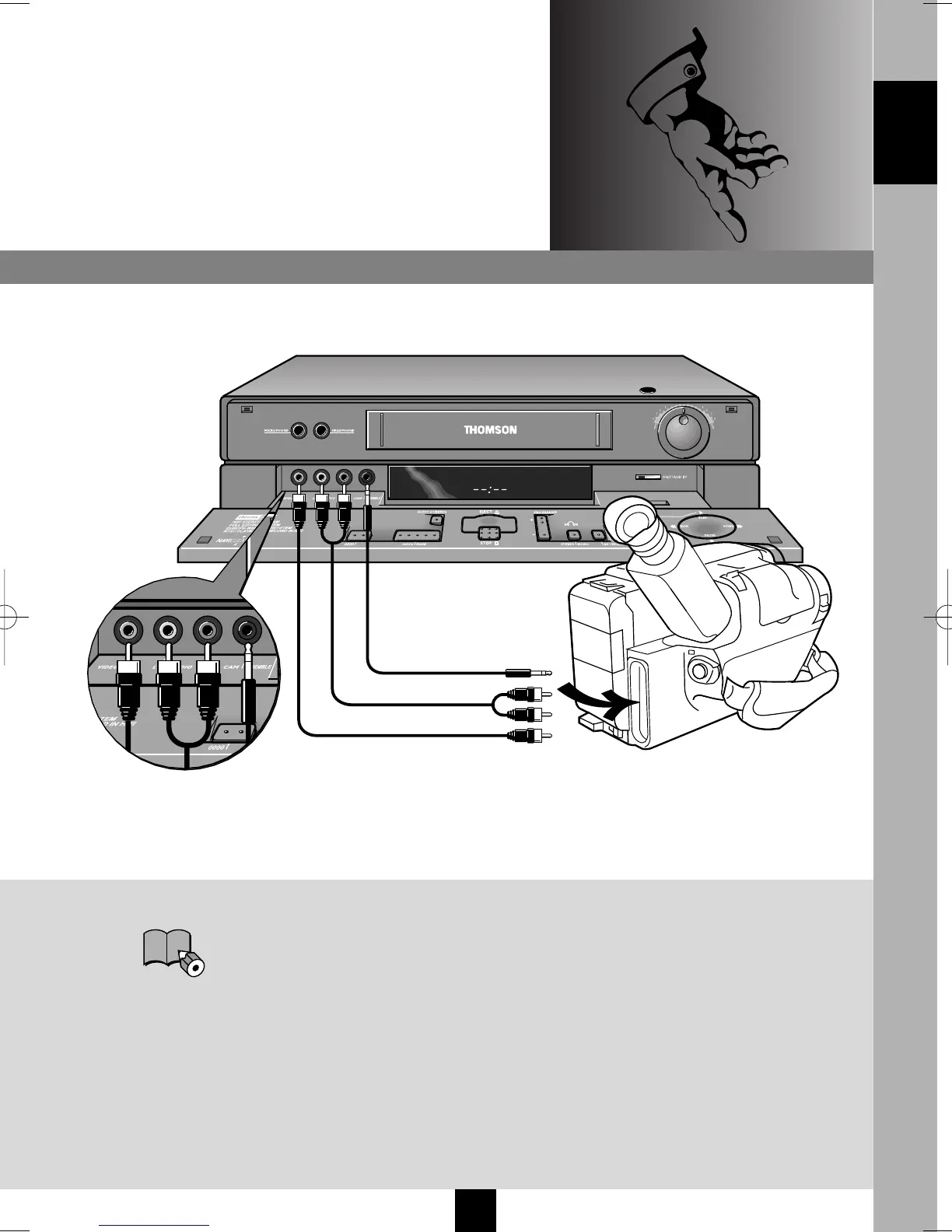
CAMCORDER
Connect your camcorder on the Audio L
(Left), Audio R (Right), Video, and
Cam./Assemble sockets (if your camcorder
is fitted with them), as in the diegram
above. Select Au3 on your video recorder.
With compatible camcorders, the pause
socket makes copying easy by triggering
off recording of the video recorder when
the camcorder goes from PAUSE to PLAY.
The video recorder should
be in pause-record
M K
.
AUDIO/VIDEO 3
ENGLISH
I-T7089PE-GB/BEI/906 20/07/99 18:14 Page 21



 To Next Page