EN
3
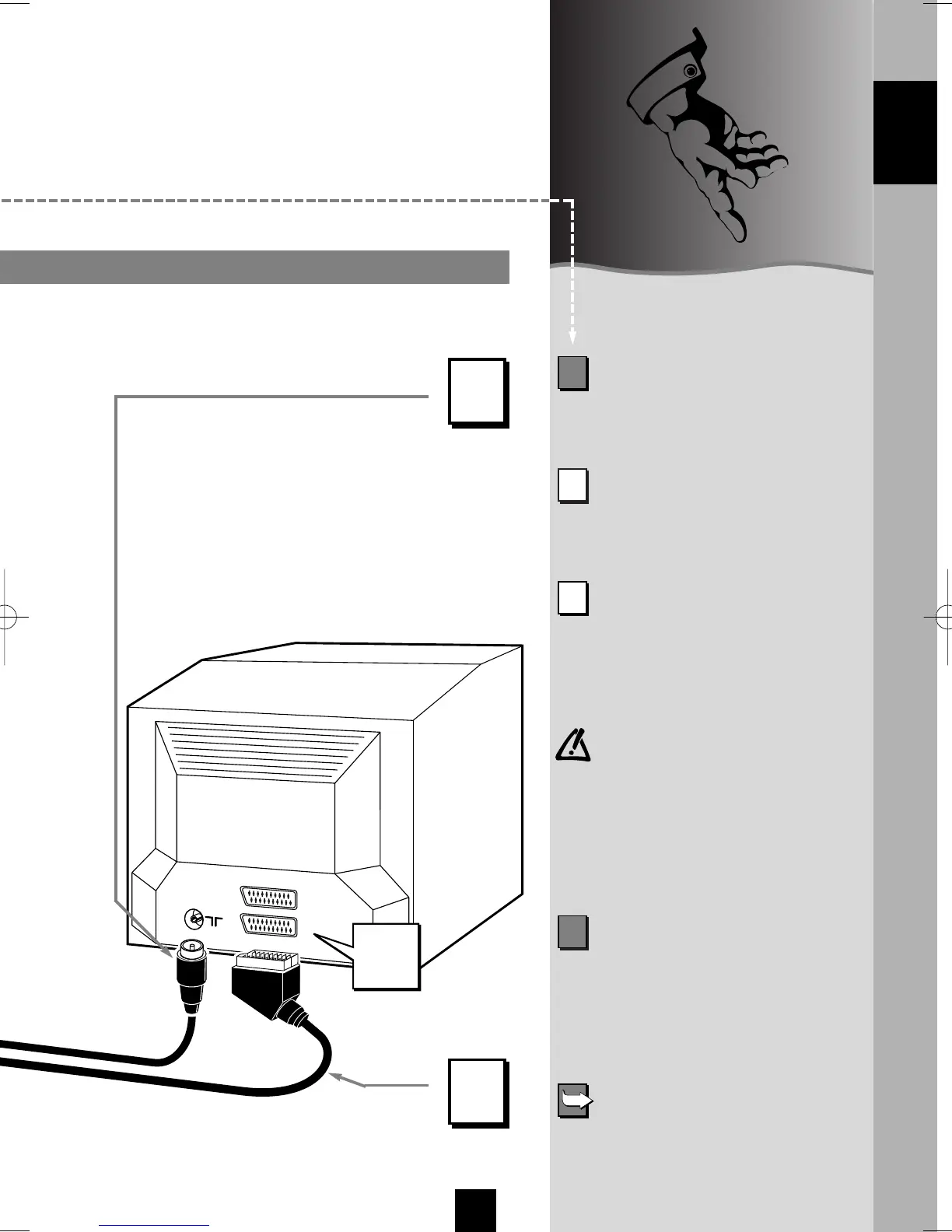
Supplied Euroconnector cable
(SCART)
Supplied aerial cable.
The connecting socket of your TV
set must be designed for RGB-
signals. Should this not be the case,
use the AV4-socket (yellow Phono
socket) of the VCR. To ensure that
you use the proper cable, ask your
dealer for advice.
Before connecting
other appliances to the
video recorder, please make
the following connections,
then the adjustments
on pages 6 to 11.
1
Remove the aerial cable on your TV
set and reconnect it to the
IN socket
on your video recorder.
2
With the supplied aerial cable,
connect the OUT socket of the video
recorder to the aerial socket on the
TV set.
4
Connect the video recorder to a
mains socket, the video recorder
display on. Connection of the video
recorder to the mains socket should
be done once all these connections
have been made.
Installation of an separate satellite
receiver is explained from page 12
onwards.
3
W ith the help of the supplied
Euroconnector cable, connect the
AUDIO/VIDEO 1 socket on the video
recorder to the Euroconnector socket
on your TV set.
2
3
ENGLISH
I-T7089PE-GB/BEI/906 20/07/99 18:14 Page 3



 To Next Page