18EN
USING THE RADIO
• Press FUNCTION to select radio mode. When using the
radio for the rst time, you have to do a search for FM
radio stations.
Automatic search
• Press and hold 7 or 8 to launch an automatic search,
then release to trigger the automatic search: reception
stops automatically on the nearest station received.
• To switch the radio off, press q.
Note: For best reception, extend the FM antenna (19)
situated at the back of the device.
Manual search
• Press 7 or 8 to select the frequencies manually.
PROGRAMMING RADIO STATIONS
Manual programming:
• Select a station to be saved.
• Press PROG/MEM/C-ADJ: programme mode (P- 01)
is displayed.
• Press s or w on the remote control to select a
programme
number.
• Press again PROG/MEM/C-ADJ, to memorise this
programme. (30 maximum)
Automatic programming:
• Press 12 to launch the automatic search. This stops
after a full cycle of searching : The symbol “FM” and
the rst programmed frequency comes up on the LCD
screen.
• Press 3 to stop the search.
Accessing saved stations:
• Press s or w to access the memorised stations.
• You can use the digital keypad 0-9 to enter the number
of the station and select it directly.
PLAYBACK FROM AN iPod/iPhone
Listening iPod/iPhone:
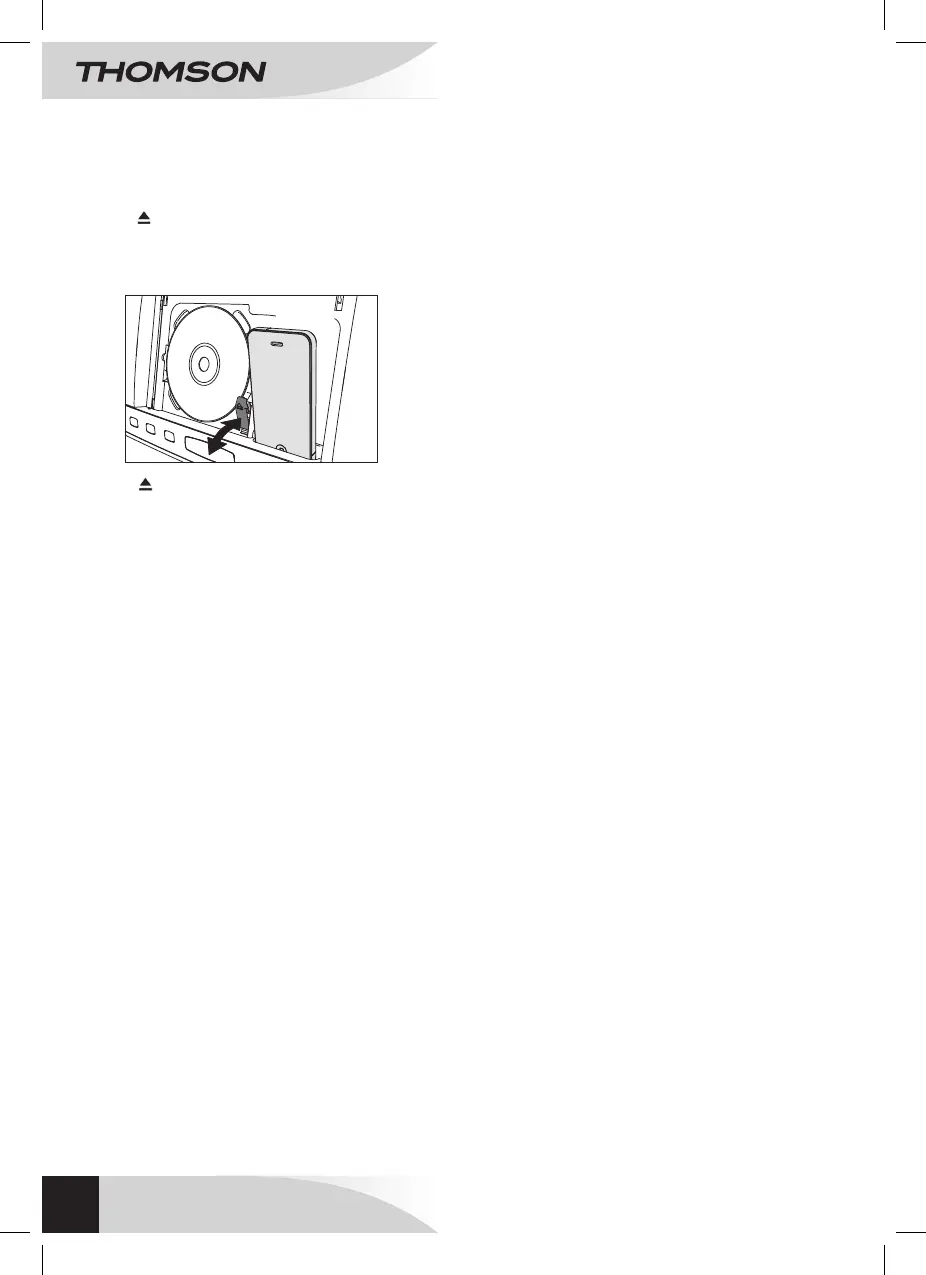
• Press to open the lid of the disk compartment.
• Press on the left side of the iPod/iPhone, this facilitates
the placement of the iPod/iPhone in the device (see
picture below).
• Press to close the lid.
• Then press FUNCTION to select the mode iPod.
Playback of the folders contained in the iPod or iPhone
are played automatically.
Selection of the tracks:
• Press 7 or 8 to go to the previous or next track. The
track number will appear on the screen.
• Press and hold 7 or 8 to go fast forwards or
backwards. Disk playback resume when you release
the keys.
Pause and playback mode
• Press 12 on the player or on the remote control to
pause the player. Press again to resume playback.
MENU function
• After having unlocked the iPhone, press 3/MENU to
enter the different interfaces of the menu.
• Then press s or w to select one element.
Using the video jack (out)
In mode iPod, when playing video folders, use a video
cable (not supplied) and connect it to the exit video of the
device and of the television.
When you select a video, press ENTER to validate.
USING
WALL MOUNT MICRO SYSTEM
WM40i



 To Next Page