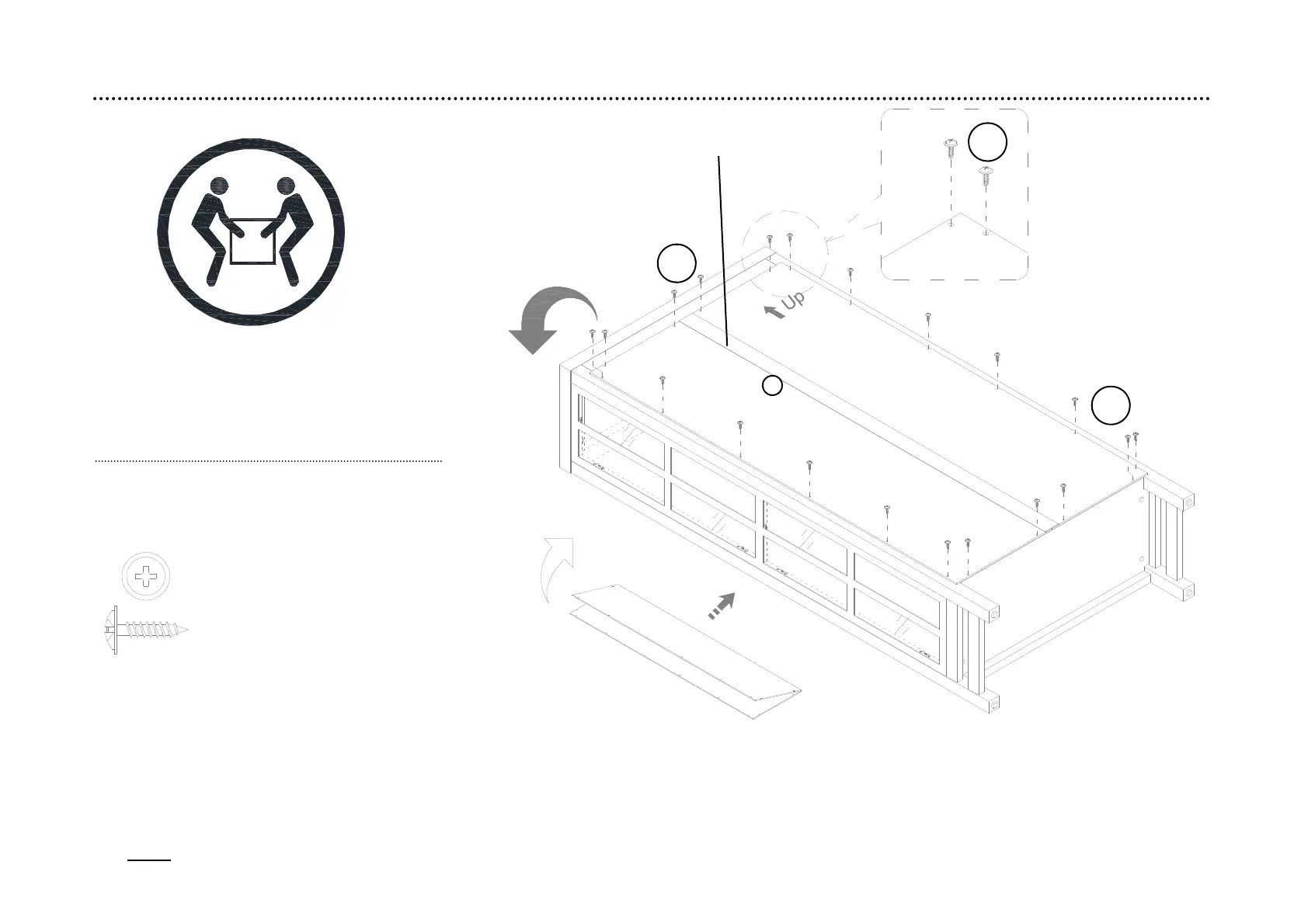
step 6: Attach the back panel to the unit
6.1. Now, go back and tighten all cam locks and screws. Make sure that all the parts are tight and there are no gaps between the parts. This will help keep
the unit square.
6.2. Unfold the back panel (E) and position it onto the back edges of the assembly. Make sure that the overlaps on the panels are even all the way around.
Secure the back panel (E) in place with the washer head screws (H17) provided.
NOTE: We recommend attaching back panel with the screws at the corners first.
CAUTION: Heavy! You may
need assistance with this step.
(H17) x 20
M3.5 x 15 mm
washer head screw
13
H17
Adhesive tape faces outward
E
H17
H17


 To Next Page