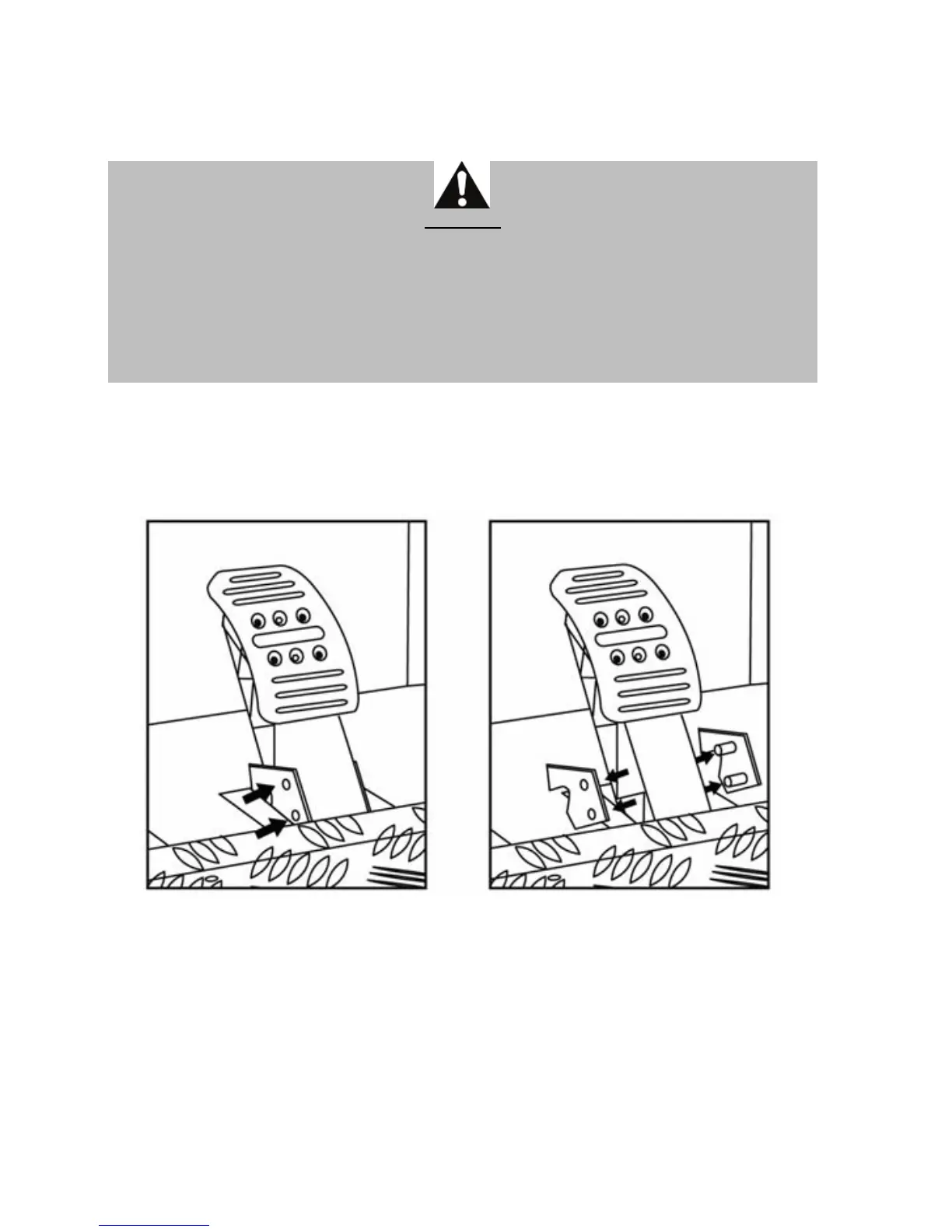
Installing the “Realistic Brake” MOD
To install the “Realistic Brake” MOD, you must remove the transparent plastic pinch-hazard
protector (protecting the brake pedal), and install the included metal stop. By doing so, you
will no longer benefit from the intended protection against pinch hazards.
CAUTION:
To restore your protection against pinch hazards, you must remove the metal stop and
reinstall the transparent plastic pinch-hazard protector in its former location.
THRUSTMASTER® DISCLAIMS ALL RESPONSIBILITY FOR ANY INJURIES CAUSED BY
REMOVAL OF THE PINCH-HAZARD PROTECTOR OR INSTALLATION OF THE METAL STOP
This MOD enables different sensations and resistance when braking.
Each user must decide whether or not to install it according to their preferences.
- Unscrew the 2 screws holding the pinch-hazard protector on the brake pedal arm.












 To Next Page