6
LED Control Panel
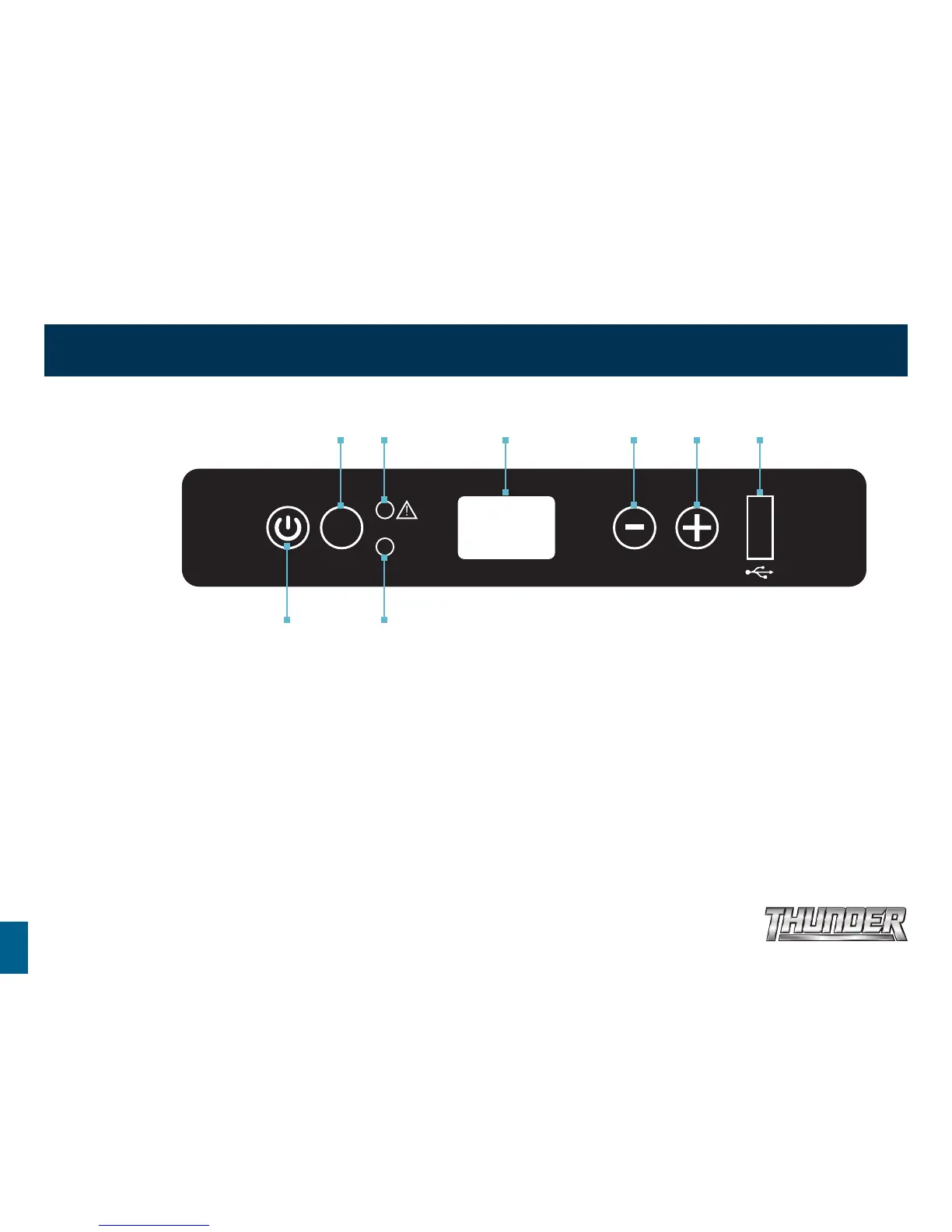
LED CONTROL PANEL
Temperature setting range -18º C to +10º C
1. Plug in the DC power cable.
2. Press ON/OFF button to turn on unit. The LED display on the control panel
will turn on and the interior temperature is displayed.
3. Press the + button or - button to adjust the temperature the unit aims
to achieve.
• Press the + button to increase or the - button to decrease the temperature.
• Press the Turbo button for Turbo mode to increase the speed of the
compressor. This setting can be used when you need to cool products
quicker.
• If the power supply is cut off or disconnected, the unit will switch off
automatically and once the power supply is restored it will automatically
switch back on.
Turbo Indicator Light
Fault LightTurbo Switch LED Display Temperature Controls USB Outlet
Power Switch
TURBO
TURBO


 To Next Page