EasyManua.ls Logo

Thunderbolt 57325 - User Manual

Thunderbolt 57325
8 pages
Print Icon
To Next Page IconTo Next Page
Loading...
Visit our website at: http://www.harborfreight.com
Email our technical support at: productsupport@harborfreight.com
Visit our website at: http://www.harborfreight.com
Owners Manual & Safety Instructions
Save This Manual Keep this manual for the safety warnings and precautions, assembly,
operating, inspection, maintenance and cleaning procedures. Write the product’s serial number in the
back of the manual near the assembly diagram (or month and year of purchase if product has no number).
Keep this manual and the receipt in a safe and dry place for future reference. 21g
When unpacking, make sure that the product is intact
and undamaged. If any parts are missing or broken,
please call 1-888-866-5797 as soon as possible.
Copyright
©
2021 by Harbor Freight Tools
®
. All rights reserved.
No portion of this manual or any artwork contained herein may be reproduced in
any shape or form without the express written consent of Harbor Freight Tools.
Diagrams within this manual may not be drawn proportionally. Due to continuing
improvements, actual product may differ slightly from the product described herein.
Tools requ ir ed f or a ss em bl y an d se rv ice ma y no t be i nc lu ded.
Read this material before using this product.
Failure to do so can result in serious injury.
SAVE THIS MANUAL.
Question and Answer IconNeed help?

Do you have a question about the Thunderbolt 57325 and is the answer not in the manual?

Summary

Warning Symbols and Definitions

DANGER

Indicates a hazardous situation which, if not avoided, will result in death or serious injury.

AWARNING

Indicates a hazardous situation which, if not avoided, could result in death or serious injury.

ACAUTION

Indicates a hazardous situation which, if not avoided, could result in minor or moderate injury.

NOTICE

Practices not related to personal injury.

Important Safety Instructions

Read All Instructions

Read all safety warnings and all instructions to prevent shock, fire, and injury.

Installation Precautions

Roof and Ladder Safety

Exercise caution on roofs and ladders, ensuring proper footing and balance.

Electrical Component Enclosure

Install electrical components in a weatherproof enclosure to prevent electric shock.

Multiple Panel Wiring

Connecting multiple panels in series requires a qualified electrician.

Grid Tie-In Restrictions

Panel is not for grid-tie-in; requires licensed electrician for safe installation.

Panel Pressure Warning

Avoid standing or applying pressure to the solar panel.

Additional Installation Precautions

Panel Handling and Light Focus

Handle panel with care; edges may be sharp. Do not focus light on the panel.

Component Cooling and Wiring Gauge

Ensure adequate space for cooling and use correct wire gauge for current and length.

Grid Connection Requirements

Do not connect to power grid without proper regulator, inverter, or charge controller.

Installation Standards and Utilities

Install per NEC standards; check for hidden utility lines before drilling.

Vehicle Mounting and Movement

Do not leave panel attached to a vehicle in motion.

Installation Site and Personnel

Keep installation area clean, well-lit, and out of reach of children; avoid installation when tired.

Battery Charging Usage

Use for charging a 12V battery with a charge controller (sold separately).

Operator Responsibility

Operator must supply common sense and caution for unforeseen conditions.

Battery Precautions

Protective Gear and Charge Controller

Wear safety goggles and insulated gloves; use appropriate charge controller.

Battery Maintenance

Charge, store, and maintain batteries according to supplier's instructions.

Service Precautions

Pre-Service Procedures

Dry panels/wiring, cover panels, and disconnect panels/batteries before servicing.

Weather Conditions for Service

Do not service during rain, fog, or other wet/humid weather.

Panel Integrity Inspection

Inspect monthly for damage, loose parts, water ingress, or insulation issues.

Label and Nameplate Maintenance

Maintain product labels for safety information; contact for replacements.

Specifications

Rated Output

Provides rated output voltage, wattage, and amperage for the solar panel.

Set Up Instructions

Location Selection

Locate panel for full, unobstructed sunlight, considering debris from nearby trees.

Temporary and Permanent Setup

Use pull-out stands for temporary setup; use mounting hardware for permanent installation.

Solar Panel Angle Adjustment

Angle panel towards true south based on latitude for optimal sun exposure.

Wiring Installation

Run wires through weatherproof grommets, use proper size wire, and secure connections.

Inverter and Battery Connection

Connect battery to a properly rated inverter; secure all connections.

Operating Instructions

Connecting to Charge Controller

Use J-Plug Cable to connect the Solar Panel to a 12VDC Charge Controller.

Solar Panel Angling

Angle the solar panel towards the sun, turning it southward for the northern hemisphere.

Temporary Setup Storage

Disconnect panel output when charging is complete and store in a dry, indoor area.

Maintenance and Servicing

Service Requirements

Non-specified procedures must be performed by a qualified technician.

Electrical Shock Prevention

Take precautions against electric shock, including disconnecting power.

Panel Performance Note

Expect up to 20% degradation in first 6 months before stabilization.

Cleaning and Inspection Schedule

Clean and inspect the system monthly for peak efficiency and safe operation.

Permanent Setup Angle Adjustment

Adjust panel angle seasonally (Winter, Summer, Spring/Fall) for efficiency.

Parts List and Diagram

Component Identification

Lists and illustrates all parts included with the solar panel system.

Serial Number Recording

Record product's serial number or month/year of purchase for reference.

Limited 90 Day Warranty

Warranty Coverage and Exclusions

Covers defects for 90 days, excluding misuse, accidents, and unauthorized alterations.

Return and Claim Process

Return product with proof of purchase for inspection, repair, or replacement.

Overview

The document describes the Thunderbolt Solar 100 Watt Solar Panel (Item 57325), an owner's manual and safety instructions guide.

Function Description

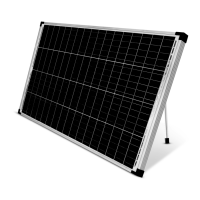
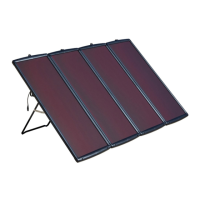
The Thunderbolt Solar 100 Watt Solar Panel is designed to convert sunlight into electrical energy. It is primarily intended for charging a 12V battery when used with a separate charge controller. The panel can be set up temporarily using its pull-out mounting stands or permanently installed on a surface using appropriate mounting hardware. It is crucial to note that this solar panel is not designed for tie-in to a grid. Any grid tie-in system requires a licensed electrician and building contractor to ensure compliance with codes and standards, as improper installation can lead to severe hazards like electrocution, fire, and property damage. The manual emphasizes that the warnings, precautions, and instructions provided cannot cover all possible conditions, and operators must exercise common sense and caution.

Important Technical Specifications

  • Rated Output: 18 VDC / 100 W / 5.56A.
  • Panel Type: Mono-crystalline solar panel.
  • Battery Compatibility: Designed to charge a 12V battery.
  • Wiring: Requires UL listed outdoor rated wire of the correct thickness (gauge) for amperage and length. A detailed chart is provided for minimum wire gauge based on current in amps and length (5' to 25').
  • Components: Includes a Solar Panel, Junction Box, J-Plug cable, Corner Guards, Mounting Stands, and an SAE + DC 8055 (8mm) Adapter.
  • Performance Variation: Performance will vary depending on temperature, brightness, and time of sun exposure. Summer production is generally higher than in winter, and bright sunny days yield higher output than cloudy days.
  • Output Ratings: The product may occasionally produce more current and/or voltage than its rated output. Users should increase output ratings by 25% when determining required component voltage and amperage ratings, referring to Section 690-8 of the National Electrical Code for an additional multiplying factor of 125 percent (80 percent derating).
  • Degradation: It is normal to observe up to 20% degradation in Mono-crystalline solar panel performance within the first 6 months before the Mono-crystalline stabilizes.

Usage Features

  • Installation Flexibility: Can be set up temporarily using integrated pull-out mounting stands or permanently mounted using predrilled holes in the corners. Drilling additional holes in the panel is not recommended.
  • Optimal Placement: The solar panel should be located where it receives full, unobstructed sunlight, especially during midday. Nearby trees or tall plants should be avoided to minimize debris and frequent cleaning.
  • Angle Adjustment: For permanent setups, the panel's face should be angled towards true south. A chart provides recommended angles based on latitude:
    • 0-4° Latitude: 10°
    • 5-20° Latitude: Latitude + 5°
    • 21-45° Latitude: Latitude + 10°
    • 46-64° Latitude: Latitude + 15°
    • 65° or more Latitude: 80°
  • Connection: The J-Plug Cable on the back of the solar panel connects to an appropriate 12VDC Charge Controller (sold separately).
  • Component Enclosure: All sensitive electrical components (wiring connections, regulator, battery) must be installed inside a weatherproof enclosure to prevent electric shock. The installation location for the solar panel, charge controller/regulator, and batteries must be inaccessible to children.
  • Multi-Panel Connection: Wiring multiple panels in series is not recommended. If connecting two or more solar panels, this work must be done by a qualified electrician unless connected through a regulator.
  • Safety Precautions: Emphasizes exercising caution when working on roofs, proper footing, and balance. Stresses not standing on or applying pressure to the panel. Advises against leaving the panel attached to an automobile or trailer in motion.

Maintenance Features

  • Regular Inspection: The solar panel system should be cleaned and inspected monthly, or more frequently, to maintain peak efficiency.
  • Pre-Service Safety: Before any service, maintenance, or cleaning, users must:
    • Thoroughly dry solar panels and outdoor wiring while wearing electrically insulated gloves.
    • Cover all solar panels with an opaque cover (e.g., a blanket).
    • Disconnect all solar panels.
    • Disconnect all batteries.
  • Cleaning: Clean solar panels and connectors with a damp soft cloth, then dry thoroughly. Do not use brushes, soap, or solvents.
  • Component Inspection: Inspect the general condition of the entire system (panels, batteries, controllers, mounting) for loose hardware, wiring insulation damage or weathering, cracked glass, open housing, cracked or broken parts, loose or corroded contacts, and any other condition that might affect safe operation.
  • Battery Maintenance: Maintain batteries according to the supplier's instructions.
  • Environmental Considerations: Do not service during rain, fog, or any other wet/humid weather.
  • Damage Warning: Do not use a damaged solar panel. If wiring insulation is damaged, glass is cracked, or housing is opened, the problem must be corrected before further use to prevent electric shock or cuts.
  • Seasonal Angle Adjustment (Permanent Setup):
    • Winter: Increase the panel's angle by 10° from the recommended angle.
    • Summer: Decrease the panel's angle by up to 10° from the recommended angle.
    • Spring and Fall: Maintain the angle recommended on page 5.
  • Label Maintenance: Maintain product labels and nameplates, as they carry important safety information. Contact Harbor Freight Tools for replacements if unreadable or missing.

Thunderbolt 57325 Specifications

General IconGeneral
BrandThunderbolt
Model57325
CategorySolar panel
LanguageEnglish

Related product manuals