11
INSERTING THE BATTERIES
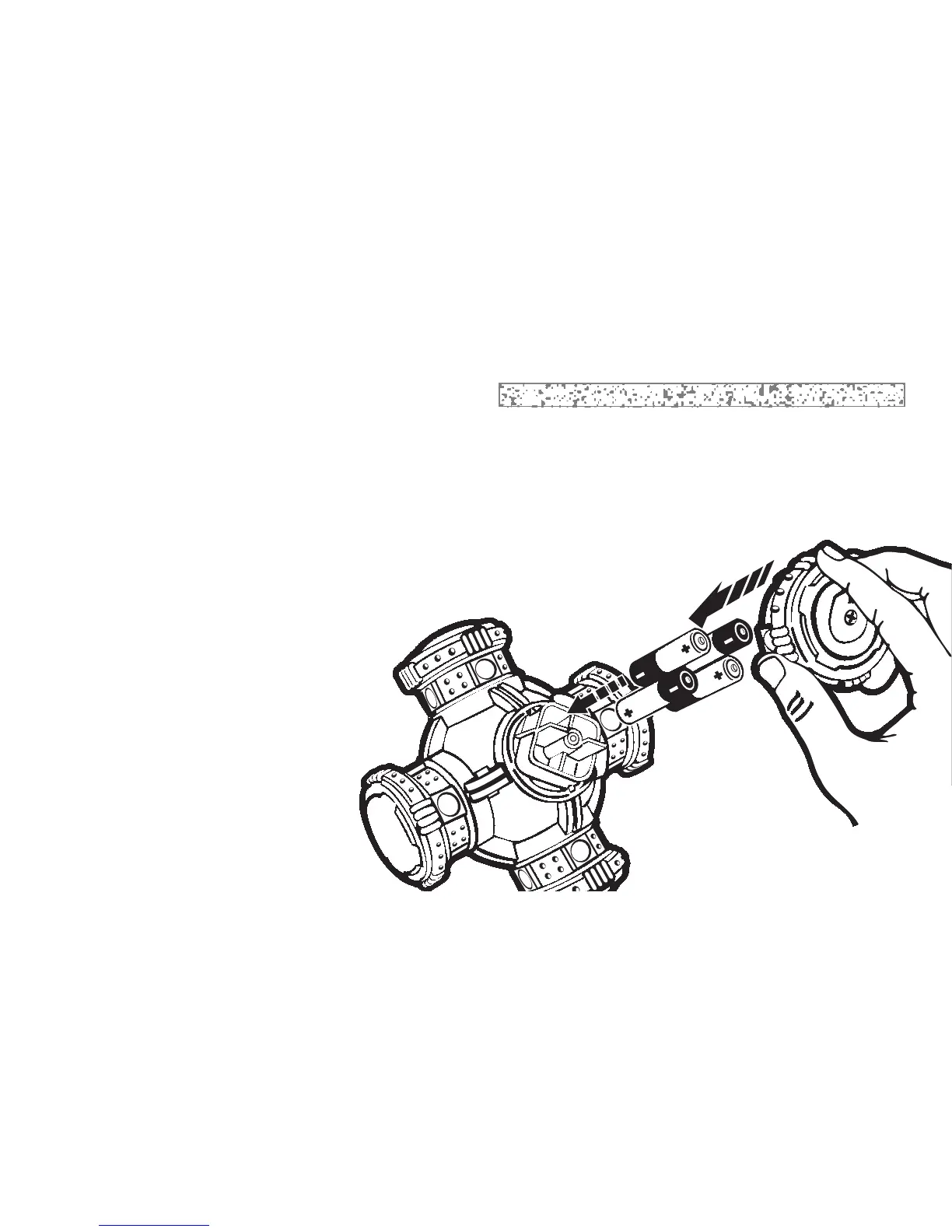
To insert/replace batteries, remove the battery compartment cover on the game as shown,
which is located in the # 6 spike. Have an adult unscrew the battery cover and remove.
Insert 4 “AA” batteries, UM-3 or equivalent making sure to align “+” and “-” as shown.
TO ENSURE PROPER FUNCTION:
• Do not mix old and new batteries
• Do not mix alkaline, standard (carbon/zinc) or rechargeable
(nickel/cadmium) batteries.
• Battery insertion/replacement should
be done by an adult.
• Replacing the batteries will cause
your game to reset, losing all
previous scoring or stored
information.



 To Next Page