9
WARNING: YOUR MUST REPLACE THE MAIN BATTERY BEFORE
CLOSING THE BATTERY COMPARTMENT DOOR OR ALL FILES
WILL BE LOST.
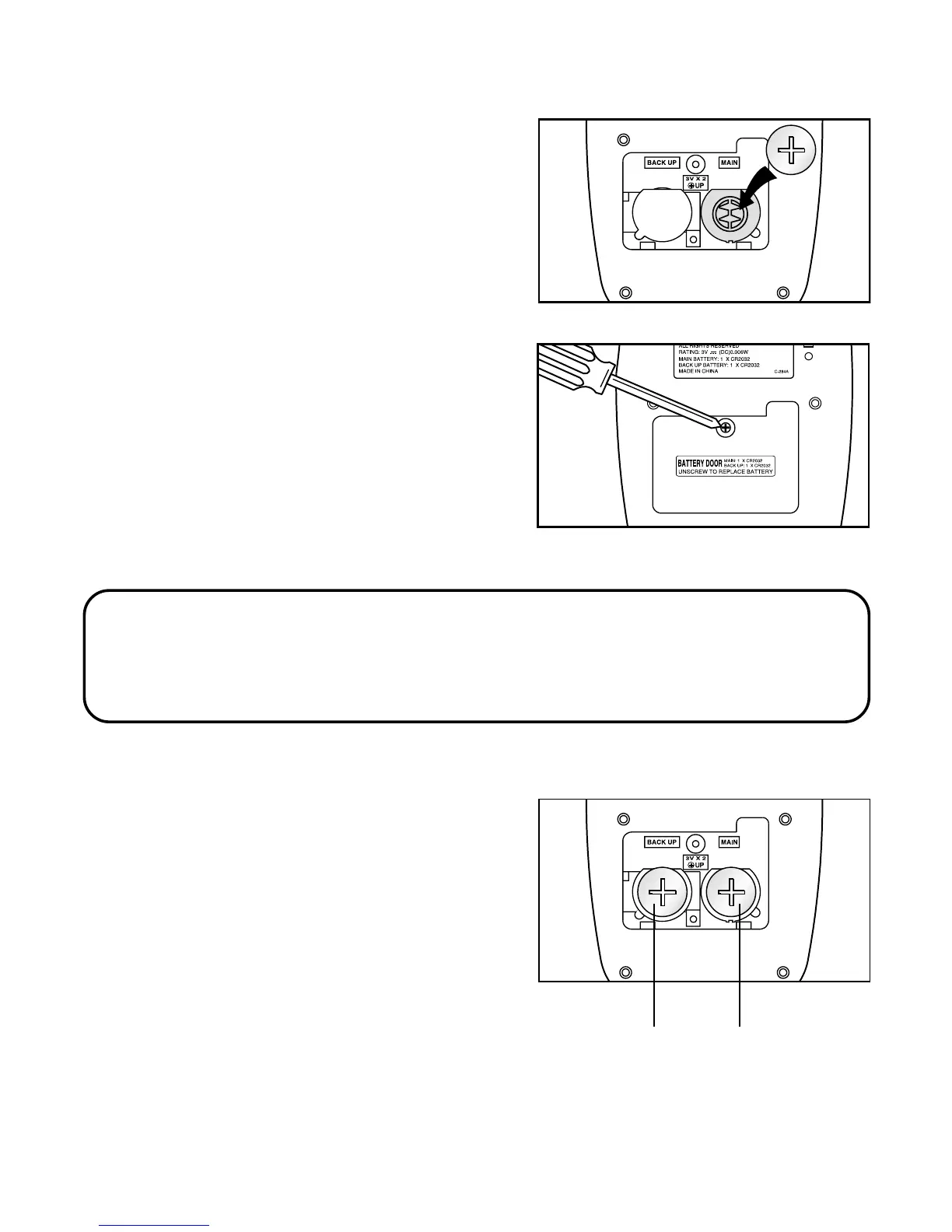
3. Wipe the surfaces of the new
battery with a soft, dry cloth. Insert
the new battery. The “+” should be
facing you.
Replacing Back-up Battery
1. You replace this battery in the same
way you replace the main battery.
2. Be sure that the main battery is in
place before removing the back-up
battery, or all data will be lost.
BACK UP
BATTERY
MAIN
BATTERY
4. Screw the battery compartment
door back on.



 To Next Page