EasyManua.ls Logo

tilgin HG2380 series - User Manual

Default Icon
20 pages
Print Icon
To Next Page IconTo Next Page
Loading...
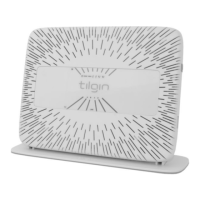
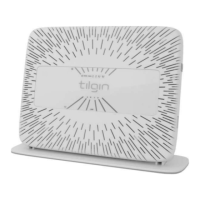
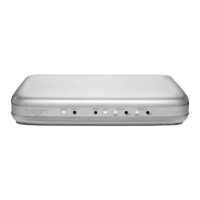
Tilgin Home Gateway
HG2280 HG2380 series
Quick Guide
Question and Answer IconNeed help?

Do you have a question about the tilgin HG2380 series and is the answer not in the manual?

Summary

Introduction

Delivered with the Home Gateway

Home Gateway Overview

Home Gateway Cable Attachments

Details on connecting cables to the home gateway, including WAN and phone connections.

Home Gateway Interfaces

Identifies and explains the functions of various ports and buttons on the home gateway.

Front Panel LEDs

Explains the meaning of different LED indicators on the front of the home gateway.

Installing your Home Gateway

Connecting to the Internet (WAN)

Instructions for connecting the gateway to the internet via ADSL2+, VDSL2, or Ethernet.

Connecting the Power Cord

Steps for connecting the power supply to the gateway and power outlet.

Automatic Provisioning Process

Explains the automatic configuration process after connecting the gateway.

Connecting a Computer to the Gateway

Methods for connecting a computer using Ethernet cable or WLAN.

Connecting Computer via Ethernet Cable

Steps to connect a computer via Ethernet cable to a LAN port.

Connecting Computer via WLAN

Guidance on connecting a computer wirelessly using WPS or manual setup.

Configuring WLAN Client for Devices

Details on setting up the wireless connection using default SSID and WPA key.

Configuring Your Computer;Device

Ensuring computer network settings are configured for DHCP and TCP/IP.

Connecting Phones and Equipment

Instructions for connecting analogue phones and DECT handsets to the gateway.

Connecting a DECT Handset

Procedure for pairing DECT handsets with the home gateway's built-in base station.

Locating a DECT Handset

How to use the 'Page' button to find connected DECT handsets.

Wall Mounting the Home Gateway

Instructions and diagrams for wall-mounting the home gateway.

Troubleshooting Tips

Safety Information

Safety Recommendations

Power Supply Details

Technical Specifications

Environmental Information

Warranty Information

Copyright and Patent Notice

Acronyms and Definitions

Declaration of Conformity

Summary

Introduction

Delivered with the Home Gateway

Home Gateway Overview

Home Gateway Cable Attachments

Details on connecting cables to the home gateway, including WAN and phone connections.

Home Gateway Interfaces

Identifies and explains the functions of various ports and buttons on the home gateway.

Front Panel LEDs

Explains the meaning of different LED indicators on the front of the home gateway.

Installing your Home Gateway

Connecting to the Internet (WAN)

Instructions for connecting the gateway to the internet via ADSL2+, VDSL2, or Ethernet.

Connecting the Power Cord

Steps for connecting the power supply to the gateway and power outlet.

Automatic Provisioning Process

Explains the automatic configuration process after connecting the gateway.

Connecting a Computer to the Gateway

Methods for connecting a computer using Ethernet cable or WLAN.

Connecting Computer via Ethernet Cable

Steps to connect a computer via Ethernet cable to a LAN port.

Connecting Computer via WLAN

Guidance on connecting a computer wirelessly using WPS or manual setup.

Configuring WLAN Client for Devices

Details on setting up the wireless connection using default SSID and WPA key.

Configuring Your Computer;Device

Ensuring computer network settings are configured for DHCP and TCP/IP.

Connecting Phones and Equipment

Instructions for connecting analogue phones and DECT handsets to the gateway.

Connecting a DECT Handset

Procedure for pairing DECT handsets with the home gateway's built-in base station.

Locating a DECT Handset

How to use the 'Page' button to find connected DECT handsets.

Wall Mounting the Home Gateway

Instructions and diagrams for wall-mounting the home gateway.

Troubleshooting Tips

Safety Information

Safety Recommendations

Power Supply Details

Technical Specifications

Environmental Information

Warranty Information

Copyright and Patent Notice

Acronyms and Definitions

Declaration of Conformity

tilgin HG2380 series Specifications

General IconGeneral
WAN Ports1
Wi-FiYes
VoIPYes
Device TypeGateway
WAN InterfaceADSL2+
LAN Ports4
Wireless Standards802.11b/g
Wireless Frequency Bands2.4 GHz
Telephony Ports2 FXS
AntennasInternal
Security FeaturesFirewall

Related product manuals