EasyManua.ls Logo

tilgin HG322 - User Manual

Default Icon
20 pages
Print Icon
To Next Page IconTo Next Page
Loading...
-Tilgin HG320 Series Quick Guide
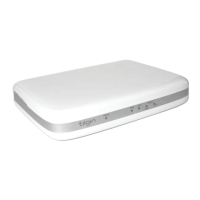
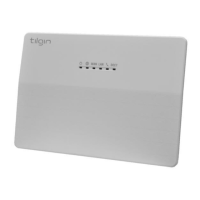
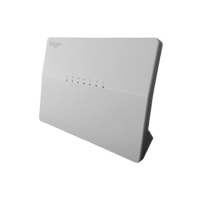
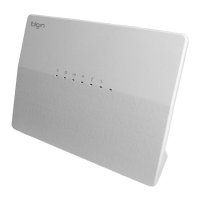
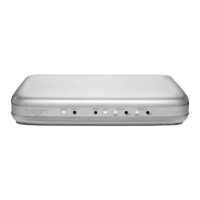
Tilgin Home Gateway
HG321/HG322
HG320 Series
Quick Guide
Question and Answer IconNeed help?

Do you have a question about the tilgin HG322 and is the answer not in the manual?

Summary

Introduction

Delivered with the Home Gateway Unit

Home Gateway Overview

Home Gateway Cable Attachments

Details on connecting cables to the HG321 and HG322 models for WAN and LAN connections.

Home Gateway Interfaces

Description of rear panel ports (Phone, LAN, WAN, Power) and their functions.

LEDs Front Panel

Explanation of front panel LED indicators for power, WAN, LAN, and phone status.

Installing the Home Gateway

Connecting to the Internet (WAN)

Instructions for connecting the Ethernet cable to the WAN port.

Power on the Home Gateway

Steps to connect the power adapter and turn on the home gateway.

Automatic Provisioning

Details on the automatic configuration process and LED status during provisioning.

Connecting a Computer to Your Home Gateway

Guide for connecting a computer via Ethernet cable to the LAN port.

Configuring Your Computer;Device

Instructions on configuring computer network settings for DHCP and TCP/IP.

Connecting Phones;Equipment

Guidance on connecting analogue phones or fax equipment to the gateway's phone ports.

Troubleshooting Tips

Safety Information

Safety Recommendations

Power Supply

Approvals and Conformity

Technical Specifications

Environmental Information

Warranty

Notice of Copyright and Patent Protection

How to Wall-Mount the Home Gateway

Used Acronyms

Summary

Introduction

Delivered with the Home Gateway Unit

Home Gateway Overview

Home Gateway Cable Attachments

Details on connecting cables to the HG321 and HG322 models for WAN and LAN connections.

Home Gateway Interfaces

Description of rear panel ports (Phone, LAN, WAN, Power) and their functions.

LEDs Front Panel

Explanation of front panel LED indicators for power, WAN, LAN, and phone status.

Installing the Home Gateway

Connecting to the Internet (WAN)

Instructions for connecting the Ethernet cable to the WAN port.

Power on the Home Gateway

Steps to connect the power adapter and turn on the home gateway.

Automatic Provisioning

Details on the automatic configuration process and LED status during provisioning.

Connecting a Computer to Your Home Gateway

Guide for connecting a computer via Ethernet cable to the LAN port.

Configuring Your Computer;Device

Instructions on configuring computer network settings for DHCP and TCP/IP.

Connecting Phones;Equipment

Guidance on connecting analogue phones or fax equipment to the gateway's phone ports.

Troubleshooting Tips

Safety Information

Safety Recommendations

Power Supply

Approvals and Conformity

Technical Specifications

Environmental Information

Warranty

Notice of Copyright and Patent Protection

How to Wall-Mount the Home Gateway

Used Acronyms

tilgin HG322 Specifications

General IconGeneral
Device TypeGateway
WAN Ports1
LAN Ports4
Wireless Standard802.11b/g/n
Wireless Frequency Bands2.4 GHz
Maximum Wireless Speed300 Mbps
Dimensions210 x 150 x 40 mm
Power Supply12V DC
Wireless standards802.11b/g/n
Ethernet ports4
FXS ports2
USB ports1
Ethernet Ports Speed10/100 Mbps
WAN Port Speed10/100 Mbps
FirewallYes
Security FeaturesWPA, WPA2

Related product manuals