Need help?
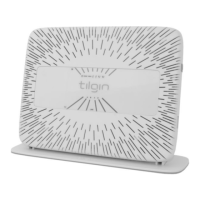
Do you have a question about the tilgin HG2700 Series and is the answer not in the manual?
Details physical connections for cables to the home gateway.
Identifies and explains the various physical interface ports on the device.
Description of front panel LEDs and their status indications.
Instructions for connecting the home gateway to the internet via the WAN port.
Procedure for connecting the power cord and turning on the home gateway.
Steps involved in the automatic configuration process after powering the gateway.
Overview of methods for connecting a computer to the home gateway.
Steps to connect a computer using an Ethernet cable to a LAN port.
Methods for connecting a computer wirelessly using WPS or manual setup.
Configuration steps for computer devices to connect via WLAN, including default settings.
Ensuring computer network settings (TCP/IP, DHCP) are correct for internet access.
Instructions for connecting analogue phones and other equipment to the gateway.
Procedure for pairing and connecting DECT handsets to the home gateway's base.
Using the gateway to locate connected DECT handsets by making them ring.
Steps to resolve common issues like connectivity, power, or WLAN problems.
General safety design requirements and potential hazards associated with the equipment.
Guidelines for safe usage, handling, and placement of the home gateway.
 General
| Model | HG2700 Series |
|---|---|
| Wi-Fi | Yes |
| Product Type | Gateway |
| WAN Ports | 1 |
| LAN Ports | 4 |
| Wireless Standard | 802.11b/g/n |
| Wireless Frequency Bands | 2.4 GHz |
| Power Supply | 12 VDC |
| Ethernet Ports | 4 |
| VoIP | 2 x FXS |
| Wireless Standards | 802.11b/g/n |
| Frequency Band | 2.4 GHz |
| Security Features | Firewall |

 To Next Page