EasyManua.ls Logo

tilgin HG351 - User Manual

Default Icon
20 pages
Print Icon
To Next Page IconTo Next Page
Loading...
1
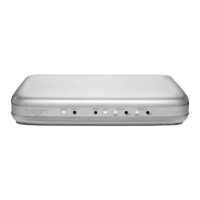
Tilgin Home Gateway
HG351/HG354
HG350 Series
Quick Guide
Question and Answer IconNeed help?

Do you have a question about the tilgin HG351 and is the answer not in the manual?

Summary

Home Gateway Interfaces

LEDs Front Panel

Installing the Home Gateway

Connecting to the Internet (WAN)

Instructions for connecting the gateway to the internet via the WAN port.

Power on the Home Gateway

Steps to power on the home gateway using the ON/OFF button and power adapter.

Connecting a computer to your Home Gateway

How to connect a computer to the gateway using an Ethernet cable.

Troubleshooting Tips

Safety Information

Safety Recommendations

Power Supply

Summary

Home Gateway Interfaces

LEDs Front Panel

Installing the Home Gateway

Connecting to the Internet (WAN)

Instructions for connecting the gateway to the internet via the WAN port.

Power on the Home Gateway

Steps to power on the home gateway using the ON/OFF button and power adapter.

Connecting a computer to your Home Gateway

How to connect a computer to the gateway using an Ethernet cable.

Troubleshooting Tips

Safety Information

Safety Recommendations

Power Supply

tilgin HG351 Specifications

General IconGeneral
Brandtilgin
ModelHG351
CategoryGateway
LanguageEnglish

Related product manuals