4 Troubleshooting
4.1 GPS Lock
Getting GPS lock on the Time Server is required for it to function. Most GPS lock issues come down
to issues with Antenna location, or cabling. If there are problems getting GPS lock (I.e.the Lock LED
doesn't turn on and the 1 PPS LED doesn't flash each second) trying moving the antenna outside and
see if that resolves the issue. If it does, try a window and see if lock is maintained. If that works, move
the antenna back to its original location and see if lock is lost. This will help determine where lock can
be received and where it cannot. If no lock is achieved outdoors, then something is either wrong with
the cabling or the Time Server itself. Contact Time Machines for help.
4.2 Finding the IP Address
If the IP address of the Time Server is forgotten, there are a few ways to go about finding its IP address.
The first is to use a serial terminal program such as Hyper-Terminal or something similar. Set the
communications parameters of the terminal program to 115200,N81. Connect a straight through cable
between the computer and the Time Server and cycle power on the Time Server. The IP address is
printed during startup.
If the Time Server is using DHCP, then it is possible to look up the units IP address on the DHCP server
by looking at the list of leases. Look for a MAC address in the lease list that starts with 00:50:C2. This
will likely be unique in the DHCP lease list. The IP address associated with this MAC address should
be tried.
The third possible way to determine the IP address is to simply check several of the devices using the
Time Server on the network to see how they are programmed. If they have a specific IP address
programmed into them for time keeping, then that may be the Time Server's base IP address. If a
domain name has been assigned to the Time Server, doing a command like “ping timeserver.your-
company.com” might show the time servers address as well.
4.3 Resetting to Factory Defaults
Jumper J8
A: Reset to Factory B: Normal Operation
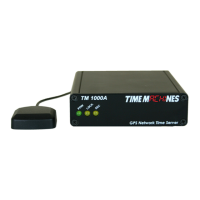
Jumper J8 on the inside of the TM1000A is used to reset the units software settings to factory original.
This is useful when a password is forgotten or the IP address cannot be determined. To do this, remove
the 4 screws from one of the end panels. The top panel of the metal an now be slid out of the
aluminum case or the PCB can be slid out. Move J8 to the “A” position and apply power. After a few
seconds, remove the power connection, replace J8 to the “B” position and reassemble the unit. It
should now have the factory default password and IP address information.
Installation and Operations Manual | Page 7


 To Next Page