While measuring the thickness, the value measured will be stored in the chosen
unit automatically. Each time a new value is measured, the old value in this unit
will be automatically replaced.
U1 >> 3.0
mm
Push the VEL-key once more to leave the thickness memory state.
5.2 Reviewing the thickness memory units
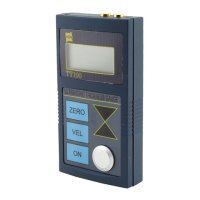
Push and hold the VEL-key and then push the ZERO-key to enter the thickness
memory
The display will show a memory units of a certain thickness: Unit 1 up to Unit 9.
Use the upper and down keys ▲-▼ to look for the required unit:
U1 > U2 > U3 > …… > U9
Again press and hold the VEL-key and press ZERO-key to show the stored
reading:
U1 > VEL + ZERO > 3.0
mm
Push the VEL-key to leave the thickness memory state.
6
Maintenance
6.1 Low voltage indication
If BATT is displayed on the screen, it shows that the battery voltage is running low
and the batteries should be replaced in time before the unit can be used again.
Battery replacement:
A. Wait until the unit turns off automatically.
B. Open the battery compartment (use the thumb to press down the compartment
cover and slide it out).
C. Remove the used batteries and put in new batteries. Note the polarity of the
battery.
6.2 Precautions
The surface of the probe is made of propylene resin and is very sensitive to
heavy scratches on rough surfaces, so in application, push the probe gently on
the surface.
8


 To Next Page