Sharing recorded footage
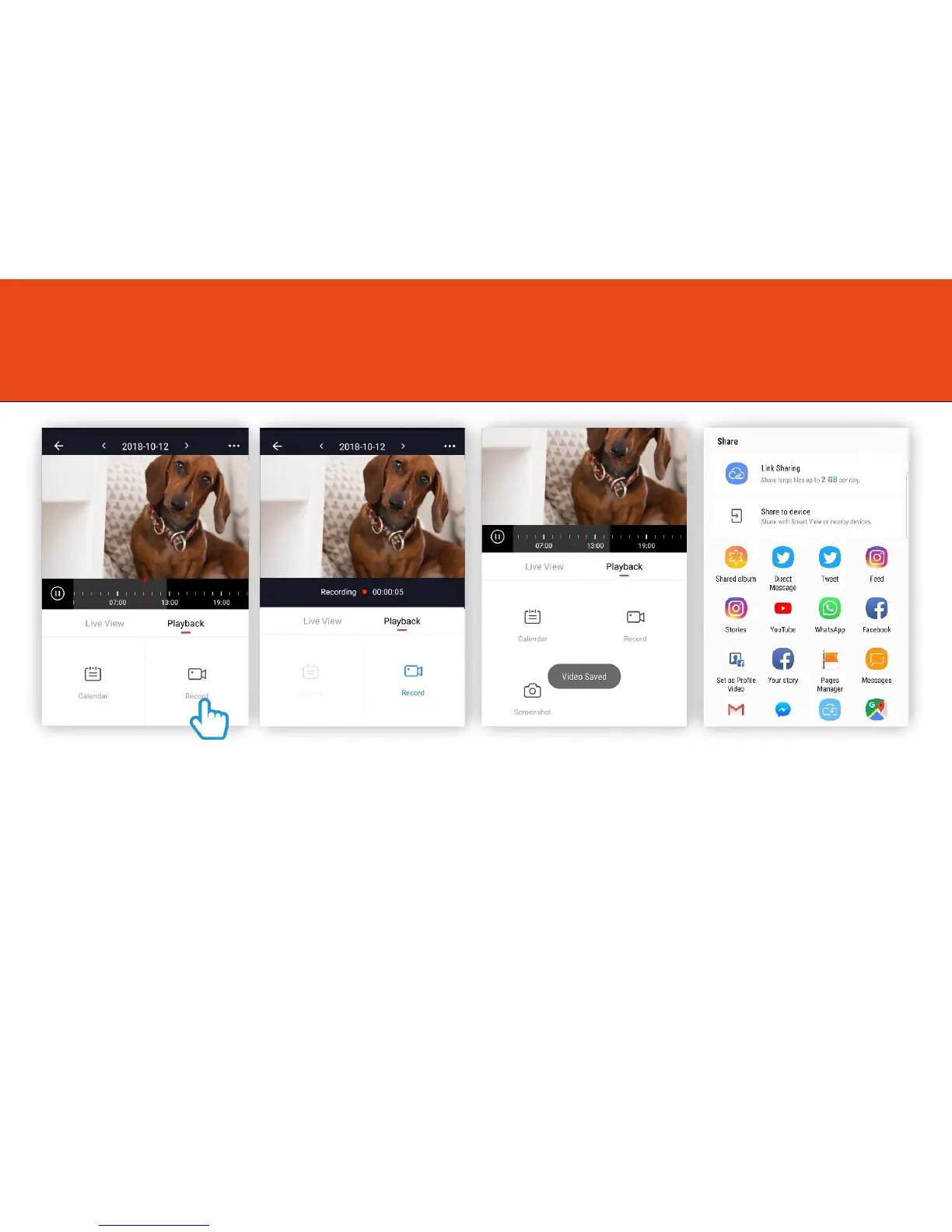
Step 1
First you will need to record
the footage you wish to share.
Click on “Record” to start
recording the footage.
Step 2
The icon will turn blue to let
you know it is recording the
footage.
Click again to stop recording.
Step 3
A message will appear to let
you know that the video has
been saved.
Step 4
This video will be saved in
your mobile phone memory
which can be shared.
17



 To Next Page