Sharing Olivia
You have the ability to share your Clan devices with your friends and family so they can view them too.
Sharing the device only gives access to the live feed but not the settings. If you wish to share all settings go to Home
Management below. (Page 7)
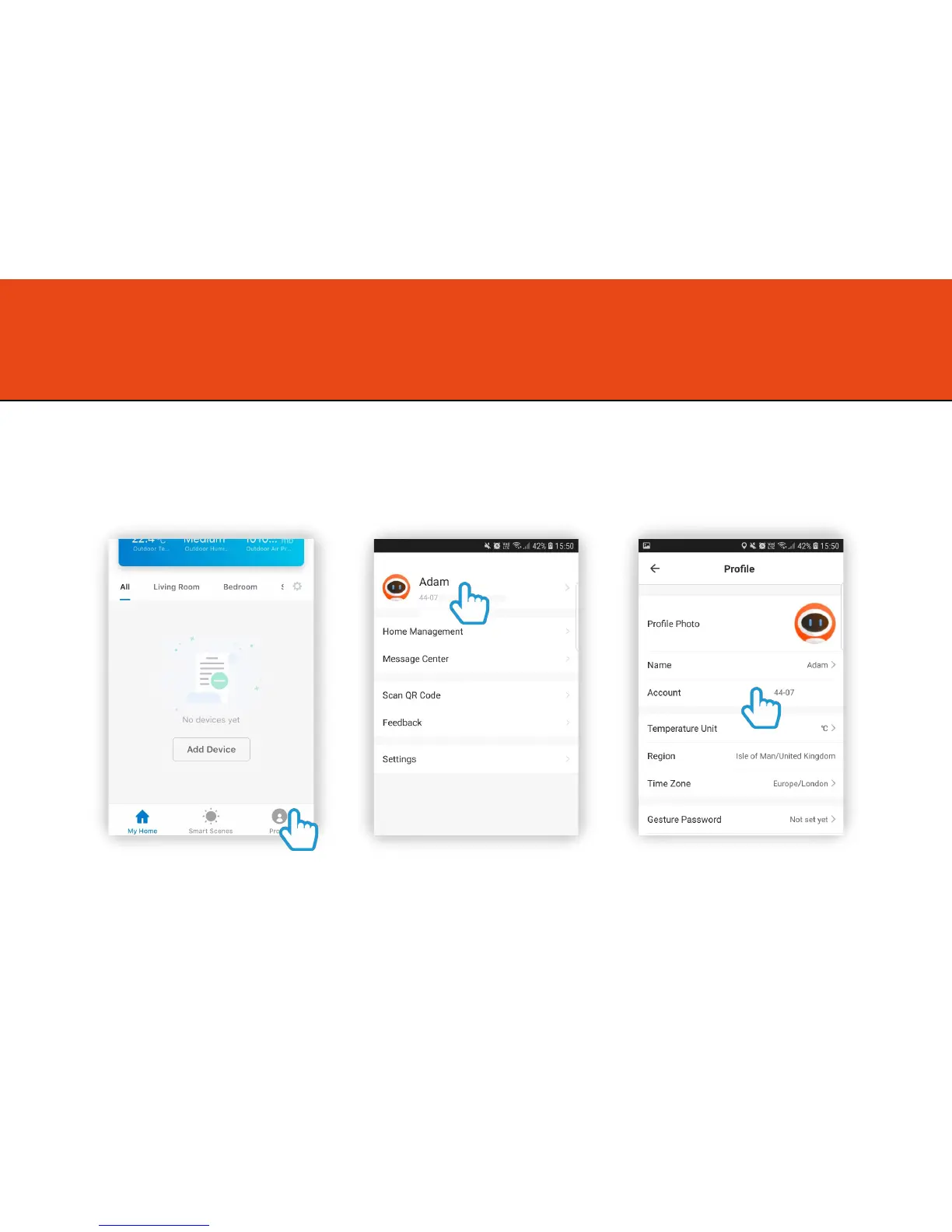
1. Ask your family member to complete the following
Step 1
Download the Clan at home app on the
phone you wish to to share it to and
create an account
Step 2
Click on your account
Step 3
Locate the Account mobile number /
email
4



 To Next Page