15 16
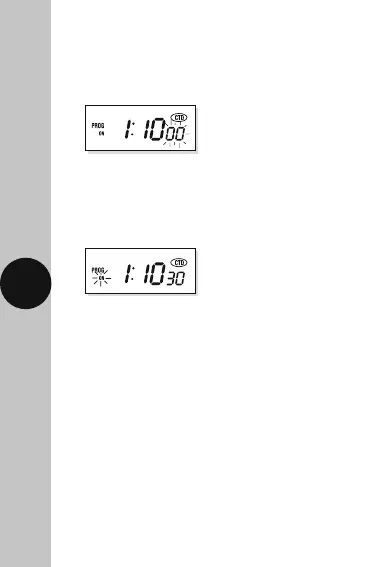
• Press the right arrow button ’→’ to select the
seconds of your ON period (in this case 30).
Press the ‘SET’ button once to save the
countdown period.
• Press the right arrow button ’→’ to select the
minutes of your ON period (in this case 10).
Press the ‘SET’ button to save, and the seconds
digit will start to flash.
• Press the ‘CTD’ button to start the countdown
procedure. The output light will turn ON and the
appliance plugged into the TG77 will be energized
until the countdown period has expired.
Note: Once you have finished setting the countdown
period, if the ‘CTD’ button is not pressed within 10
seconds the display will revert back to normal mode.
To retrieve the setting press the left arrow button
‘
→
’ followed by the ‘SET’ button. The countdown
period can then be started by pressing the
‘CTD’ button.












 To Next Page