

EasyManua.ls Logo

Timeguard TG77 - User Manual

Timeguard TG77
20 pages
Print Icon
To Next Page IconTo Next Page
Loading...
Installation & Operating Instructions
24Hour/7Day
Electronic Timeswitch
Model: TG77
Question and Answer IconNeed help?

Do you have a question about the Timeguard TG77 and is the answer not in the manual?

Summary

General Information

Safety

Technical Specifications

Charging Battery and Resetting

Setting the Time and Current Day

Changing Time Format (24 hr;AM;PM)

Instructions to switch between 24-hour and AM/PM time formats.

Programming ON;OFF times

Reviewing and Changing ON;OFF Programs

Learn to review and modify programmed ON/OFF times.

Suspending and Reinstating Programmes

Guide to pausing and resuming programmed ON/OFF times.
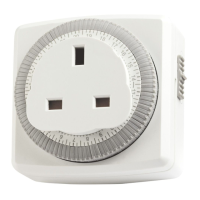
Normal operating mode, advancing & permanent ON;OFF mode

Random switching mode

Countdown mode

Summer;Winter change over

3 Year Guarantee

Summary

General Information

Safety

Technical Specifications

Charging Battery and Resetting

Setting the Time and Current Day

Changing Time Format (24 hr;AM;PM)

Instructions to switch between 24-hour and AM/PM time formats.

Programming ON;OFF times

Reviewing and Changing ON;OFF Programs

Learn to review and modify programmed ON/OFF times.

Suspending and Reinstating Programmes

Guide to pausing and resuming programmed ON/OFF times.

Normal operating mode, advancing & permanent ON;OFF mode

Random switching mode

Countdown mode

Summer;Winter change over

3 Year Guarantee

Timeguard TG77 Specifications

General IconGeneral
BrandTimeguard
ModelTG77
CategoryTimer
LanguageEnglish

Related product manuals







