1 2 3 4
Time
indicator
Switching
indicator &
self-cancelling
override
1=ON
0=OFF
Tough flame
retardant casing
24 hour
programme
ring
Protective
lobes
Time control segments 1 tappet = 15 minutes
Push towards programme ring = ON
Push away from programme ring = OFF
Front socket
face
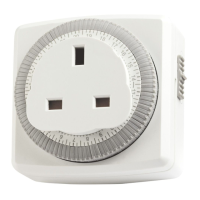
TS830 24 Hour Segment Timeswitch Setting Instructions
Turn the segment dial clockwise until the correct time of day is
showing directly above the time indicator (the illustration shows
19.30 hours).
Decide what time you would like the time controller to switch
your appliance ON and OFF. Simply push the segment tappets
towards the time ring to set your ON times and away from the
time ring for your OFF times. (The illustration above shows the
time controller set to switch ON at 20.00 hours and OFF at 22.30
hours). These settings automatically operate the switching
indicator when the time controller is in its operating condition.
The switching indicator will show the switching condition
1=ON. 0= OFF. Minimum setting intervals = 15 minutes (one
tappet segment).Minimum time between settings = 15 minutes.
Check your programme by manually turning the segment dial
through a 24 hour cycle. Remember to re-set the dial back to the
correct time of day. Simply plug the time controller into a socket
and plug the appliance into the time controller. Switch on the
socket and the appliance. The time controller is now in its
operating condition.
Manual Override
You can switch your appliance ON and OFF at any time by
using the self-cancelling switching rider on the top left of the
unit. Simply turn anti-clockwise so the switching indicator on
the front of the unit is positioned to either the 1=ON or 0=OFF
position as illustrated. The override automatically cancels when
the next ON/OFF programme operates.

 Need help?
 General









 To Next Page