8
7. Reset
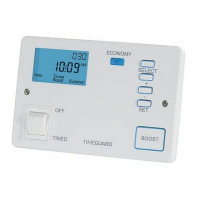
• Press and hold the + and – buttons simultaneously until the screen
goes blank.
• The factory default settings will now be restored, and the date and time
will need re-programming.
8. Setting the current time and date
• Press the SET button once.
• Release the buttons and after a few seconds all of the digits will appear.
• The word ‘Clock’ will be displayed on the top of the screen along with the
hour flashing.


 To Next Page