EasyManua.ls Logo

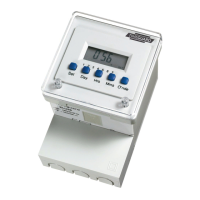
Timeguard ELU56 - User Manual

Timeguard ELU56
16 pages
Print Icon
To Next Page IconTo Next Page
Loading...
Installation & Operating Instructions
16 Amp Electronic
24 Hour/7 Day
Time Controller
Model: ELU56
Question and Answer IconNeed help?

Do you have a question about the Timeguard ELU56 and is the answer not in the manual?

Summary

General Information

Safety Guidelines

Power Disconnection and Fuse Check

Ensure mains supply is off and fuses removed or breaker turned off before installation or maintenance.

Qualified Electrician Recommendation

Consult a qualified electrician for installation per current IEE wiring and Building Regulations.

Circuit Load Capacity Verification

Check that total circuit load, including the controller, does not exceed cable or breaker rating.

Technical Specifications

Mains Supply and Temperature Range

Specifies mains supply (220-240V AC 50Hz) and operating temperature range (-10°C to 40°C).

Switching Capacity and Load Ratings

Details 16A resistive, 5A inductive, and wattage limits for various lighting and LED types.

Battery Backup and Physical Dimensions

Features 1000-hour rechargeable battery backup and dimensions (104x72x69mm).

Compliance and Directive Standards

Confirms CE compliance and conformity to the latest EC Directives.

General Product Overview

Installation Methods

Wall or Surface Mounting Procedure

Step-by-step guide for mounting the timeswitch on a wall or flat surface, including base plate attachment.

Panel Mounting Procedure

Instructions for installing the timeswitch into a 68mm square hole on a panel using the supplied bracket.

Programming the Timeswitch

Setting the Clock and Day

Step-by-step guide to setting the current time and day of the week on the timeswitch.

Planning ON;OFF Schedules

Explains how to plan ON/OFF switching programs, including over midnight scheduling.

Setting Programme 1 Details

Guides on setting the first ON/OFF times for Programme 1, day by day.

Programming Subsequent Days

Details how to program schedules for days 2 through 7, replicating settings from day 1.

Suspending or Omitting Programmes

Instructions on how to temporarily suspend ON/OFF times for specific programs.

Manual Operation Override

Product Guarantee Information

Summary

General Information

Safety Guidelines

Power Disconnection and Fuse Check

Ensure mains supply is off and fuses removed or breaker turned off before installation or maintenance.

Qualified Electrician Recommendation

Consult a qualified electrician for installation per current IEE wiring and Building Regulations.

Circuit Load Capacity Verification

Check that total circuit load, including the controller, does not exceed cable or breaker rating.

Technical Specifications

Mains Supply and Temperature Range

Specifies mains supply (220-240V AC 50Hz) and operating temperature range (-10°C to 40°C).

Switching Capacity and Load Ratings

Details 16A resistive, 5A inductive, and wattage limits for various lighting and LED types.

Battery Backup and Physical Dimensions

Features 1000-hour rechargeable battery backup and dimensions (104x72x69mm).

Compliance and Directive Standards

Confirms CE compliance and conformity to the latest EC Directives.

General Product Overview

Installation Methods

Wall or Surface Mounting Procedure

Step-by-step guide for mounting the timeswitch on a wall or flat surface, including base plate attachment.

Panel Mounting Procedure

Instructions for installing the timeswitch into a 68mm square hole on a panel using the supplied bracket.

Programming the Timeswitch

Setting the Clock and Day

Step-by-step guide to setting the current time and day of the week on the timeswitch.

Planning ON;OFF Schedules

Explains how to plan ON/OFF switching programs, including over midnight scheduling.

Setting Programme 1 Details

Guides on setting the first ON/OFF times for Programme 1, day by day.

Programming Subsequent Days

Details how to program schedules for days 2 through 7, replicating settings from day 1.

Suspending or Omitting Programmes

Instructions on how to temporarily suspend ON/OFF times for specific programs.

Manual Operation Override

Product Guarantee Information

Timeguard ELU56 Specifications

General IconGeneral
BrandTimeguard
ModelELU56
CategoryController
LanguageEnglish

Related product manuals