EasyManua.ls Logo

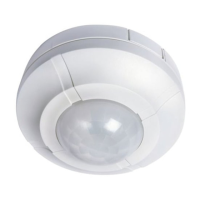
Timeguard SLW360L - User Manual

Timeguard SLW360L
12 pages
Print Icon
To Next Page IconTo Next Page
Loading...
Installation & Operating Instructions
360° Surface Mount Ceiling
PIR Light Controller
Model: SLW360L
Question and Answer IconNeed help?

Do you have a question about the Timeguard SLW360L and is the answer not in the manual?

Summary

General Information

Safety Precautions

Mains Supply Safety

Ensure mains supply is off and fuses removed or breaker turned off before installation or maintenance.

Qualified Electrician Recommendation

Consult or use a qualified electrician for installation according to current wiring regulations.

Total Load Check

Verify total circuit load, including the PIR sensor, does not exceed cable, fuse, or breaker rating.

Technical Specifications

Power and Detection Range

Specifies 230V AC 50 Hz power supply and detection range up to 6m diameter at 2.5m height.

Construction and Angle

Details Class II construction (non-earthed) and a 360° detection angle.

Switching Load Limits

Lists maximum switching load capacities for various lamp types and fans.

Adjustment and Rating

Covers time/dusk adjustments, IP44 rating, CE approval, manual override, and multi-sensor switching.

Selecting a Location

Detection Zones and Mounting Height

Details detection zones and recommends a 2.5m mounting height for optimal coverage.

Positioning for Sensitivity

Advises positioning for optimal performance, noting higher sensitivity to cross-movement.

Heat and Light Source Avoidance

Instructs to avoid placing the sensor near heat sources or other light sources to prevent false activation.

Reflective Surfaces

Warns that reflective surfaces like water or white walls can cause false activations.

Installation and Connection

Pre-Installation Safety

Before installation, ensure the mains supply is switched off and circuit protection is disengaged.

Isolating Switch Requirement

Recommends installing an isolating switch for safe maintenance and manual/auto override activation.

Cover Removal and Hole Marking

Instructions for removing the sensor cover and marking mounting hole positions.

Drilling and Cable Entry

Guide on drilling holes, avoiding obstructions, and routing cables through the gasket for IP rating.

Standard Connection (230 V Mains)

Details the standard 230V mains connection, including wiring terminals for N, E, L, and L1.

Voltage-Free Installation

Explains voltage-free installation for DC loads or different phase supplies, including wiring L1 and L2.

Securing the Unit

Steps for fitting the mounting plate, inserting screws, and securing the sensor assembly to the wall.

Setting Up

Initial Knob Settings

Sets TIME to anti-clockwise and DUSK to clockwise for initial 'Walk Test Mode'.

Test Mode Operation

Explains the warm-up period and how Test Mode indicates correct wiring.

Detection Area Testing

Guides on testing detection range and pattern by walking around the sensor during Test Mode.

Setting Up for Automatic Operation

TIME Setting Adjustment

Adjusts the duration the light stays on after motion ceases, from 5 seconds to 18 minutes.

DUSK Setting Adjustment

Sets the ambient light level required for operation, by adjusting the DUSK control.

Final Cover Fitting

Instructions for refitting the top cover securely after completing the setup.

Sensor Lens Masking

Reducing Coverage

Mask the sensor lens to prevent detection in unwanted areas and adjust coverage zones.

Manual Override Mode

Activating Manual Override

Switch the isolation switch twice (OFF/ON, OFF/ON) to activate continuous illumination.

Returning to Detection Mode

Switch the isolation switch OFF and back ON within 1 second to return to normal detection.

Troubleshooting

Lamp Stays ON Continuously

Check for heat/reflective sources or wiring if the lamp remains constantly illuminated.

Random False Activation

Check for heat, wind, or reflective sources causing random PIR activation.

Unit Not Operating

Verify power is ON, check wiring, and ensure the lamp is functional and seated correctly.

No Night Operation

Adjust DUSK control clockwise if ambient light is too high for night operation.

Daytime Activation

Adjust DUSK control anti-clockwise to require lower ambient light for activation.

Poor or Sporadic Coverage

Re-locate the unit if PIR coverage is poor or sporadic, referring to location selection.

Variable Detection Range

Seasonal adjustments may be needed due to climatic conditions affecting sensor effectiveness.

3 Year Guarantee

Summary

General Information

Safety Precautions

Mains Supply Safety

Ensure mains supply is off and fuses removed or breaker turned off before installation or maintenance.

Qualified Electrician Recommendation

Consult or use a qualified electrician for installation according to current wiring regulations.

Total Load Check

Verify total circuit load, including the PIR sensor, does not exceed cable, fuse, or breaker rating.

Technical Specifications

Power and Detection Range

Specifies 230V AC 50 Hz power supply and detection range up to 6m diameter at 2.5m height.

Construction and Angle

Details Class II construction (non-earthed) and a 360° detection angle.

Switching Load Limits

Lists maximum switching load capacities for various lamp types and fans.

Adjustment and Rating

Covers time/dusk adjustments, IP44 rating, CE approval, manual override, and multi-sensor switching.

Selecting a Location

Detection Zones and Mounting Height

Details detection zones and recommends a 2.5m mounting height for optimal coverage.

Positioning for Sensitivity

Advises positioning for optimal performance, noting higher sensitivity to cross-movement.

Heat and Light Source Avoidance

Instructs to avoid placing the sensor near heat sources or other light sources to prevent false activation.

Reflective Surfaces

Warns that reflective surfaces like water or white walls can cause false activations.

Installation and Connection

Pre-Installation Safety

Before installation, ensure the mains supply is switched off and circuit protection is disengaged.

Isolating Switch Requirement

Recommends installing an isolating switch for safe maintenance and manual/auto override activation.

Cover Removal and Hole Marking

Instructions for removing the sensor cover and marking mounting hole positions.

Drilling and Cable Entry

Guide on drilling holes, avoiding obstructions, and routing cables through the gasket for IP rating.

Standard Connection (230 V Mains)

Details the standard 230V mains connection, including wiring terminals for N, E, L, and L1.

Voltage-Free Installation

Explains voltage-free installation for DC loads or different phase supplies, including wiring L1 and L2.

Securing the Unit

Steps for fitting the mounting plate, inserting screws, and securing the sensor assembly to the wall.

Setting Up

Initial Knob Settings

Sets TIME to anti-clockwise and DUSK to clockwise for initial 'Walk Test Mode'.

Test Mode Operation

Explains the warm-up period and how Test Mode indicates correct wiring.

Detection Area Testing

Guides on testing detection range and pattern by walking around the sensor during Test Mode.

Setting Up for Automatic Operation

TIME Setting Adjustment

Adjusts the duration the light stays on after motion ceases, from 5 seconds to 18 minutes.

DUSK Setting Adjustment

Sets the ambient light level required for operation, by adjusting the DUSK control.

Final Cover Fitting

Instructions for refitting the top cover securely after completing the setup.

Sensor Lens Masking

Reducing Coverage

Mask the sensor lens to prevent detection in unwanted areas and adjust coverage zones.

Manual Override Mode

Activating Manual Override

Switch the isolation switch twice (OFF/ON, OFF/ON) to activate continuous illumination.

Returning to Detection Mode

Switch the isolation switch OFF and back ON within 1 second to return to normal detection.

Troubleshooting

Lamp Stays ON Continuously

Check for heat/reflective sources or wiring if the lamp remains constantly illuminated.

Random False Activation

Check for heat, wind, or reflective sources causing random PIR activation.

Unit Not Operating

Verify power is ON, check wiring, and ensure the lamp is functional and seated correctly.

No Night Operation

Adjust DUSK control clockwise if ambient light is too high for night operation.

Daytime Activation

Adjust DUSK control anti-clockwise to require lower ambient light for activation.

Poor or Sporadic Coverage

Re-locate the unit if PIR coverage is poor or sporadic, referring to location selection.

Variable Detection Range

Seasonal adjustments may be needed due to climatic conditions affecting sensor effectiveness.

3 Year Guarantee

Timeguard SLW360L Specifications

General IconGeneral
Voltage230V AC
IP RatingIP44
Frequency50Hz
Operating Temperature-20°C to +40°C
Timer TypeAdjustable
Detection Range12 meters
Detection Angle360°
Adjustable Lux LevelYes
StandardsEN 60669-2-1
DisplayNo

Related product manuals