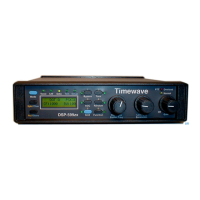
6
converter is done without any digital signal processing of the signal. The DSP-9 must be
powered to operate in the Bypass mode. This active bypass mode allows the DSP-9 signal
processing functions to be switched in and out without changing gain settings to maintain a
desired audio output level. The
Bypass
mode has precedence over the
Voice
and
CW
modes. When the DSP-9 is in bypass, the settings of the parameter select push buttons do
not affect bypass operation.
When the
Bypass
push-button is not in engaged, the
Voice/CW
push-button selects the
operating mode of the DSP-9 and the four parameter select push buttons operate.
CW Mode
Depressing the red
Voice/CW
push-button places the DSP-9 in CW mode. The red text
below the push-buttons indicates the CW filter choices.
In CW mode, the DSP-9 filters the audio input using one of twelve CW bandpass filters
and also can reduce random noise. Back panel internal jumpers preset one of two sets of
two filter center frequencies. There are three bandwidths for each center frequency. The
front panel "600/750" push-button selects one of the two preset filter center frequencies.
Depress the button marked "600/750" Center" in red text to select 600 Hz. center
frequency. In the out position of the "600/750" push-button, the center frequency of the
CW filter is 750 Hz. Note that depressing a push-button always selects the first of the two
parameters. Factory settings for center frequencies are 600 Hz. and 750 Hz. An alternate
set of CW filters is provided in the DSP-9 V2.0X firmware release. These alternate filters
have center frequencies of 400 Hz. and 500 Hz. Select the alternate set by shorting
configuration header #2 with a jumper. (Remove the back bezel and the back panel to
reach the back panel internal jumpers. Do not remove the circuit board from the DSP-9).
The configuration headers are located between the RCA audio input and output
connectors.
Two parameter select push buttons, marked "Bandwidth" in red, select the bandwidth of
the CW filter. These buttons select a bandwidth of either 500, 200 or 100 Hz. When both
bandwidth select buttons are out, the bandwidth is 500 Hz. When the "200/500" button is
pushed in and the other bandwidth select button is out, the bandwidth of the CW filter is
200 Hz. If the "100/500" bandwidth select button is pushed in, it has precedence and the
CW filter bandwidth is 100 Hz., independent of the state of the other button. No matter
what the state of the CW filter switch settings on the DSP-9 front panel, one of the six CW
filters is always active in the CW mode.
The CW mode can also operate with random noise reduction. To enable the random noise
reduction feature for CW operation, simply press in the button marked "NRr".
Voice Mode
In Voice mode, the DSP-9+ filters the audio input using one of six bandpass filters,
adaptively reduces random noise, and adaptively eliminates multi-tone noise
(heterodynes). These three functions can operate simultaneously or independently. The
operational parameters for the voice mode are in blue text.


 To Next Page
 Loading...