Register your product at www.timex.com
Thank you for purchasing your Timex® watch.
EXTENDED WARRANTY
Available in U.S. only. Extend your warranty for an additional 4 years
from date of purchase for $5. You can pay with AMEX, Discover, Visa or
MasterCard by calling 1 800-448-4639 during normal business hours.
Payment must be made within 30 days of purchase. Name, address,
telephone number, purchase date, and 5-digit model number required.
You can also mail a check for $5 to: Timex Extended Warranty, P.O. Box
1676, Dept. EF, Little Rock, AR 72203.
Please read instructions carefully to understand how to operate your
Timex® watch. Your model may not have all of the features
described in this booklet.
FEATURES
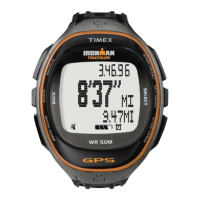
• Full function sport watch with wireless remote - designed to keep
your iPod mobile digital device functional, secure and dry,
even during strenuous activity.
• Time/date (12/24 hour format • MMDD/DDMM format • three Time
Zones • Hourly Chime)
• Countdown timers (up to 24 hours • stop or repeat at end • two
intervals)
• Three alarms (Daily/weekday/weekend • 5-minute backup)
• Chronograph (lap storage • lap/split recall • average/best time
display • on-the-fly recall • elapsed time counter)
• INDIGLO® night-light with NIGHT-MODE® feature.
1
TABLE OF CONTENTS
FEATURES . . . . . . . . . . . . . . . . . . . . . . . . . . . . . . . . . . . . . . . . . . . . . . . . . 1
BASIC OPERATIONS . . . . . . . . . . . . . . . . . . . . . . . . . . . . . . . . . . . . . . . . . 2
IPOD CONTROL . . . . . . . . . . . . . . . . . . . . . . . . . . . . . . . . . . . . . . . . . . . . . 2
Getting Started With Your i-Control® Watch . . . . . . . . . . . . . . . . . . . . . 2
TIME/DATE/HOURLY CHIME . . . . . . . . . . . . . . . . . . . . . . . . . . . . . . . . . . 3
Setting Time And Date . . . . . . . . . . . . . . . . . . . . . . . . . . . . . . . . . . . . . . 3
CHRONO . . . . . . . . . . . . . . . . . . . . . . . . . . . . . . . . . . . . . . . . . . . . . . . . . . 4
IPod Function in Chrono Mode . . . . . . . . . . . . . . . . . . . . . . . . . . . . . . . 4
Using the Chrono . . . . . . . . . . . . . . . . . . . . . . . . . . . . . . . . . . . . . . . . . . 4
Customize Display Format . . . . . . . . . . . . . . . . . . . . . . . . . . . . . . . . . . . 5
Using the Total Run Feature in Chrono . . . . . . . . . . . . . . . . . . . . . . . . . 5
RECALL . . . . . . . . . . . . . . . . . . . . . . . . . . . . . . . . . . . . . . . . . . . . . . . . . . . 5
INTERVAL TIMER & TIMER. . . . . . . . . . . . . . . . . . . . . . . . . . . . . . . . . . . . 6
IPod Function in Timer & Interval Timer Modes . . . . . . . . . . . . . . . . . . 6
Setting the Timer or Interval Timer . . . . . . . . . . . . . . . . . . . . . . . . . . . . 6
Using the Timer & Interval Timer . . . . . . . . . . . . . . . . . . . . . . . . . . . . . . 6
ALARM. . . . . . . . . . . . . . . . . . . . . . . . . . . . . . . . . . . . . . . . . . . . . . . . . . . . 7
Setting Alarm . . . . . . . . . . . . . . . . . . . . . . . . . . . . . . . . . . . . . . . . . . . . . 7
Using Alarm. . . . . . . . . . . . . . . . . . . . . . . . . . . . . . . . . . . . . . . . . . . . . . . 7
INDIGLO® NIGHT-LIGHT/NIGHT-MODE® FEATURE . . . . . . . . . . . . . . . . 8
BATTERY . . . . . . . . . . . . . . . . . . . . . . . . . . . . . . . . . . . . . . . . . . . . . . . . . . 8
WATER RESISTANCE . . . . . . . . . . . . . . . . . . . . . . . . . . . . . . . . . . . . . . . . 9
SPECIFICATIONS. . . . . . . . . . . . . . . . . . . . . . . . . . . . . . . . . . . . . . . . . . . . 9
WARRANTY . . . . . . . . . . . . . . . . . . . . . . . . . . . . . . . . . . . . . . . . . . . . . . . 12







 To Next Page