EasyManua.ls Logo

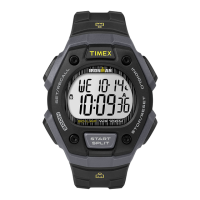
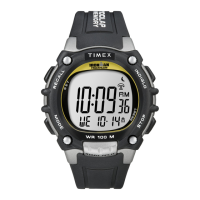
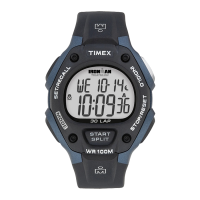
Timex ironman T5K523 - User Manual

Timex ironman T5K523
3 pages
Print Icon
To Next Page IconTo Next Page
Loading...
EXTENDED WARRANTY
Available in U.S. only. Extend your warranty for an additional 4 years from date of purchase
for $5. You can pay with AMEX, Discover, Visa or MasterCard by calling 1 800-448-4639 during
normal business hours. Payment must be made within 30 days of purchase. Name, address,
telephone number, purchase date, and 5-digit model number required. You can also
mail a check for $5 to: Timex Extended Warranty, P.O. Box 1676, Dept. EF, Little Rock,
AR 72203.
Please read instructions carefully to understand how to operate your Timex watch.
Your model may not have all of the features described in this booklet.
THANK YOU FOR PURCHASING YOUR TIMEX WATCH. MERCI D’AVOIR AC
www.timex.com
W-89 855-095000
TIMER
1. Press MODE repeatedly until TIMER appears.
2. Press SET/RECALL. Hour digits flash.
3. Follow same pattern as setting TIME and ALARM to set hours, minutes, seconds, and select
between REPEAT/AT END (timer counts down and then repeats) or STOP/AT END (the timer
counts down and then stops).
4. Press DONE to confirm and exit.
5. Press START/SPLIT to start TIMER. Timer will continue to run even if you exit Timer mode.
If REPEAT/END selected will flash. If STOP/END selected will flash.
6. An alarm melody will chime when the timer has reached zero or before it starts to count
down again.
7. Press STOP/RESET to stop TIMER. Press again to reset to countdown time.
FUNCTIONS
Real-time calendar clock, Second time zone, Countdown timer, Daily/weekday/weekend alarm,
hourly chime, Chronograph with lap/split storage, INDIGLO® night-light with Night-Mod Feature.
TIME/DATE/HOURLY CHIME
1. In TIME mode, press and hold SET/RECALL. Time zone will flash.
2. To set, push + or – to select first or second time zone.
3. Press NEXT. Hour digits flash.
4. Press + or – to change hour including AM/PM. (Scroll through 12 hours to get to AM/PM).
5. Press NEXT. Minute digits flash.
6. Press + or – to change minutes.
7. Press NEXT. Second digits flash.
8. Press + or – to set seconds to zero.
9. Press NEXT. Day of week flashes.
10. Press + to – to change day.
11. Continue pattern to set month, day of month, 12-hour or 24-hour time display, MM.DD or
DD.MM date format, turn hourly CHIME on/off, turn BEEP on/off. If you select BEEP on, a
beep will sound every time you push a button (except INDIGLO).
12. Press DONE to confirm and exit or NEXT to continue and set second time zone, if desired.
13. When in Time mode, press and hold START/SPLIT to “peek” at second time zone; hold for 4
seconds to switch time zones.
ALARM
Setting the ALARM is similar to setting TIME.
1. Press MODE repeatedly until ALARM appears.
2. Press SET/RECALL to set alarm.
3. Hour digits flash. Press + or – to change hour.
4. Press NEXT. Minute digits flash. Press + or – to change minutes.
5. Press NEXT. If in 12-hour format, AM/PM flashes. Press + or – to change.
6. Press NEXT. Press + or – to select DAILY, WEEKDAYS OR WEEKENDS.
7. Press DONE to confirm and exit.
8. Press Start/Split or Stop/Reset to arm or disarm alarm. When disarmed, OFF will be dis-
played. When armed, the alarm clock icon will appear .
9. The INDIGLO night-light and alarm icon flashes and an alert sounds when the alarm goes off.
Press any button to silence. A back up alarm will sound after five mintues if you don’t press
any buttons.
BASIC OPERATIONS
When setting, each button has a different function as indicated above. Watch face will indicate
when button changes function.
SET/ OR DONE (To
RECALL save changes
and exit
setting
MODE OR NEXT
(Proceed to
next step)
START/ OR + (Increase value.
SPLIT Hold to increase rapidly.)
INDIGLO
STOP/
OR (Decrease
RESET value. Hold
to decrease
rapidly.)
CHRONO
Question and Answer IconNeed help?

Do you have a question about the Timex ironman T5K523 and is the answer not in the manual?

Summary

Time, Date, and Hourly Chime

Basic Operations

Explains the function of each button (SET/RECALL, MODE, STOP/RESET, START/SPLIT) during watch operations.

Setting Time and Date

Guide to setting the time, date, 12/24 hour format, date format, and hourly chime.

Alarm Settings

Alarm Configuration

Instructions for setting, arming, and disarming daily, weekday, or weekend alarms.

Countdown Timer

Timer Operation

Steps to set and operate the countdown timer, including repeat or stop at end options.

Chronograph

Chronograph Format Setting

How to select the desired format for lap/split times in the chronograph mode.

Chronograph Operation Notes

Information on releasing frozen lap/split times and recalling stored laps/splits.

Overview

This document describes the operation and features of a Timex watch, model W-89 855-095000. It provides instructions for setting the time, date, and various functions, as well as details on an extended warranty program.

Extended Warranty

An extended warranty is available for U.S. customers, offering an additional 4 years of coverage for $5. Payment can be made via AMEX, Discover, Visa, or MasterCard by calling 1-800-448-4639 during normal business hours. Required information includes name, address, telephone number, purchase date, and the 5-digit model number. Alternatively, a check for $5 can be mailed to Timex Extended Warranty, P.O. Box 1676, Dept. EF, Little Rock, AR 72203. Payment must be made within 30 days of purchase.

Functions

The watch features a real-time calendar clock, a second time zone, a countdown timer, and a daily/weekday/weekend alarm. It also includes an hourly chime, a chronograph with lap/split storage, and an INDIGLO® night-light with Night-Mode® Feature.

Basic Operations

The watch has four primary buttons:

  • SET/RECALL (OR DONE): Used to save changes and exit settings.
  • MODE (OR NEXT): Used to proceed to the next step in setting modes.
  • STOP/RESET (OR -): Used to decrease values. Holding this button will decrease values rapidly.
  • START/SPLIT (OR +): Used to increase values. Holding this button will increase values rapidly.

When setting, the watch face will indicate when a button's function changes.

Time/Date/Hourly Chime

To set the time, date, and hourly chime:

  1. In TIME mode, press and hold SET/RECALL. The time zone will flash.
  2. Use + or - to select the first or second time zone.
  3. Press NEXT. The hour digits will flash.
  4. Use + or - to change the hour, including AM/PM. Scrolling through 12 hours will cycle between AM and PM.
  5. Press NEXT. The minute digits will flash.
  6. Use + or - to change the minutes.
  7. Press NEXT. The second digits will flash.
  8. Use + or - to set seconds to zero.
  9. Press NEXT. The day of the week will flash.
  10. Use + or - to change the day.
  11. Continue this pattern to set the month, day of month, 12-hour or 24-hour time display, MM.DD or DD.MM date format, and to turn the hourly CHIME and BEEP on/off. If BEEP is selected on, a beep will sound every time a button is pushed (except INDIGLO).
  12. Press DONE to confirm and exit. Alternatively, press NEXT to continue and set the second time zone, if desired.
  13. When in Time mode, press and hold START/SPLIT to "peek" at the second time zone. Hold for 4 seconds to switch time zones.

Alarm

Setting the alarm is similar to setting the time:

  1. Press MODE repeatedly until ALARM appears on the display.
  2. Press SET/RECALL to set the alarm.
  3. The hour digits will flash. Use + or - to change the hour.
  4. Press NEXT. The minute digits will flash. Use + or - to change the minutes.
  5. Press NEXT. If in 12-hour format, AM/PM will flash. Use + or - to change it.
  6. Press NEXT. Use + or - to select DAILY, WEEKDAYS, or WEEKENDS.
  7. Press DONE to confirm and exit.
  8. Press START/SPLIT or STOP/RESET to arm or disarm the alarm. When disarmed, "OFF" will be displayed. When armed, the alarm clock icon will appear.
  9. When the alarm goes off, the INDIGLO night-light and alarm icon will flash, and an alert will sound. Press any button to silence it. A backup alarm will sound after five minutes if no buttons are pressed.

Timer

  1. Press MODE repeatedly until TIMER appears.
  2. Press SET/RECALL. The hour digits will flash.
  3. Follow the same pattern as setting TIME and ALARM to set hours, minutes, and seconds. Select between REPEAT/AT END (timer counts down and then repeats) or STOP/AT END (timer counts down and then stops).
  4. Press DONE to confirm and exit.
  5. Press START/SPLIT to start the TIMER. The timer will continue to run even if you exit Timer mode. If REPEAT/END is selected, it will flash. If STOP/END is selected, it will flash.
  6. An alarm melody will chime when the timer reaches zero or before it starts to count down again.
  7. Press STOP/RESET to stop the TIMER. Press again to reset to the countdown time.

Chronograph

  1. Press MODE until CHRONO appears.
  2. Press and hold SET/RECALL.
  3. The display will read: FORMAT/SET, then LAP/SPL or SPL/LAP.
  4. Use + or - to select the desired format.
  5. Press DONE to confirm and exit.
  6. To use the chronograph, press START/SPLIT. The chronograph continues to run even if you exit the mode.
  7. Press STOP/RESET to stop the chronograph from running. While the chronograph is running, press START/SPLIT to take a split. Lap and split times will then be displayed in the format you selected. The lap number will alternate with the last two digits of the bottom line.

Notes on Chronograph:

  • Lap and split times will appear frozen for 10 seconds. Press MODE to release the display and see the running chronograph.
  • While the chronograph is running or stopped, press SET/RECALL, then press + or - to scroll through stored laps or to recall stored laps/splits. Press SET/RECALL again to return to the running chronograph.
  • Press and hold STOP/RESET to reset the chronograph.

Timex ironman T5K523 Specifications

General IconGeneral
BrandTimex
ModelT5K523
Case MaterialResin
Band MaterialResin
Water Resistance100 m (10 ATM)
FeaturesChronograph, Countdown timer, Alarm, Indiglo light
DisplayDigital
Battery Life3 years
Case Width38 mm
MovementQuartz
CategorySport

Related product manuals