Installation
Note: After installing the battery backup and reading through the
maintenance section, plug the AC line cord correctly into a wall
outlet. When the unit is connected to AC power for the first time
the display may flash.
Battery Backup
If a battery backup has been installed and a power failure occurs or the
AC cord is accidentally disconnected, the display will not remain lit, but
the current time and alarm time settings will be temporarily maintained.
If the battery backup has not been installed or is dead, when the AC power
resumes the display will flash and you must reset the time and alarm time
settings.
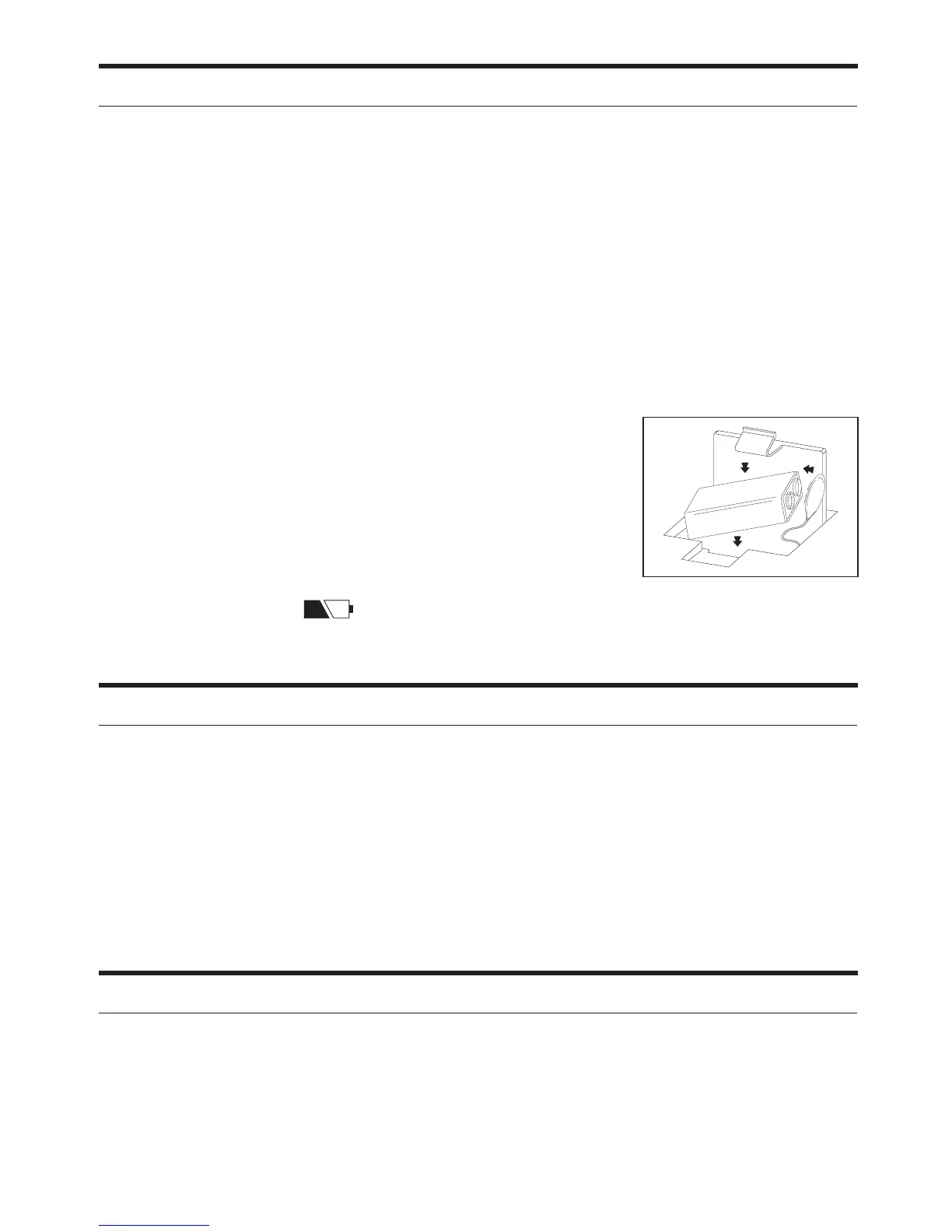
1. Open the battery compartment cover.
2. Install a 9 volt battery (alkaline is recommended
for longer life).
3. Gently close the battery compartment cover.
Battery Low Indicator
A battery low icon (
) is located in the lower left corner of the display.
When the icon lights up it is time to replace the 9 volt battery backup.
Maintenance
• Place the unit on a level surface, away from direct sunlight and excessive
heat.
•Protect your furniture when placing the unit on a natural oil or lacquered
finish. A cloth or other protective material should be placed between
the unit and the furniture.
• Clean your unit with a soft cloth moistened only with mild soap and
water. Stronger cleaning agents can mar the surface of the case.
Dimmer Switch
Set the Dimmer switch to Hi or Low, depending on the brightness in
your room.


 To Next Page