EasyManua.ls Logo

Timex T125 - User Manual

Timex T125
16 pages
Print Icon
To Next Page IconTo Next Page
Loading...
Model T125
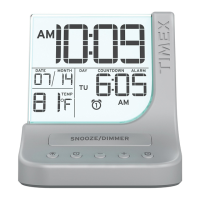
Color Changing Dual Alarm Clock
with USB Charging
For additional information, online registration,
and exclusive special offers visit our website:
Questions? Contact Customer Service at 1-800-888-4491
Question and Answer IconNeed help?

Do you have a question about the Timex T125 and is the answer not in the manual?

Timex T125 Specifications

General IconGeneral
TypeDigital Alarm Clock
Power SourceBattery
Weight4.8 ounces
ColorBlack
Alarm Featuressnooze

Summary

Timex T125 Whats in the Box

Timex T125 Product Care Instructions

Timex T125 Controls Overview

Top Panel Controls

Details controls located on the top surface of the alarm clock.

Bottom Panel Controls

Details controls located on the bottom surface of the alarm clock.

Rear Panel Port Identification

Identifies the DC Jack port on the rear of the unit.

Right Side Panel Ports

Identifies the Time Set and USB Charging ports.

Timex T125 Display Guide

Timex T125 Initial Setup

Connecting Power Source

Instructions for connecting the AC adapter to the unit and power outlet.

Backup Battery Installation

Guide for installing and replacing backup batteries for power interruptions.

Timex T125 Setting the Time

Timex T125 Setting and Using Alarms

Timex T125 Alarm and Display Management

Canceling or Disarming Alarms

Procedure to cancel or disarm an active or set alarm.

Snooze Functionality

How to activate the snooze feature to silence the alarm temporarily.

Dimmer Functionality

How to adjust the display brightness settings.

Timex T125 Countdown Timer

Timex T125 Color Mode

Timex T125 USB Charging Port Usage

Timex T125 Battery Cautions and Tips

Timex T125 Important Safety Instructions

Timex T125 Troubleshooting

Timex T125 FCC Information

Timex T125 Warranty Information

Related product manuals