10
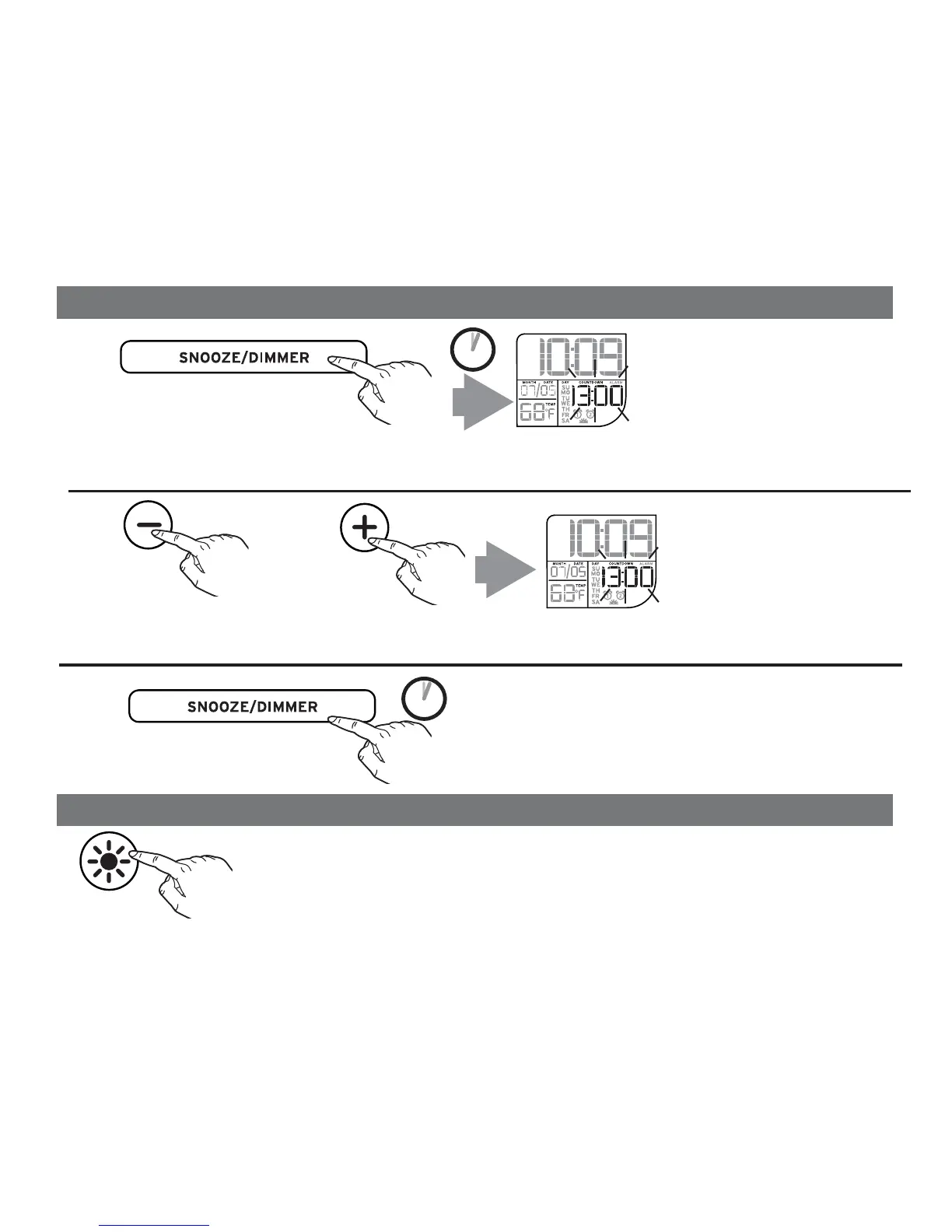
Press and release the – or + Set Button to adjust the timer to the desired countdown time
(press and hold for rapid adjustment). The timer can be set from 15 minutes to 1 minute.
2 SECS
Press and hold the Snooze/Dimmer Button to activate the countdown timer. The default setting
“10:00” will flash and COUNTDOWN will appear on the display.
Press and hold the Snooze/Dimmer Button to
start the timer. An alert will sound when the set
duration is reached. Press and release the
Snooze/Dimmer Button to turn off the alert sound.
2
3
1
OR
2 SECS
Press and release the Color Button to cycle through
seven colors. Press again to hold display on a single
color. Press again to turn off background lighting.
Color Mode
Countdown Timer
AM
PM
AM
AM
PM
AM


 To Next Page