EasyManua.ls Logo

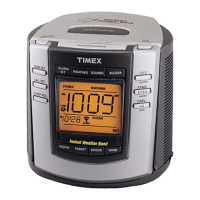
Timex T150 - User Manual

Timex T150
12 pages
Print Icon
To Next Page IconTo Next Page
Loading...
NOAA Instant-Weather
Triple Alarm Clock
with Nature Sounds
Model T150
®
SLEEP VOL.
CAL. SET
TIME SET
RESET
OFF
WEATHER
BUZZER
SOUNDS
DM
S
N
O
O
Z
E
/
D
I
M
M
E
R
ALARM
SET
N
O
A
A
O
N
/S
L
E
E
P
S
O
U
N
D
M
ONTH
FWD
DATE
REV
W
I
N
D
B
R
O
O
K
F
O
R
E
S
T
O
C
E
AN
DAILY ALARM
7-5-2
WEATHER ON/SLEEP
SUN
POWER
DST
LOW
LOW
Question and Answer IconNeed help?

Do you have a question about the Timex T150 and is the answer not in the manual?

Timex T150 Specifications

General IconGeneral
BrandTimex
ModelT150
CategoryAlarm Clock
LanguageEnglish

Summary

Timex T150 Clock: Preparation and Power Setup

DC Operation and Battery Backup Functions

Explains DC power, AA battery backup, and CR-2032 lithium battery functions.

Installing AA and Lithium Batteries

Instructions for installing main AA and backup lithium batteries for power.

Setting Time, Calendar, and Listening Modes

AC Adapter Operation for Timex Clock

Guide to connecting and using the AC adapter for powering the unit.

Setting the Clock Time and Calendar

Step-by-step instructions for setting the current time and date on the clock.

Listening to NOAA Weather and Nature Sounds

How to tune into NOAA weather reports and select nature sounds.

Timex T150 Alarm Setup and Operation

Setting Alarm Times and Wake Modes

Instructions for setting alarm times and choosing wake-to options (weather, sound, buzzer).

Managing Alarms and Using Snooze;Dimmer

How to turn off, cancel alarms, and use the snooze/dimmer functions.

Sleep Modes, Maintenance, and Support Information

Sleep to Weather and Nature Sounds Setup

Setting the unit to play sounds or weather for a specified duration before sleep.

Product Maintenance, FCC, and Warranty Details

Guidelines for cleaning, FCC compliance, and warranty information.

Related product manuals