EasyManua.ls Logo

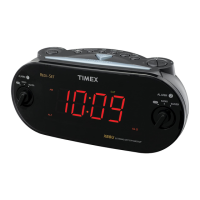
Timex T715 - User Manual

Timex T715
14 pages
Print Icon
To Next Page IconTo Next Page
Loading...
Model: T-715 (English Version)
Instruction Manual
Date: Dec 16, 2009
Print color : Black text on white paper
Size: 178W x 178H mm
Model T715
AM/FM Dual Alarm Clock Radio
With Redi-Set™ Automatic
Time Setting System
For questions or comments regarding this or other products,
please call our toll-free number 1-800-888-4491.
For additional information, online registration,
and exclusive special offers visit our website:
www.timexaudio.com
AM
Question and Answer IconNeed help?

Do you have a question about the Timex T715 and is the answer not in the manual?

Timex T715 Specifications

General IconGeneral
BrandTimex
ModelT715
CategoryClock Radio
LanguageEnglish

Summary

Consumer Safety Guide

Important Safety Instructions

FCC Compliance Information

Product Introduction

Controls and Indicators Overview

Display and Indicators

Operating Instructions

Initial Time Setting

Details on how to automatically set the clock for the first time or after power interruption.

Viewing Date Display

How to view the current date on the clock display.

Viewing Year Display

How to view the current year on the clock display.

DST and Leap Year Adjustments

Explanation of automatic DST and Leap Year adjustments by the internal computer.

Manual Time Adjustment

Instructions for manually adjusting the clock time forward or backward.

Setting Wake-Up Times

Guide to setting Alarm 1 and Alarm 2 wake-up times.

Selecting Alarm Mode

How to choose between Everyday, Weekdays, or Weekends alarm modes.

Checking Alarm Settings

How to check the set wake-up times and alarm modes.

Listening to The Radio

Wake To Radio Function

Instructions for setting the alarm to wake up to the radio.

Wake To Buzzer Function

Instructions for setting the alarm to wake up to a buzzer sound.

Combined Radio and Buzzer Operation

How to set one alarm for radio and another for buzzer.

Snooze Control Operation

Explanation of how the snooze function works after an alarm.

Sleep To Music Timer

Display Dimmer Control

How to adjust the brightness of the clock display.

Line Input Jack Usage

Details on connecting external audio devices via the Line In jack.

Changing The Lithium Back-Up Battery

Resetting Clock After Memory Loss

Steps to reset the clock after a power failure or memory loss.

Lithium Battery Precautions

Precautions for handling and disposing of lithium batteries.

Care and Maintenance

Limited 90-Day Warranty

Related product manuals