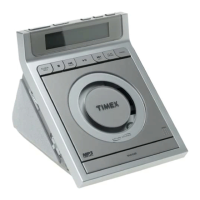
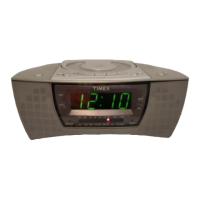
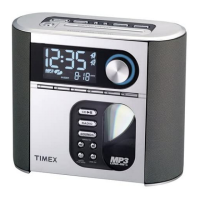
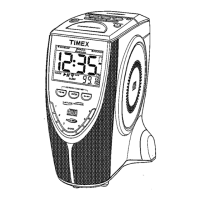
Need help?
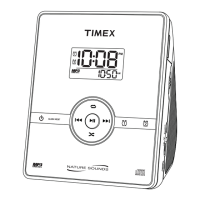
Do you have a question about the Timex T600 and is the answer not in the manual?
Addresses water, ventilation, heat, power, and cord protection.
Details on cleaning, non-use periods, and preventing object entry.
Guidelines for damage assessment and user servicing limitations.
Information on FCC rules and potential radio/TV interference.
Warnings and precautions related to laser radiation exposure.
Explains compliance with Class B digital device regulations.
Guidance on positioning the unit and cleaning its exterior.
Steps for installing batteries for backup power.
Details on how the system behaves during power interruptions.
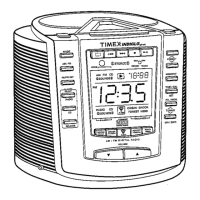
Labels and functions of buttons on the front of the unit.
Descriptions of indicators and labels shown on the unit's front.
Explains how time and calendar information is presented.
Describes indicators for radio mode, CD mode, and alarm status.
Procedure for adjusting the hour and minute for accurate timekeeping.
Instructions for setting the month and day.
Guidance on using the antenna and performing manual/auto tuning.
Information on using last station memory and preset tuning.
Step-by-step guide to saving radio stations into memory.
How to recall previously stored radio stations.
Steps to listen to previously saved radio frequencies.
How to overwrite existing preset stations with new ones.
Steps for opening the CD door, inserting a disc, and starting playback.
How to use play, pause, volume, and stop functions for CDs.
Explains repeat playback, skip forward/backward, and pause functions.
How to quickly scan through tracks on a CD.
Steps to choose and listen to the available nature sounds.
How to adjust the volume level for the nature sounds.
Steps to set the hour, minute, and select a preset radio station.
How to turn the radio alarm on and confirm it is active.
Steps to set the hour and minute for a CD alarm.
How to enable the CD alarm and ensure a CD is ready.
Steps to set the hour, minute, and select a nature sound.
How to turn on the nature sounds alarm.
How to review configured alarm times and sources.
Setting and cancelling multiple radio, CD, or sound alarms.
Instructions for stopping or temporarily silencing alarms.
How to set the sleep timer and adjust sleep volume.
Information on using and adjusting the device's illuminated display.
Guidance on connecting headphones for private listening.
Remedies for issues with the display, FM/AM reception, and volume.
Solutions for unexpected shutdowns and CD playback problems.
How to fix issues with setting and activating alarms correctly.
Solutions for wrong radio alarms and night-light brightness.
Information on warranty period, limitations, and proof of purchase requirements.
Instructions for obtaining warranty service and contact details.
 General
| Brand | Timex |
|---|---|
| Model | T600 |
| Category | Clock Radio |
| Language | English |

 To Next Page