EasyManua.ls Logo

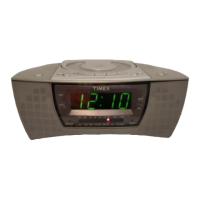
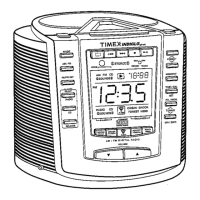
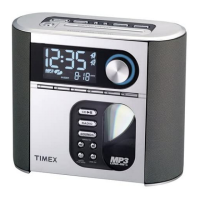
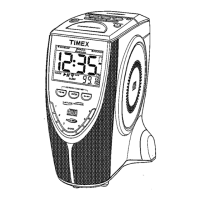
Timex T609 - User Manual

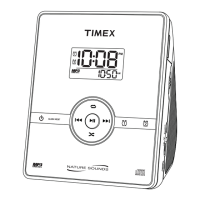
Timex T609
19 pages
Print Icon
To Next Page IconTo Next Page
Loading...
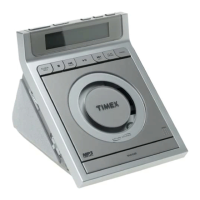
Model T609
Nature Sounds Stereo CD
Dual Alarm Clock Radio
with Digital Tuning
Para instruccionese en Espanol, llame al 1-800-888-4491.
For questions or comments regarding this or other products,
please call our toll-free number 1-800-888-4491.
For additional information, online registration,
and exclusive special offers visit our website:
www.timexaudio.com

Questions and Answers

  • S
    Sheri NicholsAug 14, 2025
    How to fix a Timex T609 Clock Radio when the alarm doesn't sound?
    • J
      Jason KerrAug 15, 2025
      If the Timex Clock Radio alarm isn't sounding, first check that the alarm time is correctly set for AM/PM. Also, make sure the alarm icons are visible on the display by pressing the Alarm Button until they appear.
  • S
    scottrebeccaAug 17, 2025
    What to do if my Timex T609 Clock Radio has no display and won't play CD/radio?
    • A
      alexander84Aug 17, 2025
      If your Timex Clock Radio display is blank and the CD/radio won't play, ensure the unit is properly connected to a functioning AC outlet. If it's plugged in, try a different outlet to rule out power issues. Avoid using outlets controlled by a wall switch.
  • J
    Jeffrey JacksonAug 21, 2025
    Why does my Timex T609 Clock Radio alarm sound at the wrong time?
    • T
      tthomasAug 21, 2025
      If the alarm on your Timex Clock Radio sounds at the wrong time, ensure that the correct alarm icon is displayed. The alarm you wish to wake to should be the only alarm icon that appears on the display. Also, verify that the alarm is set correctly for AM/PM.
  • E
    Elizabeth PittmanAug 25, 2025
    What to do if my Timex Clock Radio has low or no volume?
    • M
      Michael GambleAug 25, 2025
      If your Timex Clock Radio is on but has low or no volume, first, check the volume dial and increase it. Also, ensure that headphones are not connected to the headphone jack; if they are, disconnect them.
  • K
    khuberAug 27, 2025
    How to fix a Timex T609 when the CD skips?
    • M
      Morgan SmithAug 28, 2025
      If the CD skips while playing on your Timex Clock Radio, examine the disc for dirt or defects. If dirty, clean it with a soft cloth, wiping from the center outwards. If the issue persists, the lens may be dirty and require cleaning with a commercial lens cleaner.
  • E
    Emily DurhamAug 31, 2025
    Why does my Timex T609 shut off unexpectedly?
    • O
      osaundersAug 31, 2025
      If your Timex Clock Radio shuts off unexpectedly, it might be in Sleep Mode. Press the Radio On/Sleep button once to turn it back on. Alternatively, if the unit was turned on by the alarm, and the alarm time has ended, press the Radio On/Sleep button to turn it back on.
  • L
    Lisa JohnsonSep 3, 2025
    What to do if I hear a buzzer when waking to CD on my Timex Clock Radio?
    • R
      Rachel BlackSep 4, 2025
      If you hear a buzzer alarm when trying to wake to a CD on your Timex Clock Radio, ensure a CD is properly inserted into the CD player with the label surface facing up. Also, make sure the CD player door is completely closed by gently pushing it down until it latches.
  • J
    Joshua MooreSep 6, 2025
    How to improve FM reception on my Timex Clock Radio?
    • S
      Sheri BrightSep 6, 2025
      If you experience poor FM reception on certain stations with your Timex Clock Radio, try adjusting the direction of the FM wire antenna to improve signal strength.
  • S
    steven45Sep 10, 2025
    How to improve AM reception on my Timex Clock Radio?
    • A
      Alexandra BarronSep 10, 2025
      To improve poor AM reception on certain stations with your Timex Clock Radio, rotate the unit to find a position that provides better reception.

Summary

Safety Warnings

Electrical Shock & Fire Precautions

Critical warnings about electrical shock, fire, and moisture hazards.

Consumer Safety Guide

Important Safety Instructions

Detailed safety guidelines for installation, use, and maintenance.

Regulatory and Component Safety

Laser Safety Precautions

Critical safety information concerning the unit's laser component.

Initial Unit Setup

Clock Functionality

Setting the Clock Time

Step-by-step instructions for accurately setting the current time.

Compact Disc Player Operation

Alarm Operation Guide

Setting Alarm 1: CD or Buzzer

Instructions for setting the primary alarm to wake by CD or buzzer.

Setting Alarm 2: Radio or Nature Sound

Instructions for setting the secondary alarm for radio or nature sounds.

Troubleshooting Common Issues

Alarm and Display Problems

Solutions for issues with alarm activation and display readings.

Timex T609 Specifications

General IconGeneral
BrandTimex
ModelT609
CategoryClock Radio
AlarmYes
Snooze FunctionYes
Radio TunerAM/FM
Backup BatteryYes
Clock Format12-Hour
TypeDigital
Alarm TypeBuzzer
Power SourceAC

Related product manuals