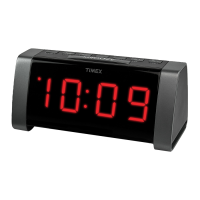
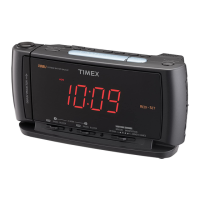
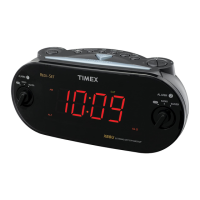
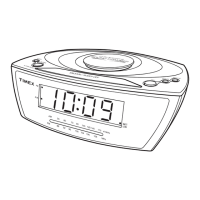
Top Panel
Back Panel
Dock
Radio Preset Buttons
Radio Button
Alarm 1 Button
Controls and Indicators
<< Button
Play/Pause Button
Alarm Reset/Power On/Off Button
>> Button
Clock Adj Button
DST Switch
Wake-to Switch
Volume+ Button
Volume- Button
Sleep Button
AM Loop Antenna Socket
Line-in Jack
DC Jack
Time Zone Button
Alarm 2 Button
2
Listening to Radio
Setting up the Antenna
1. Snap the included AM antenna cable into the
AM Loop Antenna Socket located on
the back of the Ti700. Move the antenna 12” away from unit for best reception.
2. Extend FM wire antenna fully for best reception. Do not strip, alter or attach to other
antennas.
Tuning and Playing the Radio
1. Press the
Radio Button to select radio play mode, and as needed to select AM, FM1
or FM2 radio band. The “radio” indicator will appear at the bottom of the display, showing
radio playing mode.
2. Press
<< or
>> Button to tune the radio to a desired station. For seek mode, press and hold the
<< or
>>
Button until stations scroll, then release. The tuner will stop at the next strongest station.
3. To memorize the current station as a preset, press and hold
Preset Buttons 1, 2 or 3. Repeat step 1-3 to preset up
to 9 stations (3 AM and 6 FM). To listen to a preset station at any time, simply press the desired preset button.
4. Press the
Volume+ and
Volume– Button on the Ti700 or remote control to adjust the system volume.
5. To turn off the unit, press the
Alarm Reset/Power On/Off Button on the Ti700 or remote control to turn it off.
Sleep Operation
Sleep mode lets you sleep to your iPod or the radio, gradually lowering the volume until the unit shuts off at the selected
time.
1. Press the
Sleep Button to enter sleep mode. The Sleep Icon will appear on top of the display to indicate the unit is
in sleep mode. Sleep mode has a Gentle Sleep feature which gradually lowers the volume.
2. You can adjust the sleep timer from 120, 90, 60, 30 or 15 minutes by pressing the button again. The unit will automatically
turn off after the selected time.
3. When the display changes back to show the real time, press the
Sleep Button once to show the sleep time remaining.
Pressing it again will change sleep time to the next lowest increment.
4. The Ti700 has an independent volume setting for sleep mode so you can adjust the sleeping volume without affecting the
alarm volume. Press the
Volume+ and
Volume– Button on the Ti700 or remote control to adjust the sleep volume.
The sleep volume will remain at that level the next time you enter sleep mode until controls are changed.
5. To stop listening at any time, press the
Alarm Reset/Power On/Off Button on the Ti700 or remote control to turn
it off.
Dimmer Operation
During normal operation, press the Snooze/Dimmer Button to control the brightness of the LCD display.
9



 To Next Page