Page
Electric Oven
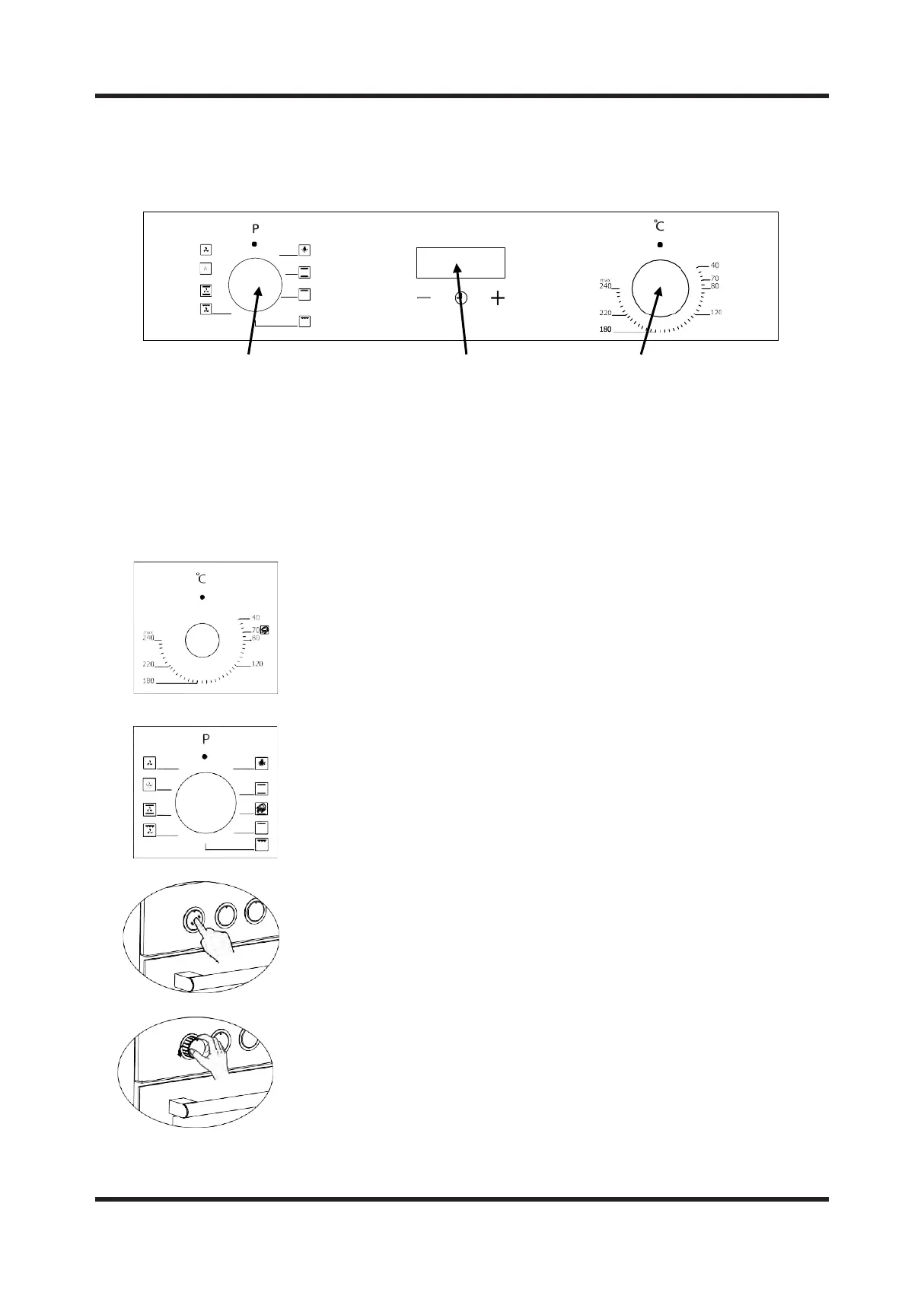
CONTROL PANEL
1 2 3
1. Function button
2. Digital timer
3. Thermostat
WARNING: The control panel above is only for illustrative purposes.
Consider the control panel on your device.
Thermostat Button: Helps to set cooking temperature of the food to be
cooked in the oven. You can set the desired temperature by turning
the button after placing the food into the oven. Check cooking table
related to cooking temperatures of different foods.
Program Button: Helps to set with which heaters the food placed in
oven will be cooked. Heater program types in this button and their
functions are stated below. Every model might not have all heater
types and thus program types of these heaters.
Adjustment can be made only when button is popped for models with pop-up
button.
You can make necessary adjustments by turning right or left when button is
popped enough.


 To Next Page