EasyManua.ls Logo

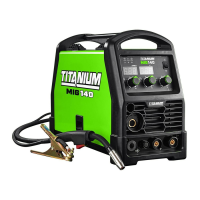
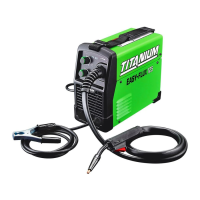
Titanium MIG 140 - User Manual

Titanium MIG 140
32 pages
Print Icon
To Next Page IconTo Next Page
Loading...
!"#$%&'()*+,
-.'./&)01&*23'./2&4/5&(//6577***,(413)1812.9(/,:);
<;4.=&)01&/2:(+.:4=&'066)1/&4/5&61)>0:/'066)1/?(413)1812.9(/,:);
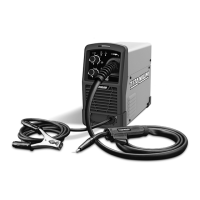
MIG140
MIG170
64804 64805
Owners Manual & Safety Instructions
Save This Manual Keep this manual for the safety warnings and precautions, assembly,
operating, inspection, maintenance and cleaning procedures. Write the product’s serial number in the
back of the manual near the assembly diagram (or month and year of purchase if product has no number).
Keep this manual and the receipt in a safe and dry place for future reference. 18g
When unpacking, make sure that the product is intact
and undamaged. If any parts are missing or broken,
please call 1-888-380-0318 as soon as possible.
Copyright
©
2018 by Harbor Freight Tools
®
. All rights reserved.
No portion of this manual or any artwork contained herein may be reproduced in
any shape or form without the express written consent of Harbor Freight Tools.
Diagrams within this manual may not be drawn proportionally. Due to continuing
improvements, actual product may differ slightly from the product described herein.
Too ls r eq ui red fo r as se mbly a nd s er vice m ay n ot be in cl ud ed .
Read this material before using this product.
Failure to do so can result in serious injury.
SAVE THIS MANUAL.
Question and Answer IconNeed help?

Do you have a question about the Titanium MIG 140 and is the answer not in the manual?

Summary

Safety

Important Safety Information

General safety practices, precautions, and hazard symbol definitions for welder operation.

Fume and Gas Safety

Guidelines for preventing hazards from welding fumes and gases.

Electrical and Fire Safety

Precautions against electric shock and fire hazards during welding.

Grounding and Cord Safety

Ensuring proper grounding and safe use of power cords.

Setup

Wire Spool Installation and Setup

Step-by-step guide for installing wire spool and setting up wire feeding.

Polarity and Gas Setup

Configuring polarity (DCEN/DCEP) and gas for different welding processes.

Wire Feed Roller and Gun Connection

Adjusting feed rollers and connecting the gun cable for operation.

Final Setup and Power Connection

Completing final setup steps and safely connecting power to the welder.

Basic Welding

Welding Safety and Technique Overview

Introduction to basic welding safety and fundamental techniques.

Front Panel Controls and Operation

Description of controls on the welder's front panel and their functions.

Basic Welding Techniques

Guidance on igniting arcs, bead types, gun angles, and CTWD.

Welding Tips

Weld Cleaning and Testing

Procedures for cleaning welds and performing strike tests for quality.

Weld Diagnosis and Problem Solving

Diagnosing weld issues like penetration, porosity, and spatter using visual guides.

Troubleshooting Common Weld Defects

Identifying and correcting common weld problems such as adhesion and burn-through.

Maintenance

Routine Maintenance and Inspection

Regular maintenance tasks and pre-use inspections for the welder.

Alarm Indicators and Troubleshooting

Understanding alarm codes and troubleshooting common welder issues.

Parts List and Assembly Diagram

List of components and diagram for welder assembly and identification.

Limited 90 Day Warranty

Information regarding the product's warranty terms and conditions.

Titanium MIG 140 Specifications

General IconGeneral
BrandTitanium
ModelMIG 140
CategoryWelding System
LanguageEnglish

Related product manuals