17English
whether you want to congure a xed delay as desired, or whether the recorded
macro is executed several mes when the mouse buon is pressed. The opon of
eding the recorded steps subsequently is also available.
Note: Please remember the "Z" and "Y" are reversed. To congure, use the leer
other than the one desired to obtain the right result. Also there is a limit of 60
characters max. per macro.
6. Interchanging the buons
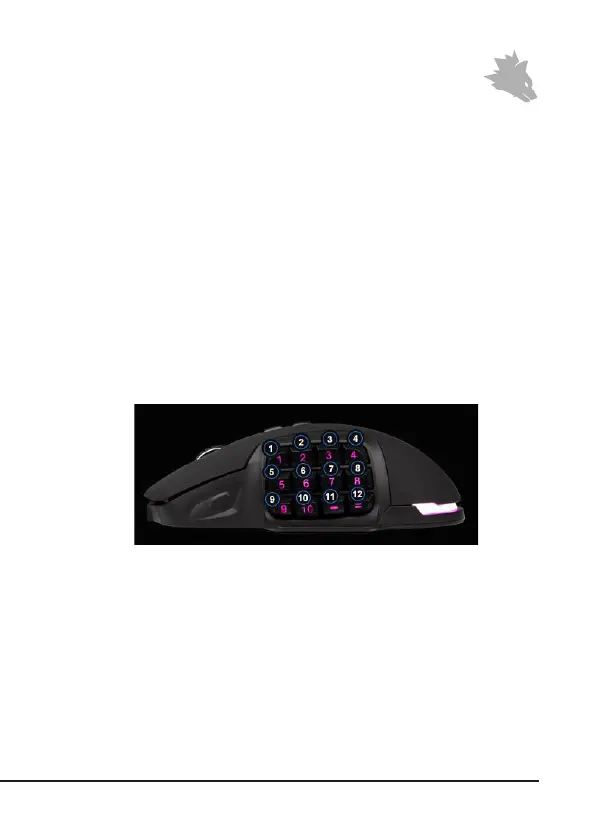
You have the opon of customising the side buons as desired. For this purpose,
a slider is located at the boom of the mouse, which unlocks the side buons.
These can be subsequently removed. Once the slider is in the unlocked posion,
the buons can no longer be held.
Other side buons and dummy caps are included in the box. Customise the side
keys as desired. Please note that you may have to change your keyboard layout to
accommodate the new buon. The pressure point of the buons is indicated by a
small plasc projecon on the retainer of the buon.
7. Adjusng the weight
There is a circular cover on the underside of the mouse behind which the weights
of the mouse are located. A total of four weights of 5g each are provided.
Carefully rotate the cover to remove it from the mouse. Now you can add or re-
move weights to arrive at your preferred mouse weight. Before closing the cover,



 To Next Page