EasyManua.ls Logo

TiVo Premiere 4 - User Manual

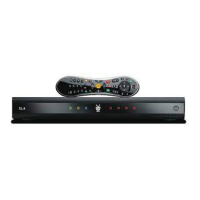
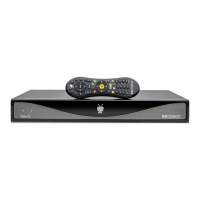
TiVo Premiere 4
162 pages
Print Icon
To Next Page IconTo Next Page
Loading...
TiVo
®
Premiere 4/XL4 Viewer’s Guide
SDOC-00138-002 A1
The TiVo button takes you to the TiVo Central
®
screen, the starting
point for all your TiVo features and settings.
Live TV/Swap takes you to live TV. If you’re watching live TV, use it to swap tuners.
Info shows the channel banner while watching live TV; press it again to make it disappear.
Rewind rewinds a show. Press it up to three times for three speeds. When a
show is paused, press Rewind to go back frame-by-frame.
Fast-Forward fast-forwards through a show. Press it up to three
times for three speeds. When a show is paused, press Forward to
advance frame-by-frame.
Guide takes you to the program guide, where you can find shows to watch or record. Press
it again to clear the guide.
Use the Channel Up/Down buttons to change the channel and to page up or
down while in the program guide or TiVo menus.
If programmed, TV PWR turns your TV or A/V receiver on/off.
See page 74 for more information.
Use
Input to select the input (such as TiVo box, DVD player,
game system) your TV displays.
Use
Zoom to change aspect ratio of shows on your TV.
If programmed,
Volume controls the volume on your TV or A/V
receiver.
Pause freezes a show. Press it again to resume playing.
Slow plays a show in slow motion.
Use Select to choose menu options or shows to record.
If programmed, Mute turns the volume on your TV or stereo on or off.
Press Record to start recording the show you’re watching, or to set up a
recording for a show selected in the program guide.
Replay repeats the last 8 seconds of the show. Press and hold to jump to the beginning
of a show.
Use the Arrow Buttons to navigate the TiVo menus and the program guide.
Advance moves forward in 30-second increments; press and
hold to jump to the end of the show. While viewing a recorded
show, press Advance to jump to the next tick mark when
fast-forwarding or rewinding.
Play starts playing a show from the My Shows list. When you are using
pause, rewind, fast-forward or slow, pressing Play will resume playing at
normal speed.
In TiVo with HD menus, the buttons sort and filter views. Look for the
onscreen tips.
Clear removes the display of the channel banner or program guide, and deletes titles from the
My Shows or To Do list.
Use Number buttons to enter channel numbers.
Enter/Last returns you to the last channel tuned to in
live TV. In the program guide, press Enter/Last to see
Guide Options.
Use the Thumbs Up and Thumbs Down buttons to rate shows for TiVo
Suggestions. You can give up to three Thumbs Up (great!) or three Thumbs Down
(terrible!). In TiVo with HD menus, you can also use the THUMBS UP button to
mark any video provider, category, or collection as a favorite.
TiVo
®
Remote Control
4
4

Table of Contents

Question and Answer IconNeed help?

Do you have a question about the TiVo Premiere 4 and is the answer not in the manual?

Summary

Quick tours

Quick tour - the TiVo Central screen

Introduces the main TiVo Central screen as the starting point for all TiVo functions.

Quick tour - My Shows

Explains how to navigate and manage recorded shows in the My Shows list.

Quick tour - Watching live TV

Guides users through watching live television and navigating playback controls.

Quick tour - Streaming or transferring shows

Details how to stream or transfer shows between TiVo devices and other platforms.

Finding shows

Using the guide and mini-guide to find shows

Explains how to use the on-screen program guide to locate shows.

Finding & recording shows using TiVo with HD menus

Describes how to search and record shows using the HD menu interface.

Finding & recording shows using TiVo with SD menus

Details how to search and record shows using the SD menu interface.

Season Pass recordings

Details how to automatically record entire series episodes.

Watching shows

Moving around with the status bar

Explains how to navigate and interpret the status bar during playback.

Setting a show’s recording options

Guides users on customizing individual recording preferences for shows.

Parental Controls and KidZone

Covers setting up parental controls and KidZone for content management.

Video on demand

Settings

Channel settings

Covers managing channel lists, favorites, and channel scanning.

Network settings

Details how to connect and configure network settings for streaming.

Remote control settings

Explains how to program and customize the TiVo remote control.

Troubleshooting

Appendix A: Safety, FCC info, front;back panels, & specs

Safety instructions

Provides essential safety precautions for operating the TiVo Premiere 4/XL4.

Appendix B: Copy Protection, Warranty, & Licensing

TiVo DVR Limited Warranty

Details the terms, coverage, exclusions, and procedures for the DVR warranty.

Installing your CableCARD

Summary

Quick tours

Quick tour - the TiVo Central screen

Introduces the main TiVo Central screen as the starting point for all TiVo functions.

Quick tour - My Shows

Explains how to navigate and manage recorded shows in the My Shows list.

Quick tour - Watching live TV

Guides users through watching live television and navigating playback controls.

Quick tour - Streaming or transferring shows

Details how to stream or transfer shows between TiVo devices and other platforms.

Finding shows

Using the guide and mini-guide to find shows

Explains how to use the on-screen program guide to locate shows.

Finding & recording shows using TiVo with HD menus

Describes how to search and record shows using the HD menu interface.

Finding & recording shows using TiVo with SD menus

Details how to search and record shows using the SD menu interface.

Season Pass recordings

Details how to automatically record entire series episodes.

Watching shows

Moving around with the status bar

Explains how to navigate and interpret the status bar during playback.

Setting a show’s recording options

Guides users on customizing individual recording preferences for shows.

Parental Controls and KidZone

Covers setting up parental controls and KidZone for content management.

Video on demand

Settings

Channel settings

Covers managing channel lists, favorites, and channel scanning.

Network settings

Details how to connect and configure network settings for streaming.

Remote control settings

Explains how to program and customize the TiVo remote control.

Troubleshooting

Appendix A: Safety, FCC info, front;back panels, & specs

Safety instructions

Provides essential safety precautions for operating the TiVo Premiere 4/XL4.

Appendix B: Copy Protection, Warranty, & Licensing

TiVo DVR Limited Warranty

Details the terms, coverage, exclusions, and procedures for the DVR warranty.

Installing your CableCARD

TiVo Premiere 4 Specifications

General IconGeneral
eSATA ports quantity1
USB 2.0 ports quantity2
HDD interfaceSerial ATA
Product colorBlack
Number of TV tuners4
Power requirements120VAC, 60Hz, 1.0A
Optical drive includedNo
Operating temperature (T-T)15 - 35 °C
Operating relative humidity (H-H)5 - 80 %
Weight and Dimensions IconWeight and Dimensions
Weight3011 g
Dimensions (WxDxH)419.1 x 246.38 x 60.96 mm

Related product manuals