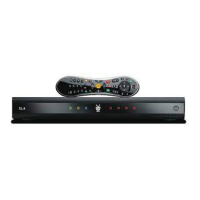
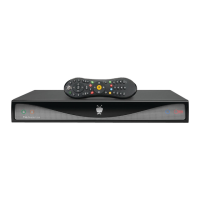
Check out the User's Guide for more information about setting up your TiVo DVR, and activating and using the TiVo service. If you still
need help, visit www.tivo.com/support, where you'll find Installation Self-Help, Frequently Asked Questions, step-by-step
troubleshooting, and the ability to get live interactive help from expert users. See the User's Guide for complete Customer Support
contact information.
©2004 by TiVo Inc. Reproduction in whole or in part without written permission is prohibited. All rights reserved. Printed in Mexico. TiVo, the TiVo logo, TiVo Central, the Jump logo, and the
Instant Replay logo are registered trademarks of TiVo Inc. TiVo Series2, Season Pass, WishList, the Thumbs Up logo and text, and the Thumbs Down logo and text are trademarks of TiVo
Inc., 2160 Gold Street, P.O. Box 2160, Alviso, CA 95002-2160. DIRECTV is a trademark of DIRECTV, Inc., a unit of Hughes Electronics Corp.
All other trademarks are the properties of their respective owners.
Need some help?
www.tivo.com/support
Tips, Troubleshooting, & More Setup Examples:
• If you don’t see the Welcome screen after connecting your DVR and plugging in the
power cord, see chapter 8 of the User’s Guide.
• To add a VCR or DVD recorder, see chapter 1 of the User’s Guide.
• To use a shared, broadband Internet connection instead of a phone line to connect to
the TiVo service after you complete Guided Setup, see chapter 7 of the User’s Guide.
Take a Tour to learn about the TiVo
®
service.
To learn more about TiVo service features such as Season Pass
TM
recordings, WishList
TM
searches, and playing with live TV, take the tours in chapter 3 of the User’s Guide.
And that’s just the beginning! Check out “Cool Things You Can Do” (also in chapter 3) to
learn about home media features like Digital Music, Digital Photos, Remote Scheduling
and more. Learn more about it in the User’s Guide!
Control Live TV
Pause TV for up to 30 minutes, rewind and
fast forward at three speeds, and instant
replay–all at the touch of a button.
Find What’s on TV
To see what’s on now, press LIVE TV. Press
the GUIDE button to see the Program Guide
and browse up to two weeks of program
information. Use either of two guide styles
to choose programs to watch or record.
TiVo Central
®
and Now Playing
The TiVo button takes you to TiVo Central,
where you can access all of the features
unique to the TiVo
®
service. Use Pick
Prograns to Record to schedule recordings
of your favorite shows. Press the TiVo
button twice to go to Now Playing on TiVo
and see all of your recorded programs.
Enjoy your TiVo
®
DVR!
Tell Your TiVo
®
DVR What You Like
Rate programs using the THUMBS
TM
buttons.
Then check out TiVo Suggestions (in Pick
Programs to Record) and watch for
suggestions in Now Playing on TiVo.
SDOC-00082-000 Rev. A
Watching one channel while recording another (optional)
You can split your video signal so you have a primary signal that passes through your TiVo
®
DVR,
and a second signal that connects directly to your TV. This lets you watch one channel while the
DVR records another. To do this, you need to buy an RF Splitter and an additional Coaxial RF cable.
Connect the Coaxial RF cable coming out of the wall to the In socket on the splitter. Connect a
Coaxial RF cable from one Out socket on the splitter to the jack Antenna/Cable RF In jack on the
DVR. Connect another Coaxial RF cable from a second Out socket on the splitter to the Antenna In
jack on your TV. (See the User’s Guide for more information on this setup.)
• To watch live TV on one channel while the DVR records another, use your TV’s remote to change
channels. Because this signal does not pass through the TiVo DVR, it has no TiVo service
functionality (so you can’t pause or rewind live TV ).
• To watch video from the TiVo DVR again, first press the TiVo button on your TiVo remote, then
press the Input, Source, or TV/Video button on your TV remote or TV until you see TiVo Central
®
.
Plug in TiVo
®
DVR power cord
Connect program source to TiVo
®
DVR
Connect the Coaxial RF cable coming out of the wall (from your
antenna or cable) to the Cable/Antenna RF In jack on the DVR.
Connect TiVo
®
DVR to TV
Connect a Composite A/V cable (red, white,
and yellow) from the DVR’s Audio/Video
Output jacks to the TV’s Audio/Video input.
[Alternate: If your TV doesn’t have Composite
A/V (red, white, and yellow) input jacks,
connect a Coaxial RF cable from the RF Out
jack on the DVR to the Antenna In jack on
your TV. Then set the Channel 3/4 switch on
the back of the DVR, and tune your TV to the
same channel.]
Connect phone cord to TiVo
®
DVR
Use the provided phone line splitter if the DVR is sharing a
phone jack with a telephone.
A connection to a standard phone line is required for Guided
Setup. After Guided Setup, you can connect your DVR to a home
network and use a shared broadband Internet connection,
instead of a phone line, to connect to the TiVo service. See the
User’s Guide for details.
Start Here
Set up your TiVo
®
DVR and activate the TiVo
®
service
Tune TV (if necessary) to see the Welcome screen
Turn on your TV. Tip: If you do not see the Welcome screen,
use the Input, Source, or TV/Video button on your TV remote
or TV to select the correct audio/video source. Press the
button until you see the Welcome screen.
When you see the Welcome screen, you’re ready to begin
Guided Setup. An explanation of Guided Setup, along with
useful information and tips for completing it are all provided
in the “Guided Setup” chapter of the User’s Guide.
[Alternate: If you used a Coaxial RF cable in Step , tune your
TV to the same channel (either 3 or 4) that the Channel 3/4
switch on the back of the DVR is set to. The Welcome screen
should appear.]
Setup for Antenna or Cable (no cable box) – Use cable bag only
If you have a cable box or satellite box, turn this poster over
A
Antenna
In
INPUT
VIDEO
R
L
Television
TiVo
®
DVR
Audio & Video (sound & pictures), Phone, and Power
A
Cable Bag
Activate the TiVo
®
service
To activate the TiVo service, visit www.tivo.com/activate.
Don’t have Internet access? Call TiVo Customer Support at 1-877-367-8486.
You’ll need the 15-digit TiVo service number of your DVR. (You can find the service number on the label on the back of your DVR.)
Write it here for reference ___________________________.
Get to know your cables (don’t worry if you don’t use all of them)
Do you have a satellite or cable box?
I have a satellite or cable box — Turn this poster over.
Yes
Continue with step
on the other side.
SDOC-00082-000
Welcome!
Activating and connecting a basic system takes less than half an hour. After connecting, completing on-screen
Guided Setup should take less than an hour. See the User’s Guide for additional setup examples.
A
Cable Bag
Coaxial RF cable
Composite A/V cable for
stereo audio (red & white
ends) and video (yellow end)
Phone cord
Phone splitter
Power cord
Audio & Video (sound & pictures),
Phone, and Power
Channel Changing
B
Cable Bag
If you have a cable or satellite box, the DVR uses
one of these cables to change channels. Turn this
poster over for details.
Serial Control cable (works with
some DIRECTV
®
satellite receivers
and Motorola/GI DCT2000 series
digital cable boxes.)
IR Control cable (works with
any cable or satellite box)
I don’t have a satellite or cable box — Use this side.
Continue with
step
below.
No

 Need help?
 General

 To Next Page