Optional Features
52
4
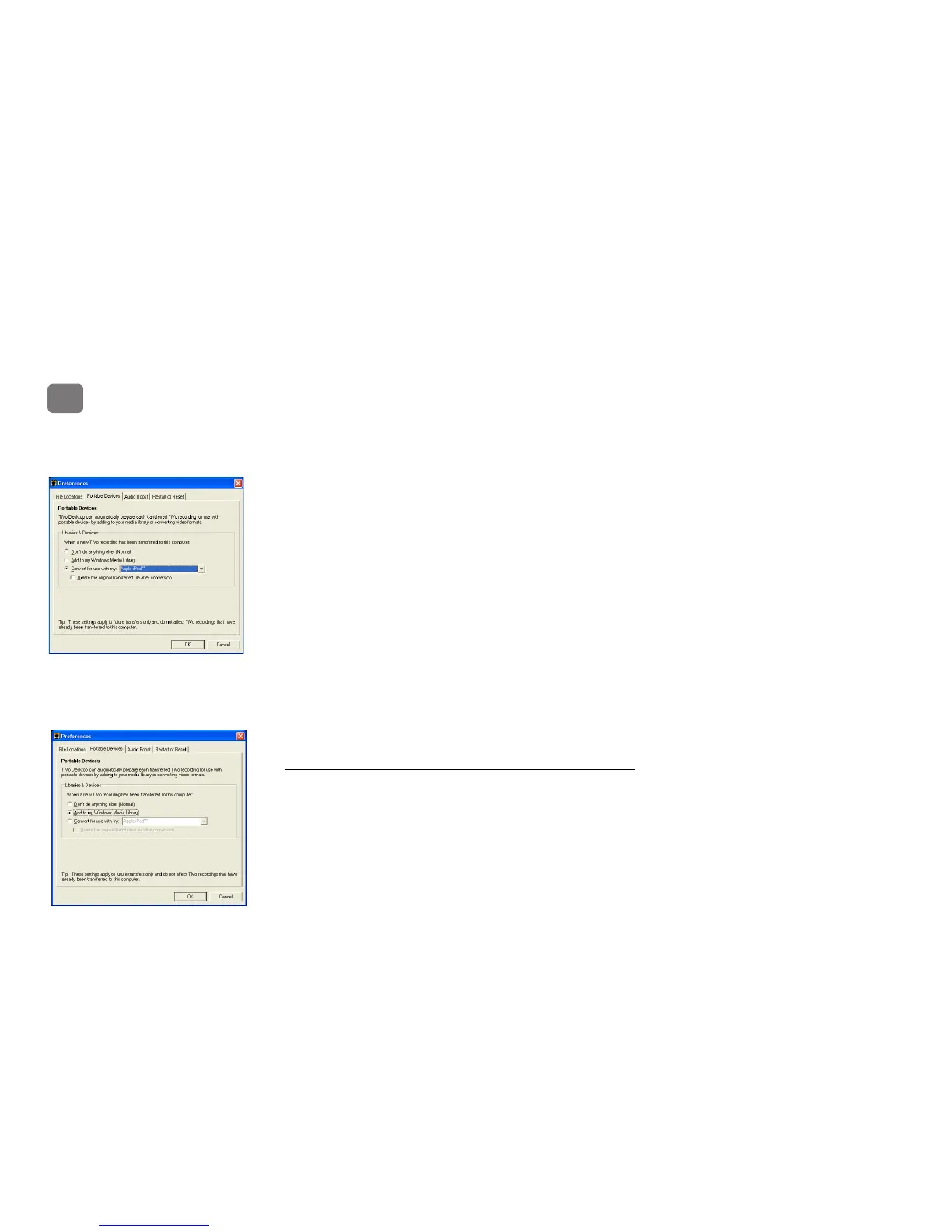
3. To convert all recordings automatically:
• Choose File > Preferences.
• Select the Portable Devices tab.
• Select Convert for Use with My: and use the drop-down menu to select your portable
device.
• If you want TiVo Desktop to delete the original recording from the My TiVo Recordings
folder after the conversion for your portable device is complete, check the box next to
Delete the Original Transferred Files After Conversion. This avoids storing multiple
copies of the same recording on your computer.
• Click OK.
Note: These settings apply only to new shows transferred to TiVo Desktop’s Now Playing
List; items currently in the Now Playing List will need to be converted manually (as
described above).
4. Refer to the documentation that accompanies your portable device for instructions on
transferring videos to your device.
Transferring TiVo Recordings to your Windows-Based Device
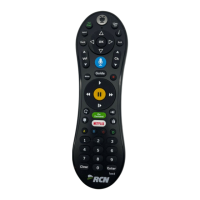
If your portable media player is Windows-compatible, TiVo Desktop can add recorded shows to
your Windows Media Library automatically:
1. Launch TiVo Desktop.
2. Choose File > Preferences.
3. Select the Portable Devices tab.


 To Next Page