Settings
63
5
• Auto Re-lock. When Parental Controls are temporarily turned off, they re-lock automatically
after four hours of no remote control activity. Parental Controls won’t re-lock in the middle
of a show. Use this setting to disable Auto Re-lock.
• Change the Password. While Parental Controls are on, select Change Password from the
Parental Controls screen. Enter a new password, then re-enter the new password to confirm.
Managing Classification Settings and Locked Channels
These settings allow you to restrict viewing to certain channels or classification limits, and to
block programs that are unclassified.
Classification Settings
Select Classification Settings from the Parental Controls menu to access these settings.
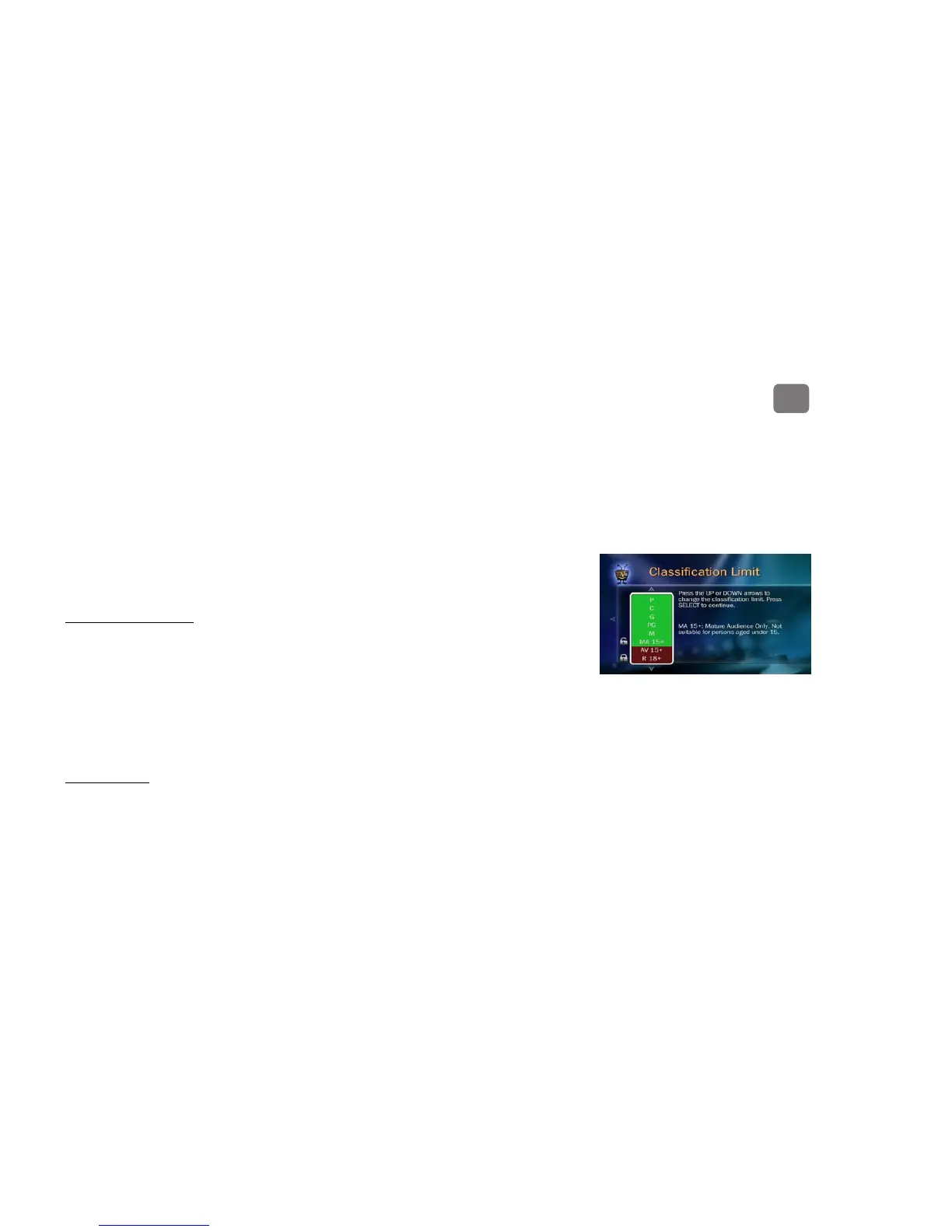
• Classification Limits. When you select this setting, you’ll see a box listing all classifications.
Classifications shaded in green are not locked; classifications in red are locked. Use the UP/
DOWN arrows to adjust which classifications are locked.
• Block Unclassified. Some programs are unclassified. Use this setting to block all unclassified
programs.
Channel Locks
Select Channel Locks from the Parental Controls menu to access this setting. Then press
SELECT to lock or unlock a channel.


 To Next Page