RN070405A_TM6Manual_01E.doc
8
5. Steam Trap Diagnosis
5.1 Receive Trap Data
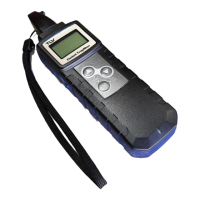
The Trap Data is downloaded to the TM6 by operating of TrapManager-Pro. After
downloading is successful, TM6 displays the Location ID and trap model.
5.2 Take Measurement
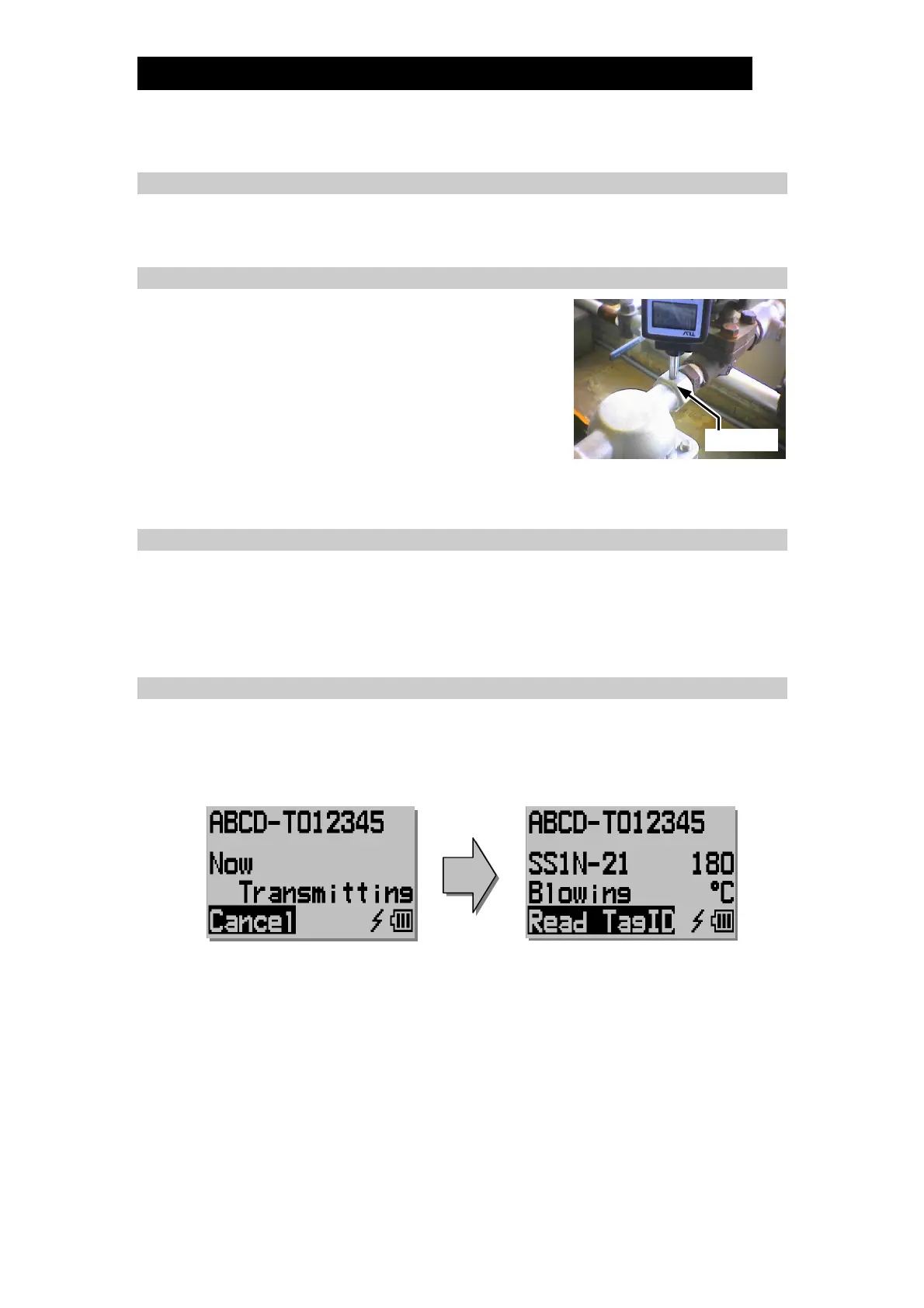
1) Measurements should be taken from the inlet side
of the trap. If the measurement point is at the
outlet, measurement accuracy cannot be assured.
2) Press the probe against the measurement point.
Measurements begin automatically once the probe
is applied to the measurement point.
3) It takes 15 seconds after placing the probe against
the measurement surface for the measurement to be complete. Be sure to hold
the probe perpendicular and steady for this entire period.
5.3 Automatic Judgment
1) After 15 sec measurement, TM6 confirms some parameters.
You can change the parameters if needed.
2) TM6 displays a test result.
You can modify the test result if needed.
5.4 Upload Inspected Data
1) After the test result is fixed, the inspected data is transmitted to TrapManager-
Pro automatically.
2) After transmitting is successful, the display of TM6 returns to the normal.
Trap Inlet


 To Next Page