Hardware Version : 5.02 Document Version : 0
TECHMAN ROBOT INC. 5F., No. 58-2, Huaya 2nd Rd., Guishan Dist., Taoyuan City, 333411 , Taiwan
Techman Confidential 18
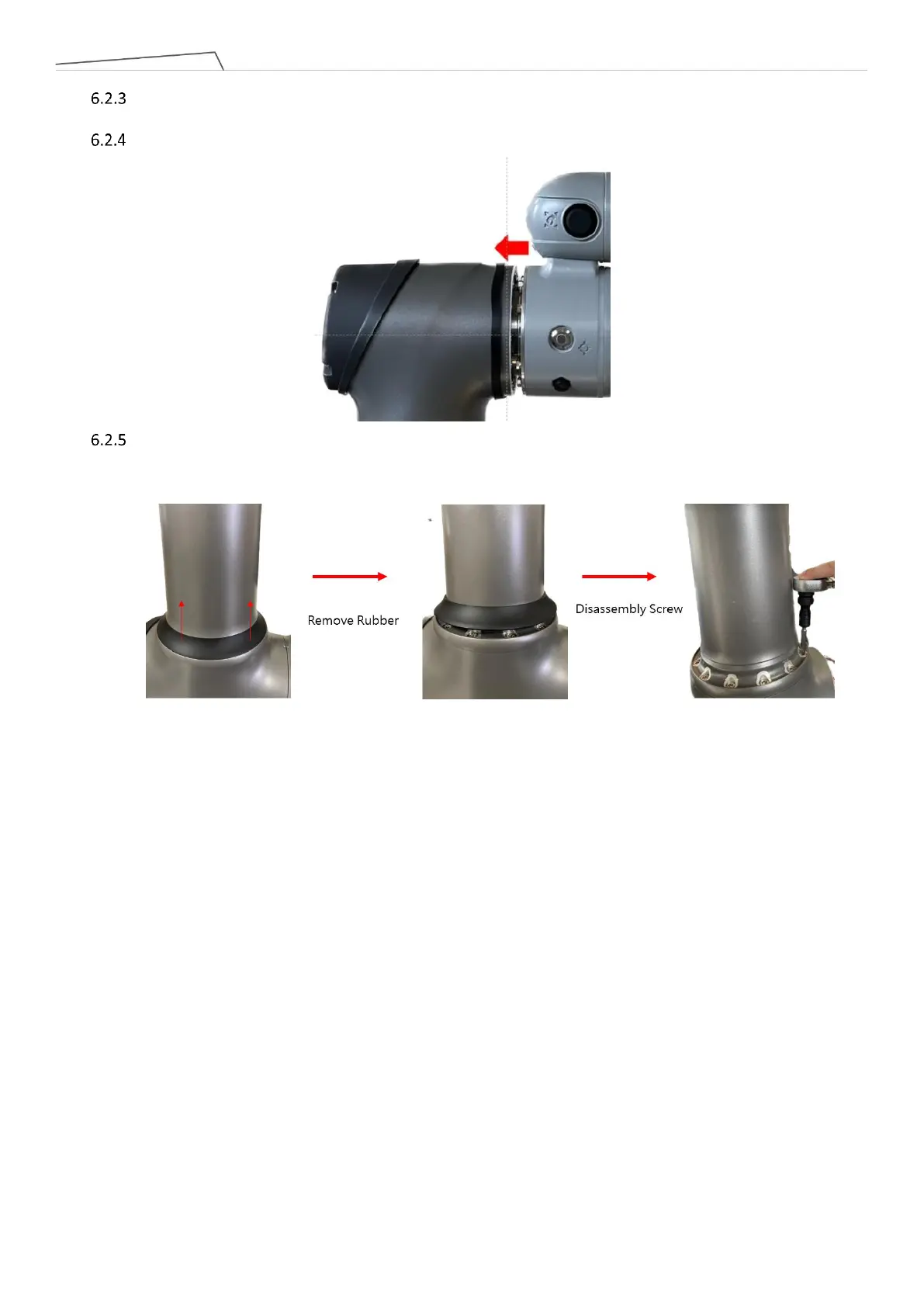
Remove Joint Rubber: Remove the Rubber with tweezers and open the white anti-dust cover to reveal the
200 Series / 500 Series / 800 Series Joint Screws.
Reverse the previous steps to install the dust cover and Rubber.
Removal of A01 Series Joint rubber: Use a flathead screwdriver to pry open the Rubber upward, revealing
the screws for the A01 Series Joint. Reverse the above steps to reinstall the Rubber.



 To Next Page