Hardware Version : 5.02 Document Version : 0
TECHMAN ROBOT INC. 5F., No. 58-2, Huaya 2nd Rd., Guishan Dist., Taoyuan City, 333411 , Taiwan
Techman Confidential 61
System recovery
This function is used to restore Disk C to the factory settings, while Disk D (e.g., projects, HMI
configurations, etc.) will remain unchanged.
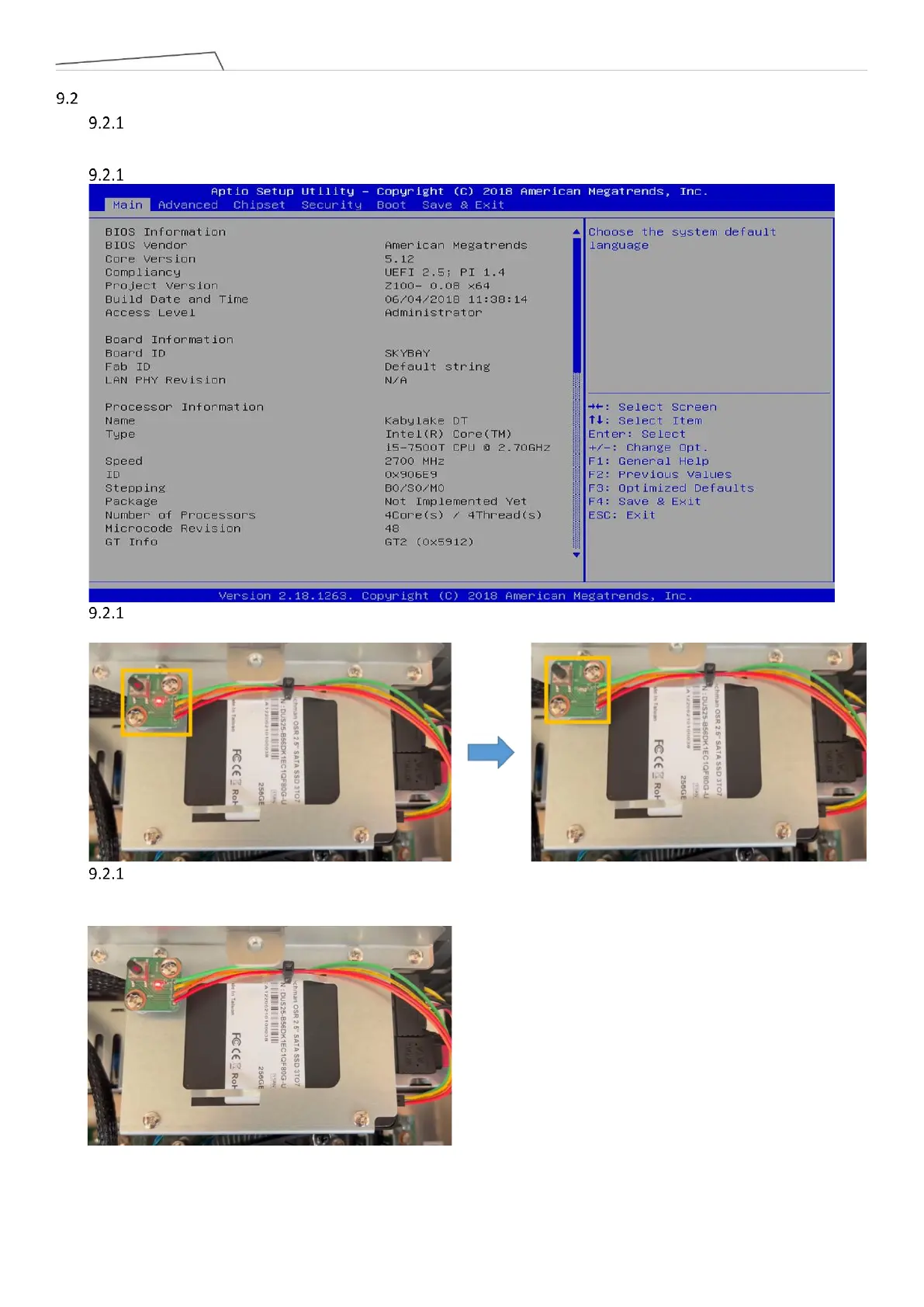
Press the Del key during startup to enter the BIOS.
Open the outer casing of the control box, and press and hold the black button on the SSD for more than 5
seconds. The red light will start flashing
After waiting for 15 minutes, the system will complete the restoration, and the red light will become
steady. Once the red light is steady, you can exit the BIOS, restart the system, and Disk C will be restored to its
factory state.



 To Next Page