gf9
Congure TOA IP Audio Systems for the CyberGate serviceCyberTwice
9
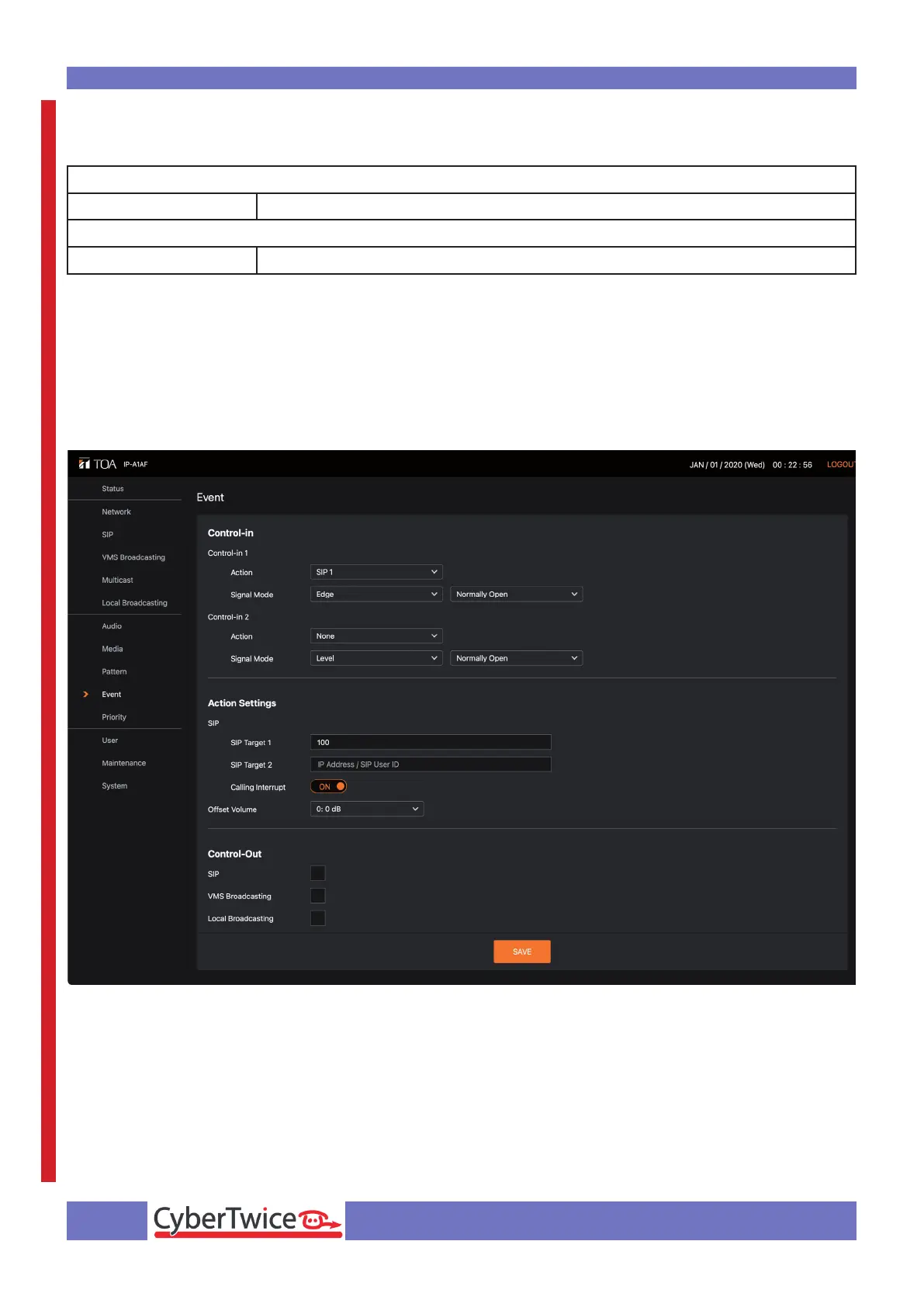
Provide the following information:
Control-in
Control-in 1 Action cybergate.cybertwice.com
Action Settings
SIP Target 1 100
SIP Target 1 is the destination address to call as soon as the switch connected to Control-in 1 is
pushed.
The congured number ‘100’ has to correspond with a Multi-ring group called ‘100’, congured in
the CyberGate admin portal. This Multi-ring group can contain one or more Teams users in your
organisation. As soon as this Multi-ring group is dialed, all Teams users in this Multi-ring group will be
called simultaneously, the rst one to answer will be connected to the TOA.
Click the orange Save button when done.
Before the settings are active, the TOA has to reboot (see the Maintenance menu for the ‘Reboot’
button).



 To Next Page