3-95
Chapter 3
INSTALLATION AND SETTING PROCEDURES (HARDWARE)
8.13. Control Panel Connections
8.13.1. Power supply connections
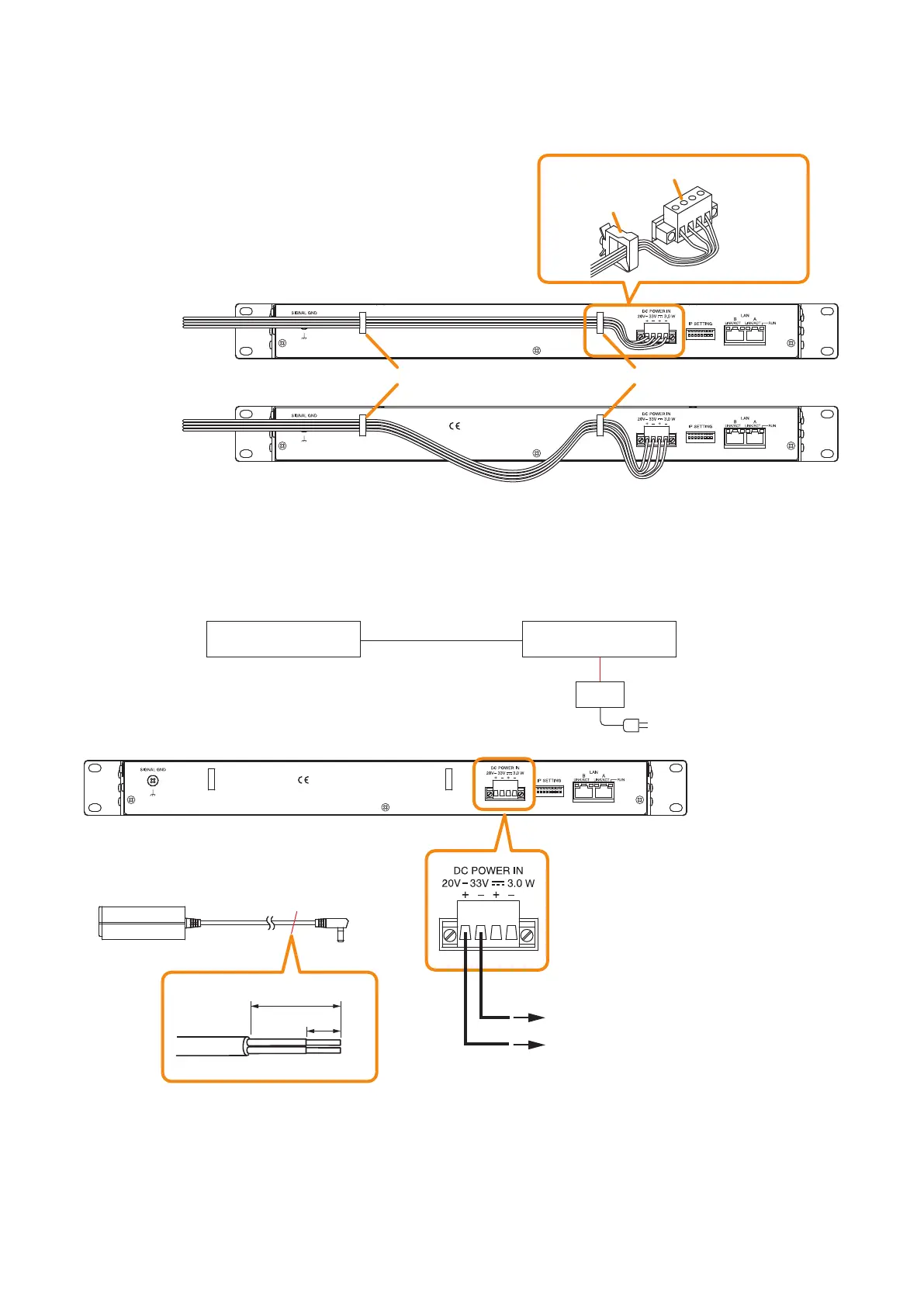
Note
Run the power cord through 2 cord clamps, then secure it
taking care the cable does not go beyond the height range of
the VX-3000CT's rear panel.
Otherwise, the power cord may be pinched between other
devices installed in the rack.
• Good example
• Bad example
[When power is supplied from the VX-3000DS or VX-3150DS]
See the operating instructions supplied with the VX-3000DS or VX-3150DS.
[When power is supplied from the AC adapter]
8.13.2. LAN link connectors connections
See "VX-3000 Unit's LAN Link Connector Connection" on p. 3-83
Note
To power the VX-3000CT even during power failures, a battery backup is also needed for the AC adapter.
Or supply power to the VX-3000CT from the VX-3000DS or the VX-3150DS without using the AC adapter.
VX-3000F VX-3000CT
AC adapter
Power input terminal
VX-3000CT (rear)
9 mm
25 mm
(+)
(–)
AC adapter AD-246 or equivalent unit
AC adapter AD-246
Cut off the DC plug of the AD-246 AC Adapter,
and treat the tip of cable as follows.
(Use when no back up power supply
is required.)
(–)
(+)
Cut off
VX-3000CT (rear)
VX-3000CT (rear)
DC Power input terminals
Cord clamp
Cord clamp Cord clamp



 To Next Page